How to Get Your Nail Salon on Google Maps (and Show Up for “Near Me”)
How Google picks the salons on the map, and the steps to claim, verify and fill in your free Google Business Profile so nearby clients can find and book you.
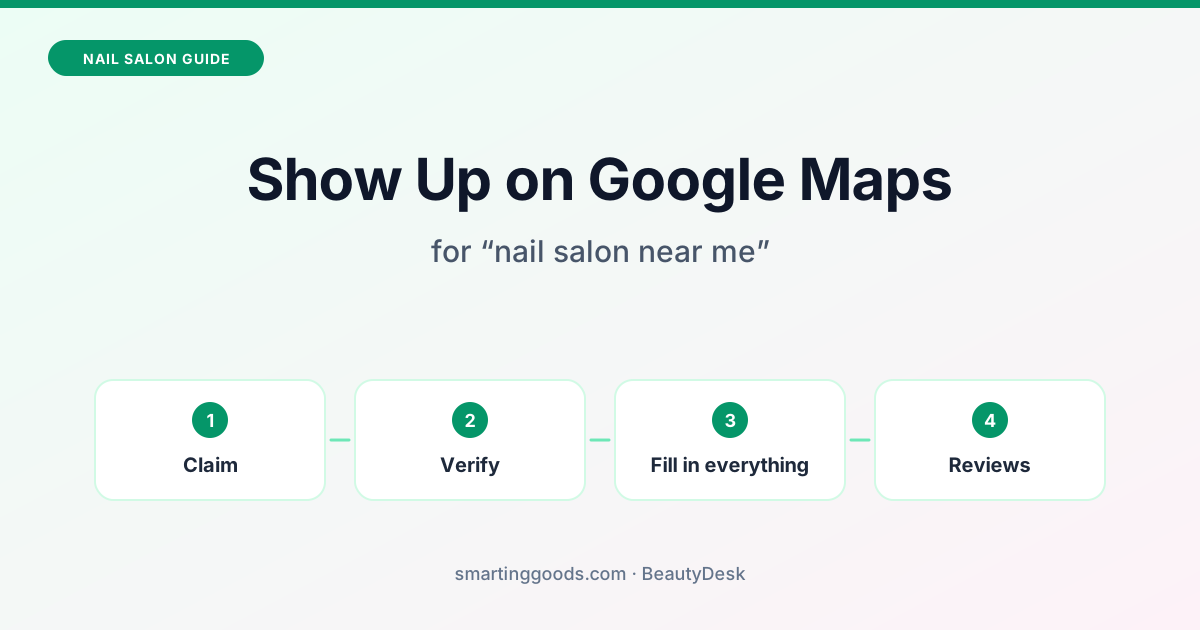
When someone searches "nail salon near me", Google shows a map with a few salons before any website. To get your business on Google Maps and into that list, you need a free Google Business Profile, verified and filled in completely. There's no trick and no way to pay for it. This guide covers how Google picks the salons on the map, and the steps to set up your profile so you're in the running.
How Google picks the salons on the map
Google says local results are mainly based on three things (Google Business Profile Help):
- Relevance: how well your profile matches what the person searched for. A profile with the category "Nail salon" and your services listed matches "nail salon" and "gel manicure" searches better than one with nothing filled in.
- Distance: how far your salon is from the person searching. You can't change this, which is why a salon a few blocks away sometimes shows above a better-known one.
- Prominence: how well-known your salon is, including your reviews and ratings.
Google also says, plainly: "There's no way to request or pay for a better local ranking on Google." Anyone who promises you the top spot on the map is selling something Google says can't be bought. Ads can appear above the map, but they're labelled as ads and are separate from these free results.
What you can do: give Google complete, accurate information, and keep earning honest reviews. Google says businesses with complete and accurate info are more likely to show up in local results, and that more reviews and positive ratings can help.
Step 1: Find, claim or create your profile
Your salon may already be on Google Maps, even if you never added it: customers and Google can create listings. Search your salon's name on Google Maps first.
- It's there and nobody manages it: open it, choose the option to claim it, then "Manage now", and follow the steps.
- It's there and someone else manages it (a former owner, a past marketing company): Google lets you request ownership from the current manager.
- It isn't there: go to business.google.com/add and add your business.
All of this is free: Google says "You can add or claim your business at no charge" (Google). Use the Google account you'll keep, ideally one tied to the salon rather than to an employee.
Step 2: Verify it
Until Google verifies your profile, you can't fully manage it. Google offers phone or text, email, a live video call, a video recording, or a postcard by mail, but which options you get depends on your business, its public information, region and hours (Google).
A few things that help:
- If you get video verification, plan the clip before you press record. Google asks for one unedited recording with no breaks, at least 30 seconds long, that shows where you are (street signs, the building number, nearby businesses), your salon name on a permanent sign that matches your profile, and something only staff can do, such as opening the register or using your checkout system (Google).
- Google reviews verification in up to 5 business days, and sometimes longer.
- A postcard usually arrives within 14 days, and its code expires after 30 days.
Use your salon's real name and address from the start, so there's nothing to fix while you wait.
Step 3: Fill in everything
This is where most salons lose out. Fill in every field you can:
- Name: your real salon name, exactly as on your sign. Don't add words like "Best Nails Gel Acrylic": Google says including unnecessary information in your name isn't permitted and can get the profile suspended (Google).
- Category: "Nail salon" as the main one. Google asks for the fewest categories that describe your core business, so add others only if they're true of your salon.
- Address and hours: the same as on your website and your door, including holiday hours.
- Phone: a number someone answers.
- Services and prices: add your menu. It helps your profile match searches for specific services.
- Photos: the front of the salon (so people find the door), inside, and your real work. Add new ones regularly.
- Website and booking link: link your website, and add your online booking page as your booking link so clients can book straight from Google. If you don't have a site yet, see how to make a nail salon website.
Step 4: Get reviews the right way
Reviews are part of "prominence", and they're what clients read before choosing between two salons on the map.
- Ask every happy client. Say it at checkout, and send the review link after the visit.
- Ask everyone, not just the happy ones. Google's rules forbid "selectively" asking only for positive reviews.
- Never pay for reviews or offer a discount for one. Google's policy prohibits incentives "such as payment, discounts, free goods and/or services" in exchange for posting a review (Google). Don't pressure clients to leave a review while they're still in the salon, either.
- Answer reviews, good and bad, politely and briefly. Future clients read your replies.
Step 5: Keep Google and your website matching
Your salon's name, address, phone number and hours should be the same on Google, on your website, on Facebook and on your door. When you change your hours, change them everywhere the same day. Mismatched details confuse clients, and Google's own help says accurate info helps you show up.
Post a photo or an update to your profile now and then, especially new work and seasonal offers. It keeps the profile current for clients.
Where BeautyDesk helps
BeautyDesk is our iPhone app for salons. For Google, it does three things today:
- Your website, built for Google search. Your BeautyDesk site has your address and hours on it, and a page for every service, at yourname.beautysite.app. It's the website and booking link to put on your profile.
- Your Google profile from the app. In BeautyDesk, under Edit Website › Google, you can connect the Google account that manages your salon, find your existing profile or start one, and keep your name, phone, hours, website and booking link lined up with your BeautyDesk site. Google still does the verification; the app shows you the steps.
- Review requests, if you turn them on. A few hours after a visit is checked out, BeautyDesk emails the client once, asking for a Google review. Every client gets the same email with the Google link, no reward is offered, and nobody is asked for a particular rating. The same client isn't asked again for 90 days.
On the Growth plan ($49.99 a month), AI-written posts can also go to your Google profile, along with Facebook and Instagram. Basic is $29.99 a month. Both are billed by Apple, with no setup fee and no contract. You build and preview your site free and pay when you publish. See what BeautyDesk does or download it on the App Store.
No app can promise you a spot on the map, and we don't. What a tool can do is keep your details complete and in sync, and make it easy for the clients who find you to book.
Frequently asked questions
Is a Google Business Profile free?
Yes. Adding or claiming your business on Google costs nothing.
How long does it take to show up on Google Maps?
Your profile goes public after Google verifies it, which Google says takes up to 5 business days for most reviews (a postcard can take up to 14 days to arrive). Where you appear for "nail salon near me" then depends on relevance, distance and prominence.
Why doesn't my salon show up for "nail salon near me"?
Common reasons: the profile isn't verified yet, the main category isn't "Nail salon", the searcher is far from you, or other salons nearby have more complete profiles and more reviews. Check that every field is filled in and matches your website.
Can I pay Google to rank higher on the map?
No. Google says there's no way to request or pay for a better local ranking. You can buy Google Ads, which show separately and are labelled as ads.
Can I give clients a discount for leaving a review?
No. Google's policy forbids offering payment, discounts or free services in exchange for reviews. Ask every client for an honest review instead.