 PhoneFiles
Comparison
Android File Transfer alternatives for Mac
Google withdrew Android File Transfer for Mac in 2024, and the copies people still have are increasingly unreliable on current macOS. These are the replacements that work today. We make one of them, PhoneFiles, so we've tried to be clear about what each option is actually for.
| Option | Connects by | What you can reach | Price |
|---|---|---|---|
| PhoneFiles | USB + Wi-Fi | Whole phone, both ways | $19 once |
| MacDroid | USB + Wi-Fi | Whole phone in Finder; Mac → phone needs Pro | Pro: $19.99 / year |
| Image Capture | USB | Camera photos only, one way | Free (built in) |
| LocalSend | Wi-Fi | Files you send from the phone | Free |
| Google Drive / Photos | Internet | What you upload | Free tier |
Prices and features from each product's own information, October 2026.
1.PhoneFiles: the closest thing to Android File Transfer, done properly
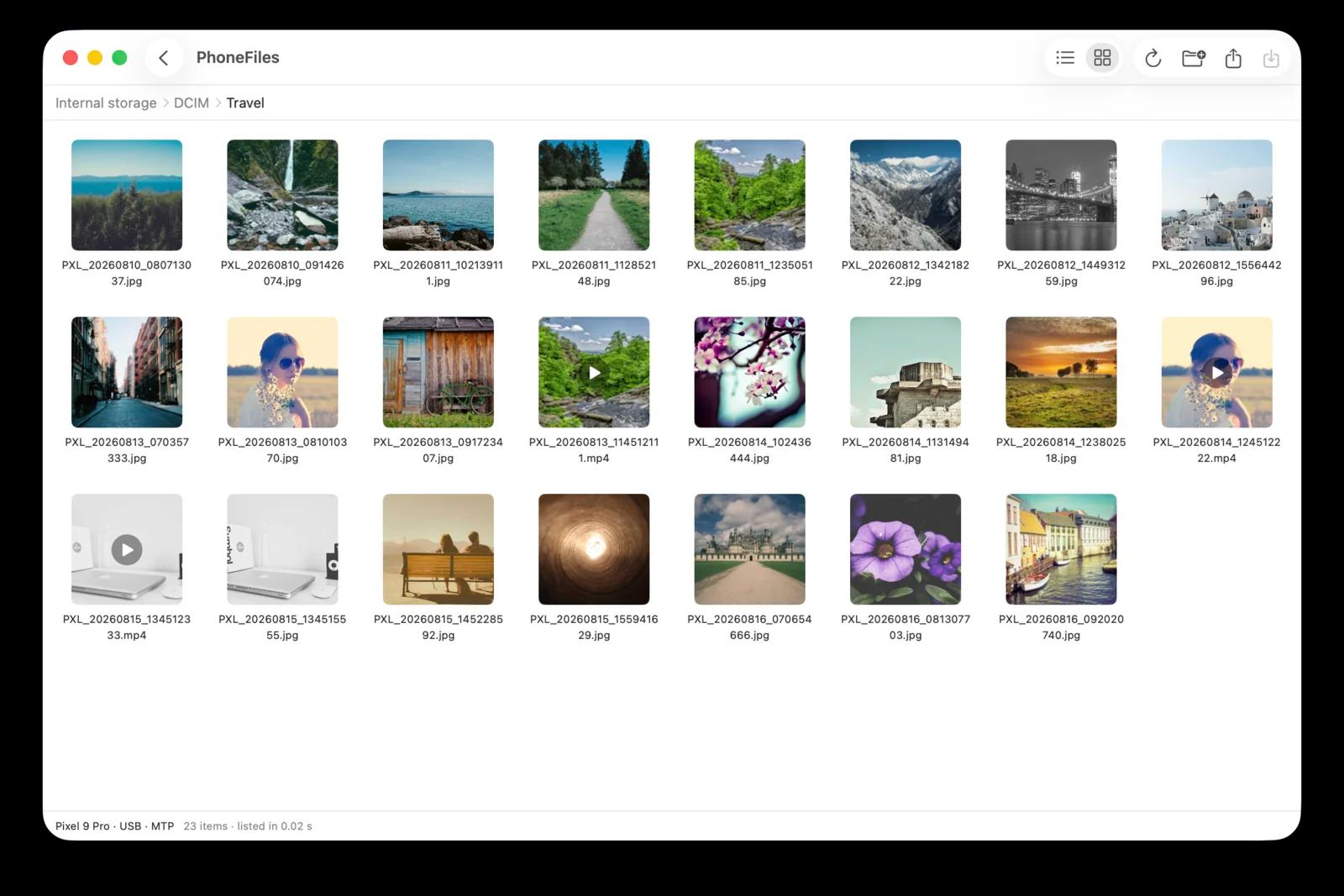
Plug in your phone and it shows up like a folder, with real thumbnails for photos and videos. Copy in both directions by drag and drop, press space to preview or play a video straight from the phone, and switch to Wi-Fi when there's no cable. It needs nothing on the phone over USB, and lists even huge camera folders in seconds.
Best for: anyone who used Android File Transfer and wants the same idea that works. One-time $19, Wi-Fi included, refund if it can't connect to your phone.
2.MacDroid
Mounts the phone so it appears in Finder. The free version only copies from phone to Mac; copying in both directions needs the paid Pro version, a yearly subscription ($19.99/year at the time of writing).
Best for: people who specifically want the phone inside Finder and don't mind a subscription.
Pay once, not every year
PhoneFiles: browse your whole phone, thumbnails, drag and drop both ways, Wi-Fi included. $19 once.
3.Image Capture (built into macOS)
Free and already on your Mac. Set the phone's USB mode to PTP (“Transferring images”), open Image Capture and import. It only sees camera photos and videos, and only copies phone to Mac, but for a one-off photo import it's fine.
4.LocalSend
A free, open-source app for sending files between devices on the same Wi-Fi. You pick files on the phone and send them to the Mac. It doesn't let you browse or manage the phone's storage from the Mac, so it suits sending a few files rather than going through a camera roll.
5.Google Drive or Google Photos
Upload from the phone, download on the Mac. Works anywhere with internet, but everything travels twice, which is slow for videos, and Google Photos compresses unless you back up in original quality, which uses your Google storage.
Which should you pick?
- Browse and manage the whole phone, USB or Wi-Fi: PhoneFiles (or MacDroid if you prefer Finder and a subscription).
- Just import camera photos, free: Image Capture.
- Send a few files over Wi-Fi, free: LocalSend.
Still trying to get Android File Transfer itself working? See the 8 fixes.
Questions
Is Android File Transfer still available for Mac?
No. Google withdrew the Mac download in 2024 and the app no longer gets updates. Copies people still have can fail on current macOS.
What is the best free alternative to Android File Transfer?
For camera photos, macOS’s built-in Image Capture. For sending a few files over Wi-Fi, LocalSend. Neither lets you browse and manage the whole phone from your Mac.
Which alternative lets me browse the whole phone from my Mac?
PhoneFiles and MacDroid both browse the phone’s storage and copy in both directions. PhoneFiles is a one-time $19 with Wi-Fi included; MacDroid is a yearly subscription.
Do I need USB debugging or developer mode?
Not for PhoneFiles or MacDroid over USB: they use the standard file-transfer mode every Android phone has. Choose File transfer in the USB notification when you plug in.
PhoneFiles: Android File Transfer for Mac
Plug in and browse, or go wireless. $19 once, with a refund if it can't connect to your phone.