 PhoneFiles
 For macOS · USB and Wi-Fi
Android File Transfer for Mac, that actually works
Plug in your Android phone and browse it like a folder on your Mac: real photo and video thumbnails, drag and drop both ways, and videos that play straight from the phone. Or skip the cable and use Wi-Fi.
Already bought it? Download PhoneFiles$19 one-time · Wi-Fi included · refund if it can't connect to your phone
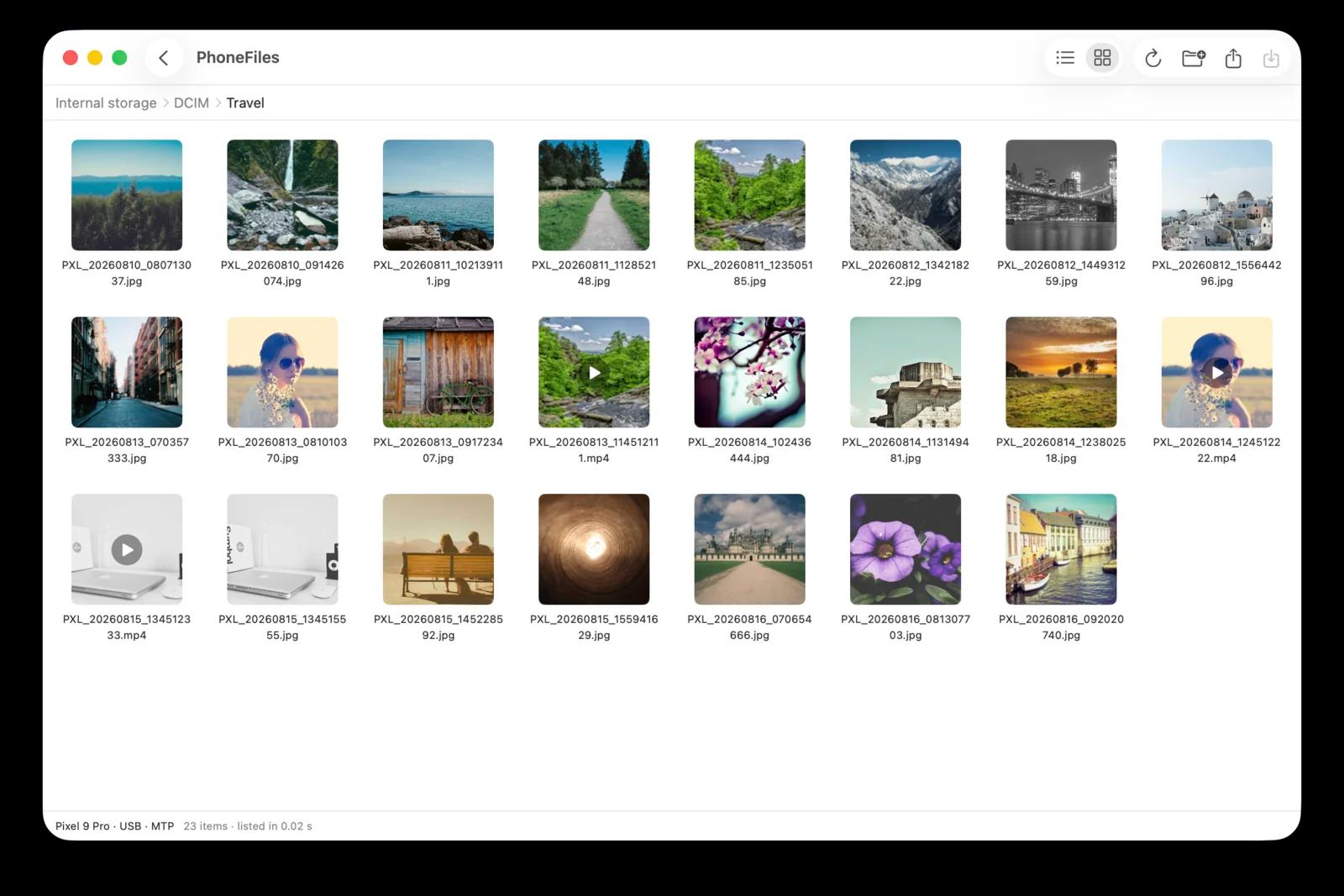
Your phone, like a folder on your Mac
Google stopped offering Android File Transfer for Mac in 2024. PhoneFiles is what it should have been.
Plug in and browse. No setup.
Connect with a USB cable, pick "File transfer" on the phone, and your files appear. No developer mode, nothing to install on the phone.
Fast, even for huge camera folders
A camera folder with 1,329 photos and videos shows its file names in under a tenth of a second and is fully listed in about 2 seconds, where the standard method took 45.
Real thumbnails, photos and videos
A Finder-style list or a grid of previews, straight from the phone. Videos show a real frame, not a generic icon.
Space to preview, videos play instantly
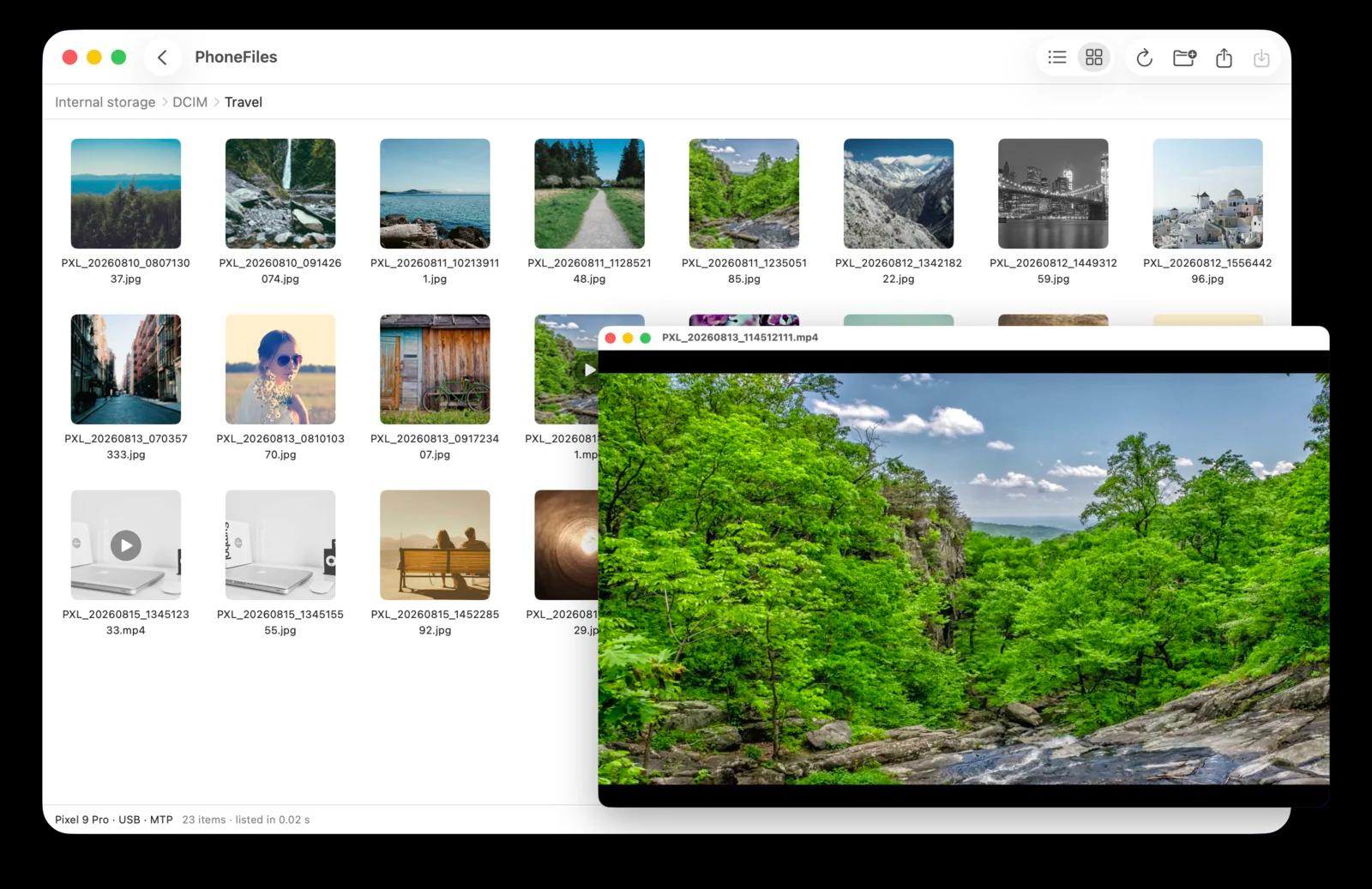
Press space like in Finder. Photos open in Quick Look; videos stream straight from the phone, so a 400 MB clip starts without copying it first. Arrow keys flip to the next file.
Drag and drop, both ways
Drag photos, videos or whole folders to Finder, or drop files from your Mac onto the phone. Delete with ⌘⌫. Files over 4 GB are fine.
Tells you what to do when it can’t connect
Phone only charging? Locked? Photos or Preview holding it? PhoneFiles says exactly what to tap, and offers to quit the app that’s in the way.
Press space. It just plays.
Videos stream straight from your phone, so even big clips start right away, with no copying first. Arrow keys flip to the next photo or video, just like Finder.
No cable? Use Wi-Fi.
Install the free PhoneFiles phone app, pair once, and your phone shows up whenever it's on the same Wi-Fi as your Mac. Same thumbnails, same drag and drop, same video playback.
- Pair like Bluetooth: both screens show the same 6-digit code
- Encrypted end to end (TLS 1.3), with a key that never leaves your phone
- Files go directly between your devices, never through the internet
- No Google Play needed: PhoneFiles can install the phone app over your cable
Set up in three steps
- 1. Open PhoneFiles on your Mac and choose Wi-Fi.
- 2. Get the phone app (scan the code, or let your Mac copy it over the cable) and allow access to files.
- 3. Click Pair, check the codes match, tap Allow. Done for good.
How it compares
| PhoneFiles | Android File Transfer | MacDroid | |
|---|---|---|---|
| Still available | Discontinued 2024 | ||
| Wi-Fi transfers | Included | ||
| Copy Mac → phone | Included | Pro only | |
| Price | $19 once | Free (no longer offered) | Pro: $19.99 / year |
Based on each product's public information as of October 2026.
One-time. No subscription.
- USB and Wi-Fi
- Free phone app
- Thumbnails, previews, video playback
- Updates included
- Refund if it can’t connect to your phone
Questions
Which phones work?
PhoneFiles uses the standard file-transfer mode built into every Android phone since 2011, so it should work with any of them. If PhoneFiles can’t connect to your phone, you get a full refund.
Do I need to turn on developer mode or USB debugging?
No. A plain USB cable is enough: choose "File transfer" when your phone asks what the cable is for. If USB debugging happens to be on, PhoneFiles uses it automatically for faster transfers.
How does Wi-Fi work, and is it safe?
Install the free PhoneFiles phone app, then pair once: your Mac and phone show the same 6-digit code and you tap Allow. Everything is encrypted (TLS 1.3) with a key that never leaves your phone, and your Mac only ever talks to the phone it paired with. Files go directly between your devices on your own network, never through the internet.
Where do I get the phone app?
PhoneFiles can put it on your phone for you over the USB cable, no app store needed. A Google Play listing is on its way.
Does PhoneFiles need an account or an internet connection?
No account. Your files never leave your devices. The app only goes online to check for updates and to confirm your licence hasn’t been refunded, and it keeps working offline.
Which Macs are supported?
macOS 13 Ventura or later, on Apple silicon or Intel Macs.
Is it a subscription?
No. $19 once, and it’s yours, including updates and Wi-Fi.
What is the refund policy?
If PhoneFiles can’t connect to your phone, refund it yourself within 14 days from Manage my order (link below and in your licence email). It’s immediate.