 PhoneFiles
Guide
Transfer files from Android to Mac over Wi-Fi
No cable, no AirDrop, and Quick Share doesn't officially work with Macs. You still have good options. The right one depends on whether you want to browse the phone from your Mac, or just send a few files from the phone.
1.Browse the whole phone over Wi-Fi with PhoneFiles
Your phone appears in PhoneFiles on the Mac just like over a cable: every folder, thumbnails for photos and videos, drag and drop in both directions, and videos that play straight from the phone.
- Install the free PhoneFiles phone app. PhoneFiles on the Mac shows a QR code to scan, or can copy the app over a USB cable for you.
- Open it on the phone and allow access to files.
- With both on the same Wi-Fi, your phone appears in PhoneFiles. Click Pair.
- Check that the Mac and the phone show the same 6-digit code, and tap Allow on the phone.
That's once. Afterwards the phone connects by itself whenever it's on the same Wi-Fi. Transfers are encrypted and go straight between your devices, never through the internet.
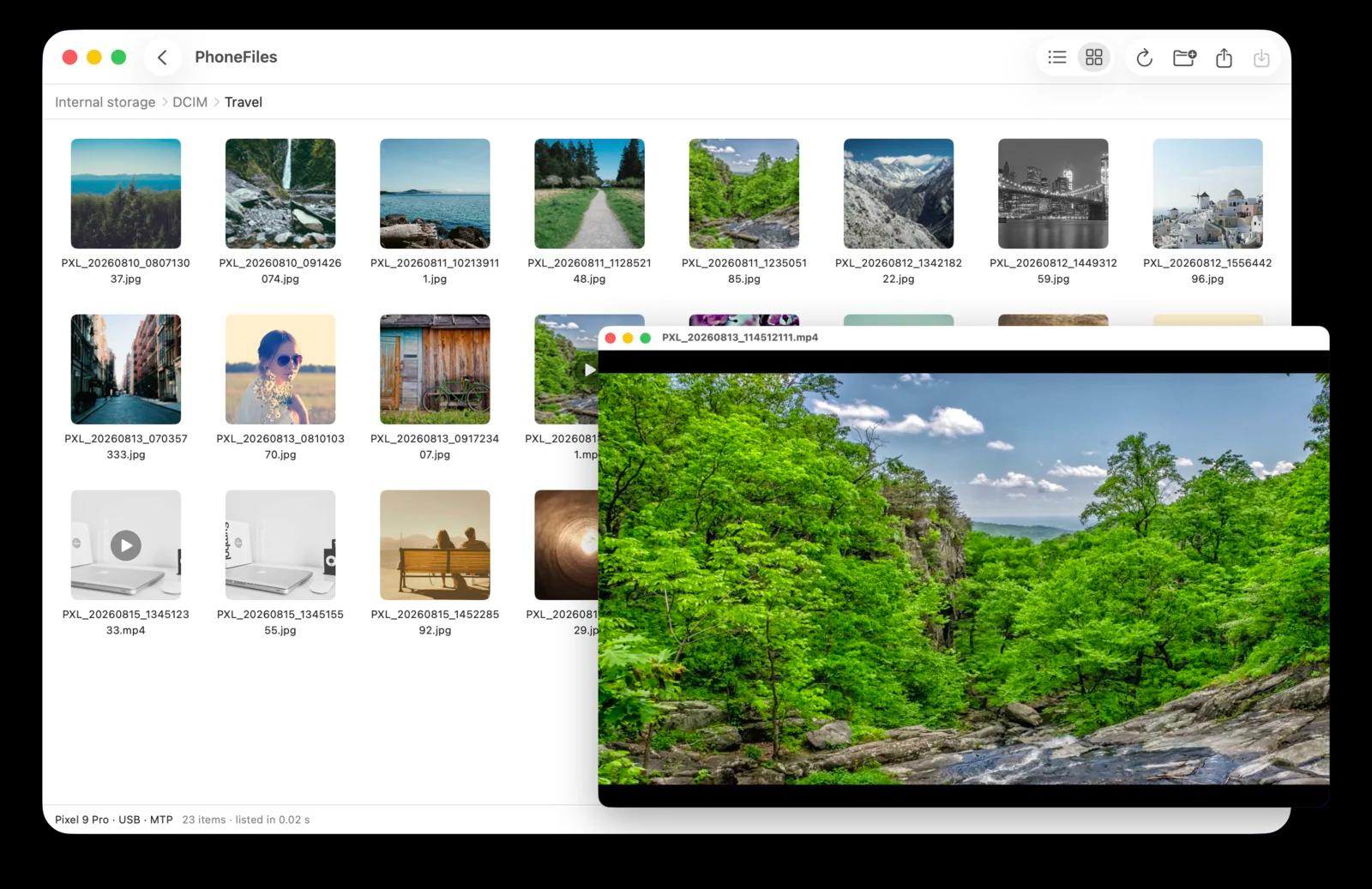
Wi-Fi included, not an upgrade
PhoneFiles works over USB with no setup, and over Wi-Fi with the free phone app. $19 once.
2.Send a few files with LocalSend (free)
LocalSend is a free, open-source app for sending files between devices on the same network. Install it on both the phone and the Mac, pick files on the phone and send them. It's good for a handful of files you choose on the phone; it doesn't let you browse the phone's storage from the Mac.
3.Go through the cloud
Google Photos, Google Drive or Dropbox work from anywhere: upload on the phone, download on the Mac. Everything crosses the internet twice, which is slow for videos, and photo services may compress unless you choose original quality.
Phone not showing up over Wi-Fi?
- Check both are on the same Wi-Fi network (not a guest network that isolates devices).
- On the Mac, allow PhoneFiles under System Settings → Privacy & Security → Local Network.
- On the phone, exclude PhoneFiles from battery saving so it isn't paused in the background.
Prefer a cable? Every way to move photos from Android to Mac.
Questions
How fast is Android to Mac transfer over Wi-Fi?
It depends mostly on your router and how close the phone is to it. A USB cable is usually faster for very large batches, such as a whole camera roll of videos.
Is wireless transfer between my phone and Mac safe?
With PhoneFiles, files go directly between your devices on your own network, encrypted (TLS 1.3), and only after you pair them by matching a 6-digit code. Nothing goes through the internet.
Can I use Quick Share or AirDrop between Android and a Mac?
No: AirDrop is Apple-only, and Quick Share has no official Mac app. Use an app built for Android-to-Mac transfer instead.
Do both devices need to be on the same Wi-Fi?
Yes, for local transfer apps such as PhoneFiles and LocalSend. Cloud services work across networks but upload everything first.
PhoneFiles: Android File Transfer for Mac
USB with no setup, or Wi-Fi with the free phone app. $19 once, with a refund if it can't connect to your phone.