 PhoneFiles
Guide
How to transfer photos from Android to Mac
iPhone owners have AirDrop. Android phones and Macs have nothing built in that talks to each other, and Google stopped offering its Android File Transfer app for Mac in 2024. Here are the five ways that work in 2026, what each is good for, and the fastest way to move a whole camera roll at full quality.
| Method | Best for | Quality | Setup |
|---|---|---|---|
| USB cable + PhoneFiles | Lots of photos and videos, quickly | Original | None on the phone |
| Image Capture (built into macOS) | A free one-off photo import | Original | None |
| Wi-Fi + PhoneFiles | No cable at hand | Original | Free phone app, pair once |
| Google Photos | Photos you already back up | Original only if set | Google account, upload first |
| Email or messaging apps | One or two photos | Often compressed | None |
1.Over USB with PhoneFiles (fastest for a whole camera roll)
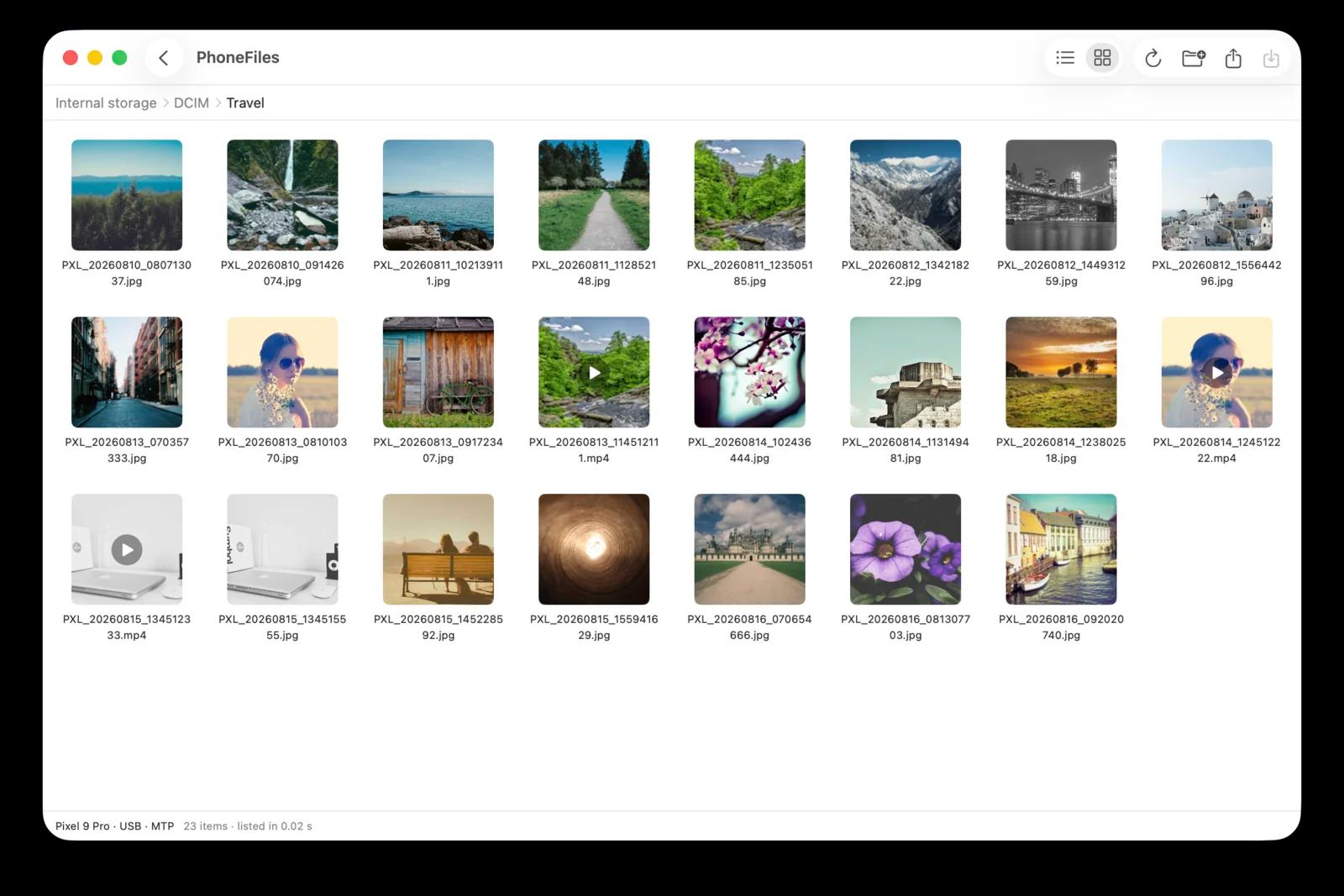
PhoneFiles shows your phone like a folder on your Mac, with real thumbnails for every photo and video, so you can see what you're copying before you copy it.
- Plug your phone into your Mac with a USB cable.
- On the phone, swipe down, tap the USB notification and choose File transfer.
- In PhoneFiles, open DCIM → Camera. Thumbnails appear in a couple of seconds, even for thousands of photos.
- Select the photos (⌘A for all) and drag them to a folder in Finder, or right-click → Copy to Downloads.
Press space to preview a photo or play a video straight from the phone, and the arrow keys to flip through. Nothing needs installing on the phone.
2.Image Capture (free, built into macOS)
Every Mac has Image Capture, and it can import photos from many Android phones. It's a good free choice for a one-off import of camera photos.
- Plug in the phone and choose PTP (sometimes “Transferring images”) in the USB notification.
- Open Image Capture (Applications or Spotlight) and select your phone.
- Choose a destination folder, then click Download All or select photos and click Download.
Limits: it only sees the camera folders, works one way (phone to Mac), and can't reach other files such as downloads or WhatsApp media. Quit it when you're done: while it's open, other apps can't talk to the phone.

Every photo and video, at full quality
PhoneFiles: thumbnails for your whole camera roll, drag to Finder, videos that play straight from the phone. USB with no setup, or Wi-Fi. $19 once.
3.Over Wi-Fi, no cable
With the free PhoneFiles phone app, your phone shows up in PhoneFiles whenever both are on the same Wi-Fi, with the same thumbnails and drag and drop. You pair once (both screens show the same 6-digit code); after that it connects by itself. Transfers are encrypted and go straight between your devices, not through the internet. More on Wi-Fi transfer.
4.Google Photos
If your phone already backs up to Google Photos, open photos.google.com on your Mac, select the photos and download them. Two catches: every photo has to upload from the phone first, then download again, which is slow for a big batch or long videos; and unless backup is set to Original quality, Google stores a compressed copy. Original-quality backups also count against your Google storage.
5.Email or messaging apps
Fine for one or two photos. Most messaging apps shrink photos, and email has size limits, so it's not a way to move an album or videos.
Photos not showing up when you plug in?
Almost always the phone is only charging, it's locked, or Photos grabbed it first. See the 8 fixes.
Questions
Can I AirDrop from Android to a Mac?
No. AirDrop only works between Apple devices, and Google’s Quick Share has no official Mac app. Use a USB cable, Wi-Fi with an app such as PhoneFiles, or a cloud service.
Why don’t my photos show up when I plug my Android phone into my Mac?
Most phones only charge over USB until you choose File transfer in the USB notification. Some also need to be unlocked. See our guide to Android File Transfer not working on Mac for every fix.
Do photos lose quality when I transfer them?
Not over a cable or local Wi-Fi: the files are copied exactly. Cloud services can compress photos unless you choose original-quality backup, and messaging apps usually shrink them.
How do I transfer videos from Android to Mac?
The same way as photos. Over USB or Wi-Fi, large videos copy at full quality; PhoneFiles can also play them straight from the phone before you copy them.
PhoneFiles: Android File Transfer for Mac
Plug in and browse, or go wireless. $19 once, with a refund if it can't connect to your phone.