Use a Laptop as a Second Monitor for Your Mac
A cable won't do it, Sidecar is iPad-only and Windows' Miracast doesn't work with Macs. Here is what actually lets a Windows or Linux laptop be your Mac's second monitor.
Use a Laptop as a Second Monitor for Your Mac (Windows or Linux)
You have a Mac on your desk and a spare laptop in a drawer, and you want to use the laptop as a second monitor. It sounds like it should be one setting somewhere. It isn't, and most of the first page of search results either skip the Mac or quietly assume you have an iPad. Here is what actually works, and why the obvious options don't.
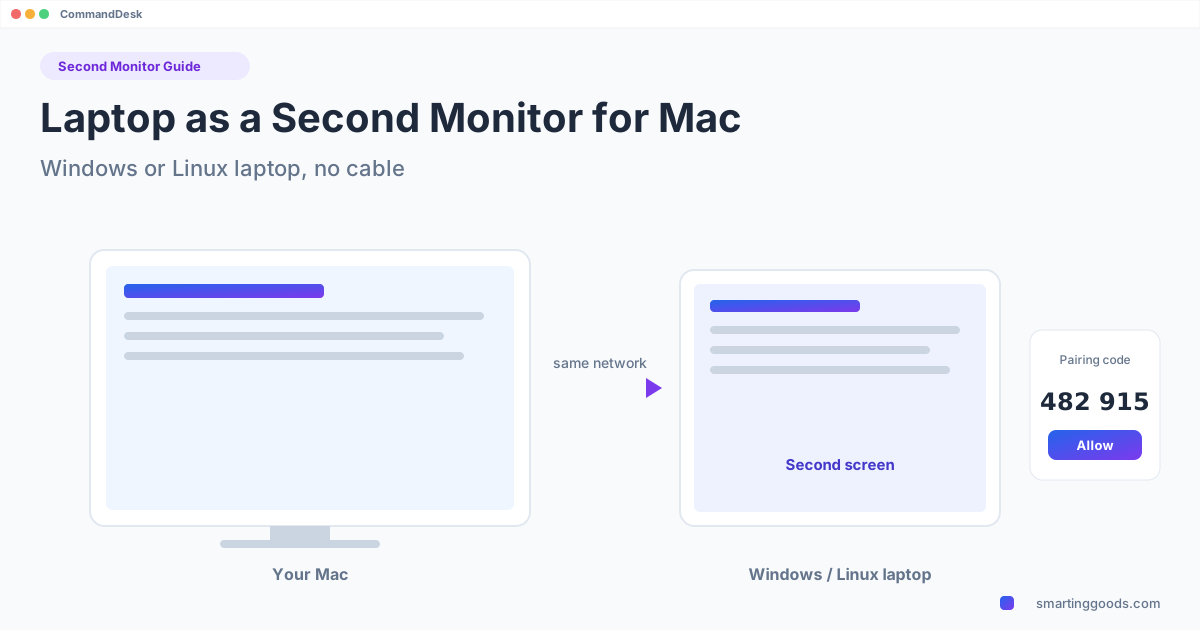
If you want the short version: you need a small app on both computers. The Mac sends a second display over your local network, and the laptop shows it full screen. CommandDesk does exactly that for a Windows or Linux laptop, and the laptop side is free.
Why the obvious ways to use a laptop as a second monitor for Mac don't work
Sidecar is iPad-only. Apple's built-in second-screen feature turns an iPad into a display. It does not work with a Windows laptop, a Linux laptop, or another Mac in that role. If you saw "Sidecar" in a guide, it was written for iPad owners. (We have a separate page on what Windows owners can use instead: Sidecar for Windows.)
A cable won't do it. The HDMI port on a laptop is an output. It sends video out to a monitor; it cannot take video in. Plugging an HDMI cable from your Mac to your laptop does nothing useful, and a laptop's USB-C port is not a video input either unless the manufacturer says otherwise, which is rare.
Windows' "Projecting to this PC" won't help a Mac. Windows has a built-in feature that lets another device project onto the PC's screen. It uses Miracast. Macs do not support Miracast, so the Mac never shows up as something that can project to it. That is why this feature works from an Android phone or another Windows PC but not from your MacBook.
That leaves one approach: software on both machines. The Mac renders a virtual display, compresses it, and sends it to the laptop, which draws it. The two pieces of software have to agree on how to connect, so you install one on each side.
Option 1: CommandDesk (what we make)
CommandDesk is a Mac app that costs $19 one time. The PC app is free. It requires macOS 13 Ventura or later on the Mac, and on the laptop either Windows 10 (version 2004 or later) or Windows 11, or Ubuntu 24.04+ / other Linux with the GNOME desktop. KDE and Cinnamon desktops are not supported, and neither are Chromebooks.
How to set it up:
- On the Mac, download CommandDesk from smartinggoods.com/commanddesk and open it. It lives in the menu bar.
- On the laptop, download the free PC app from smartinggoods.com/commanddesk/pc and run it.
- Put both on the same network: the same Wi-Fi or the same wired network.
- On the Mac, open the CommandDesk menu. Your laptop appears in the list. Choose it.
- Both screens show the same 6-digit code. Check they match, then click Allow on the laptop.
- In the CommandDesk menu choose Use [your laptop] as a Second Screen.
The Mac adds a virtual display at the laptop screen's own resolution and the laptop shows it full screen. Because it matches the laptop's native resolution, text is sharp rather than blown up: a 2880x1920 laptop panel gets a 2880x1920 display, not a stretched 1080p one. Drag windows onto it like any monitor, and in the menu pick whether the laptop sits to the left or right of the Mac, so your pointer moves across the edge the way your desk is actually laid out.
A few details that matter day to day:
- The pointer is drawn directly on the laptop, so it moves smoothly instead of trailing behind the stream.
- Touchscreen laptops work as touch displays. On a Surface, for example, you can tap to click, double-tap, drag and scroll with two fingers.
- Connection is encrypted, with no account and no IP addresses to type. The pairing code is the only step.
- One PC at a time. While the laptop is your second screen, controlling it from the Mac with CommandDesk pauses; switch the second screen off and it resumes.
- Local network only. It is smoothest on a wired connection or 5 GHz Wi-Fi. A crowded 2.4 GHz network is the usual cause of choppy motion.
It is built for working: documents, chat, a browser, charts, a reference window. It is not meant for fast games.
If you are not sure it will connect on your network, there is a refund within 14 days if CommandDesk cannot connect to your PC.
Option 2: Duet Display
Duet Display is another app that does this kind of job. It can use a Mac, PC, iPad, iPhone or Android device as a second display. You need a Duet account on both machines, and it is a subscription product with paid Air and Pro plans. If you already use Duet for an iPad, or want one tool that covers several device types, it is worth a look. If you only want a Windows or Linux laptop as a display for your Mac and would rather not make an account or subscribe, CommandDesk is the narrower and simpler fit.
Which laptop are you using?
Different laptops behave differently, mostly because of screen resolution and touch. We wrote the specific guides where people are actually searching:
- Use a Surface Pro as a second monitor for Mac: a 3:2 high-resolution touchscreen, tap and scroll support, and how Windows scaling interacts with the sharp display.
- Use an old laptop as a second monitor for Mac: what an older, lower-resolution laptop can and can't do, which Windows and Ubuntu versions to be on, and a cheap way to revive one.
Other laptops (Dell, Lenovo, HP, ASUS, Acer and so on) work the same way as long as they meet the requirements above. The brand doesn't matter to CommandDesk; the operating system and the network do.
Using the laptop for more than a screen
The same app lets your Mac's keyboard and mouse control the laptop: move the pointer off the edge of the Mac's screen and onto the laptop, copy and paste text between them, and hear the laptop's sound on the Mac. Details are in one keyboard and mouse for a Mac and a PC. Note you pick one mode at a time: while the laptop is your second screen, that control mode pauses.
FAQ
Can I use a laptop as a second monitor for my MacBook with an HDMI cable? No. A laptop's HDMI port only sends video out, so it can't act as a display input. You need software on both computers.
Can I use Sidecar with a Windows laptop? No. Sidecar works with iPad only.
Does Windows "Project to this PC" work with a Mac? No. It uses Miracast and Macs don't support Miracast.
Does it work over Wi-Fi? Yes, over your local network. Wired or 5 GHz Wi-Fi is smoothest.
Can I use a Linux laptop? Yes, if it runs Ubuntu 24.04+ or another Linux with the GNOME desktop. KDE and Cinnamon aren't supported.
Can I use a Chromebook? No, Chromebooks are not supported.
Is it good for games or video? It is made for working: documents, chat, browser and charts. It isn't meant for fast games.
Try it
CommandDesk is $19 one time for the Mac app; the PC app is free. See CommandDesk, or download the PC app first at smartinggoods.com/commanddesk/pc to make sure your laptop is supported.