Use an Old Laptop as a Second Monitor for Your Mac
An old laptop can be a second monitor for your Mac, but not by cable. Here is which operating systems work, what the screen can show, and how to set it up.
Use an Old Laptop as a Second Monitor for Your Mac
If you have an old laptop gathering dust, it can be a decent second monitor for your Mac. It will not work by plugging in a cable, and what you can do depends mostly on how old it is. This guide is about the old-laptop case: what works, what doesn't, and what to do if the machine is too old. For any other laptop, see the main guide.
Why a cable doesn't work
A laptop's HDMI port is output only. It sends picture out; it cannot receive one. So an HDMI cable from your Mac into the old laptop gives you nothing. Apple's Sidecar is iPad-only, and Windows' "Projecting to this PC" uses Miracast, which Macs don't support. So the only route is an app on both computers sharing the display over your network.
The thing that decides it: the operating system
CommandDesk's PC app needs one of these:
- Windows 10 (version 2004 / 2020 or later), or Windows 11
- Ubuntu 24.04+ or another Linux with the GNOME desktop (not KDE or Cinnamon)
It does not run on Chromebooks. Check your laptop first:
- Windows 7 or 8: not supported. You can't just install the app.
- Windows 10 but an old build: run Windows Update to reach version 2004 or later.
- Too old for Windows 10: put Ubuntu on it. A free Linux install is the usual way to revive an old laptop, and Ubuntu 24.04 with the default GNOME desktop is supported. Ubuntu lists 4 GB of memory as its recommended minimum, so a very old machine with less may struggle.
The Mac side needs macOS 13 Ventura or later.
What to expect from the screen
Many older laptops have lower-resolution screens than a current Mac. CommandDesk makes the Mac's virtual display at the laptop screen's own resolution, so you get that panel's resolution exactly, no more. On a 1080p panel, you get a clean 1080p display; on a low-resolution panel, text is larger and you fit less on screen. That is just what the panel can show. It is perfectly good for a chat window, a reference page, a to-do list, a music player or a monitoring dashboard.
I wouldn't move your main work onto it, and fast games are not what it's for. CommandDesk is made for working: documents, chat, a browser and charts.
Set it up
- Install CommandDesk on the Mac from smartinggoods.com/commanddesk.
- On the old laptop, install the free PC app from smartinggoods.com/commanddesk/pc.
- Put both on the same Wi-Fi or wired network. If the laptop has an Ethernet port, use it: older laptops often have weak Wi-Fi, and wired is the smoothest. 5 GHz Wi-Fi is the next best.
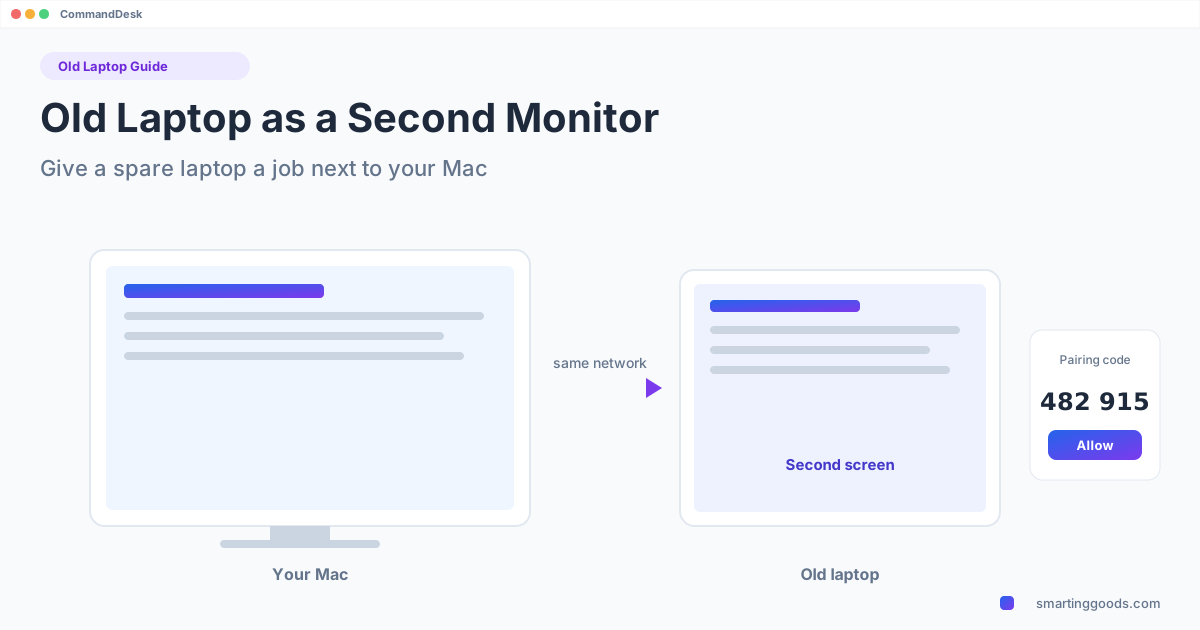
- Pick the laptop from the list in the CommandDesk menu on the Mac.
- Both screens show the same 6-digit code. Click Allow on the laptop.
- Choose Use [your laptop] as a Second Screen and choose left or right.
Drag a window onto the laptop like any extra monitor. The pointer is drawn on the laptop itself, so it moves smoothly even if the stream has a delay.
Keep it practical
- Keep it plugged in. An old battery plus a full-screen display is a bad combination.
- Turn off sleep on the laptop so the screen doesn't go dark.
- Mind the lid. Leave it open at a usable angle; closing it will normally sleep or turn off the screen.
- A tiny panel? Use it for small things: chat, music, a timer.
When to just buy a monitor
If the laptop's screen is small and dim and it only runs a very old OS, a used secondhand monitor may do a better job. The advantage of the laptop approach is that it costs you only the $19 Mac app (the PC app is free), and it uses something you already own.
Also: Mac keyboard and mouse on the laptop
You can also use CommandDesk to control the old laptop from your Mac's keyboard and mouse, with copy and paste of text and the laptop's sound on the Mac. See one keyboard and mouse for Mac and PC. It's one mode at a time: while the laptop is the second screen, control mode pauses.
FAQ
Can I use an old laptop as a second monitor for a Mac with HDMI? No; HDMI on a laptop only sends video out.
Will it work with Windows 7? No. Use Windows 10 (version 2004 or later), Windows 11, or Ubuntu 24.04+ with GNOME.
Does it need internet? It works over your local network. The connection is encrypted and there's no account.
What if it can't connect? There is a refund within 14 days if it can't connect to your PC.
Next step
CommandDesk is $19 one time for the Mac; the PC app is free. Start with the PC app to check that your old laptop is supported, then read the general laptop guide.