 PhoneDesk
For iPhone and Mac · Coming soon
Control your Mac from your iPhone. From anywhere.
- See your Mac’s screen and take over with a trackpad and Mac keyboard
- Open its folders and upload full-size photos and videos
- On your Wi-Fi, over 5G, or from any café
One email when it’s on the App Store. Nothing else.
- 7 days free
- PhoneDesk for Mac is free
- No account, encrypted end to end
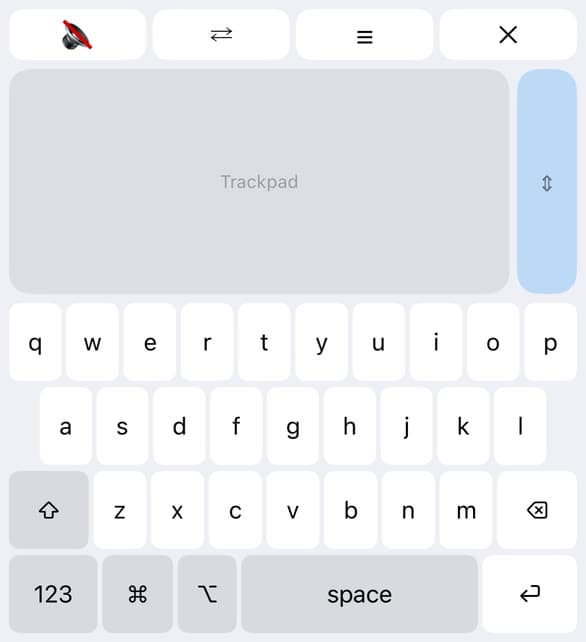
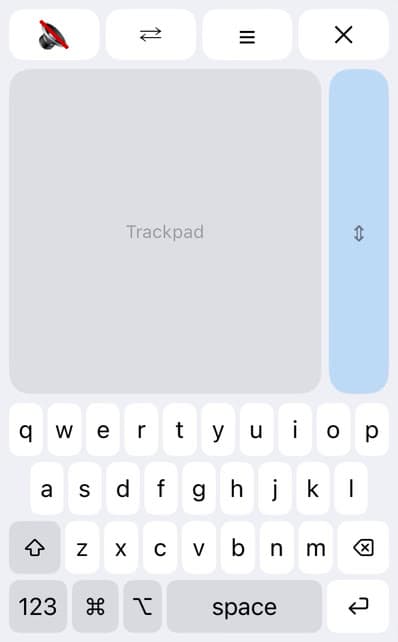
1 · Move your Mac's pointer from the iPhone
2 · Type with a real Mac keyboard
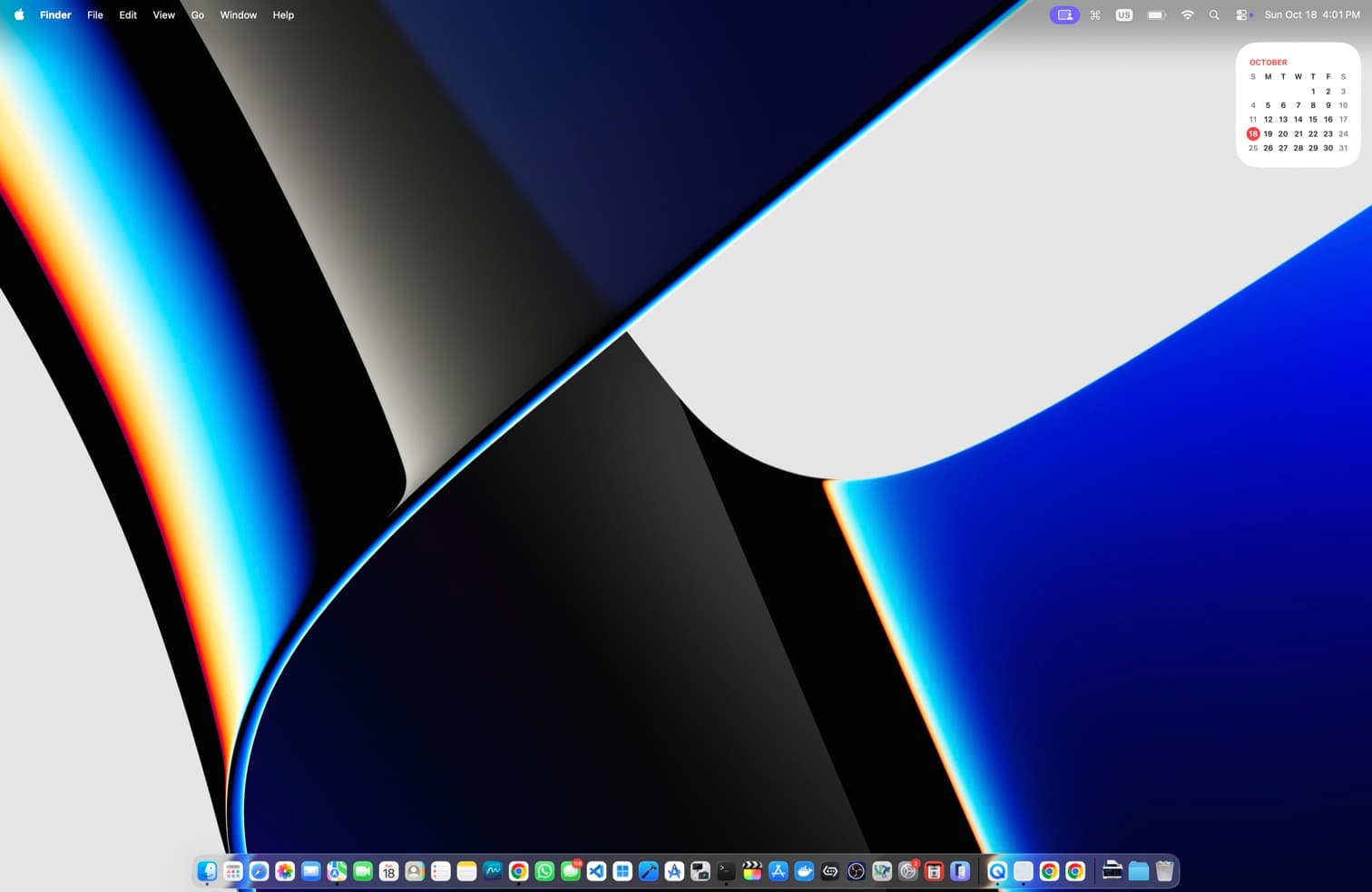

Your Mac
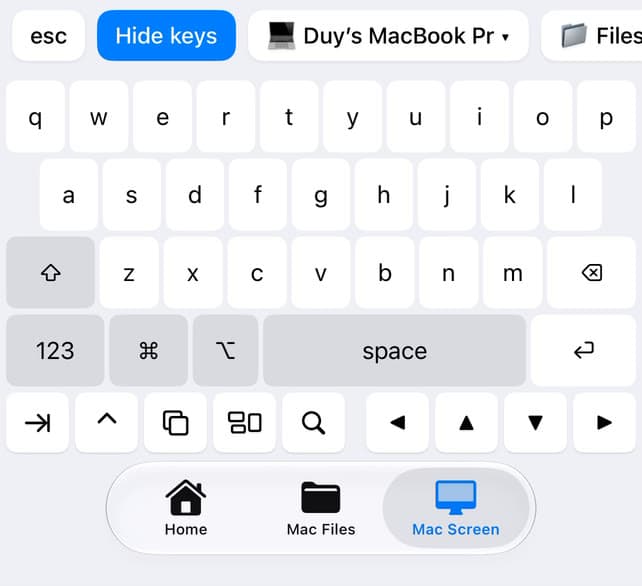
Your iPhone
Your Mac, in your pocket
Away from your desk, not away from your Mac.
Mac Screen
See your Mac and take over
Your Mac’s screen, live on your iPhone. Drag a finger to move the pointer like a trackpad, or tap right on the picture. Type with a real Mac keyboard, and hear your Mac on the phone.
- Trackpad mode or touch mode, whichever you like
- Turn the iPhone sideways and drag the divider: a bigger picture, or a bigger keyboard
- Mac keyboard with ⌘, ⌥, esc and shortcut keys
- Your Mac’s sound on the iPhone
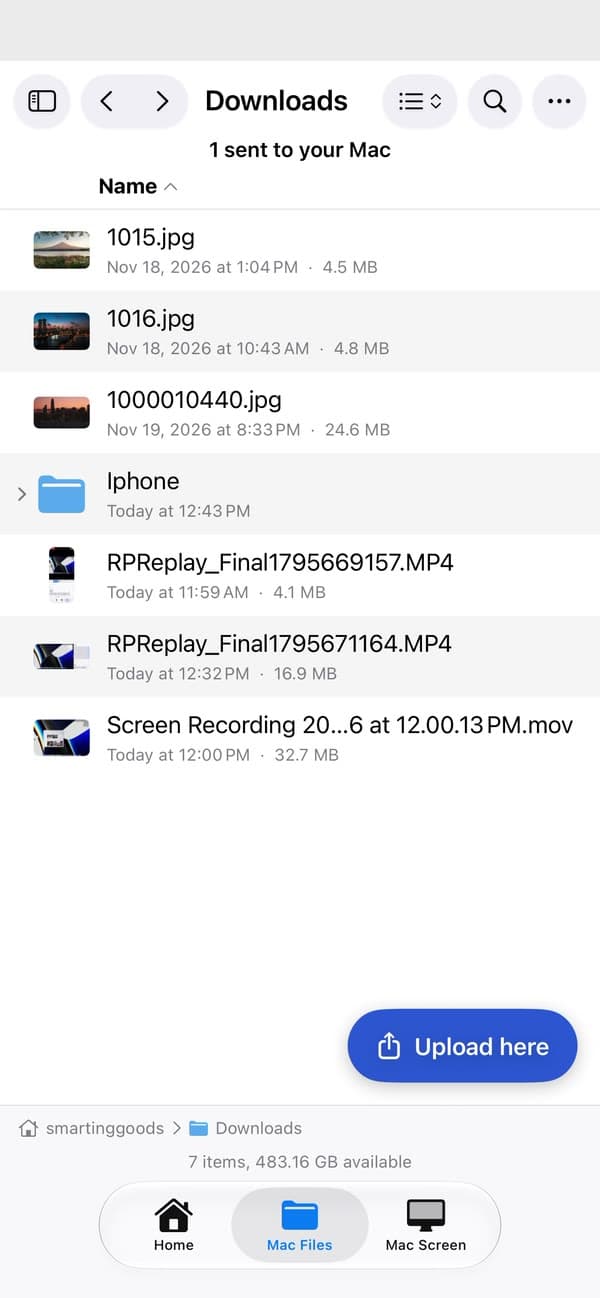
Mac Files
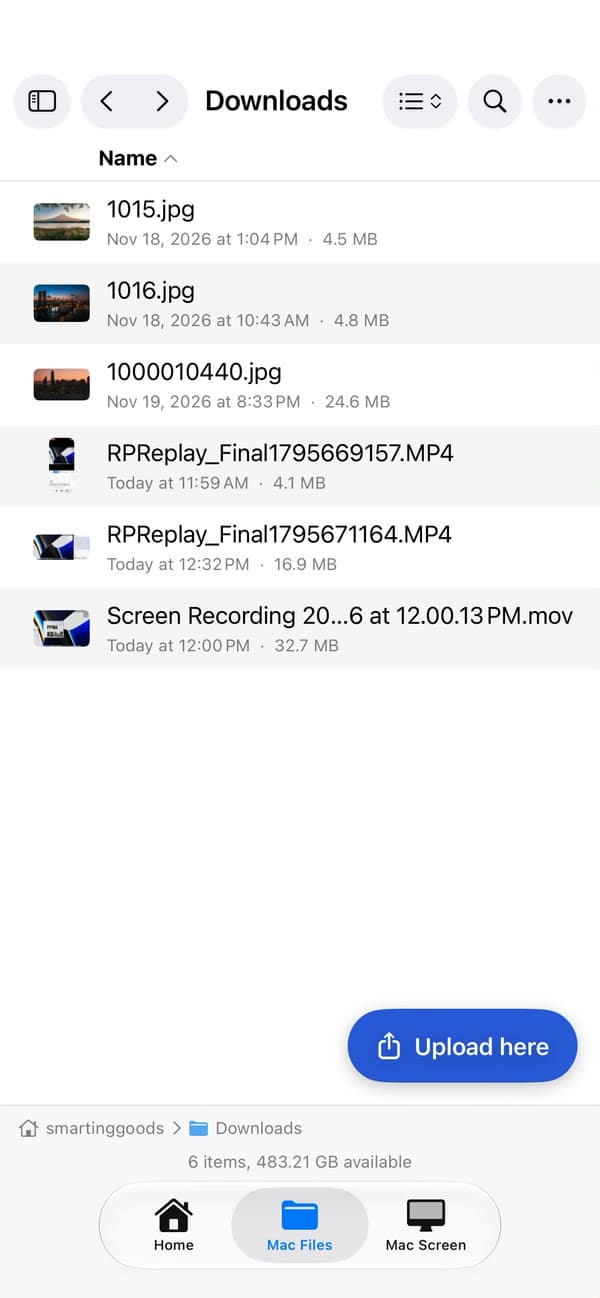
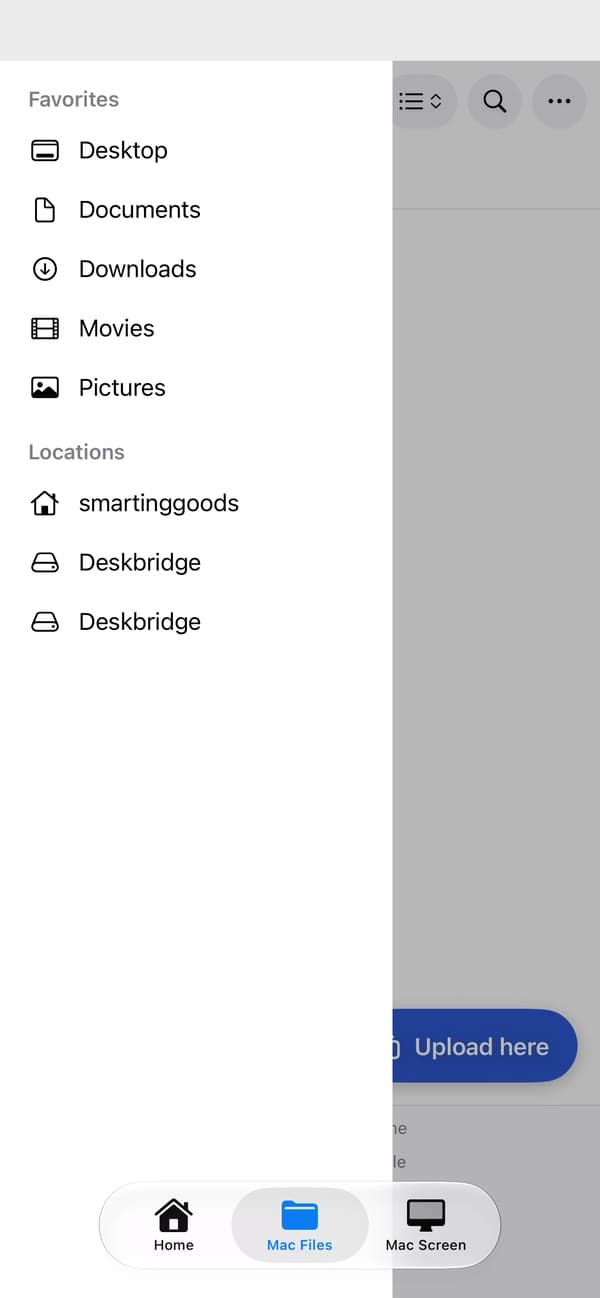
Your Mac’s folders, on your iPhone
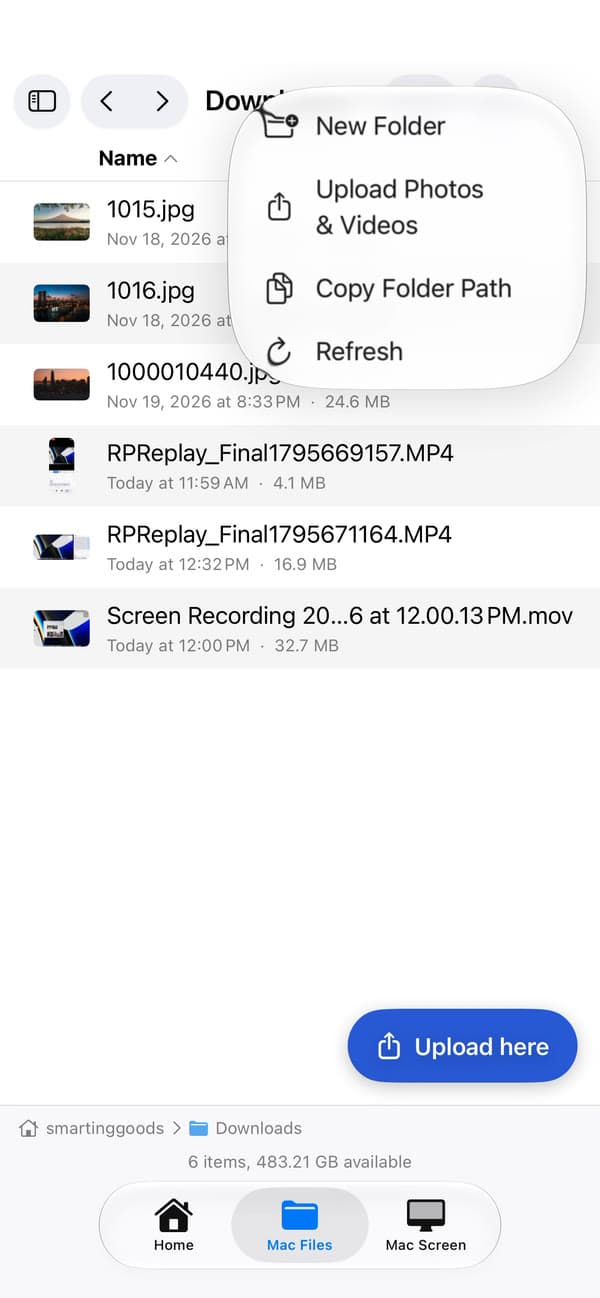
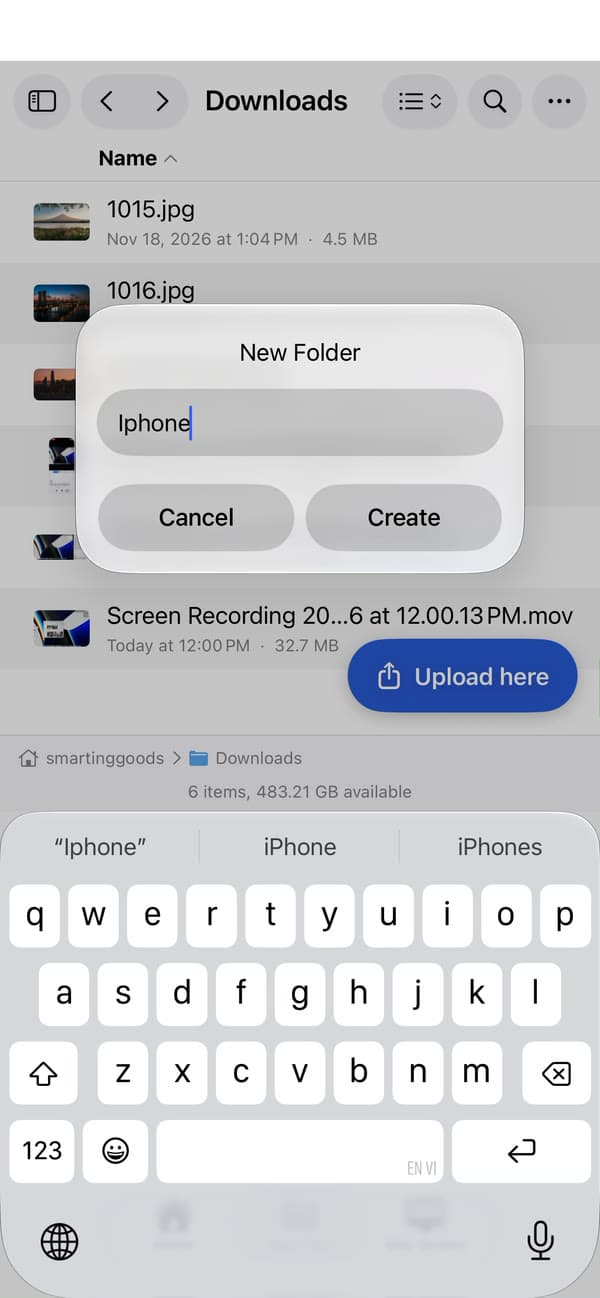
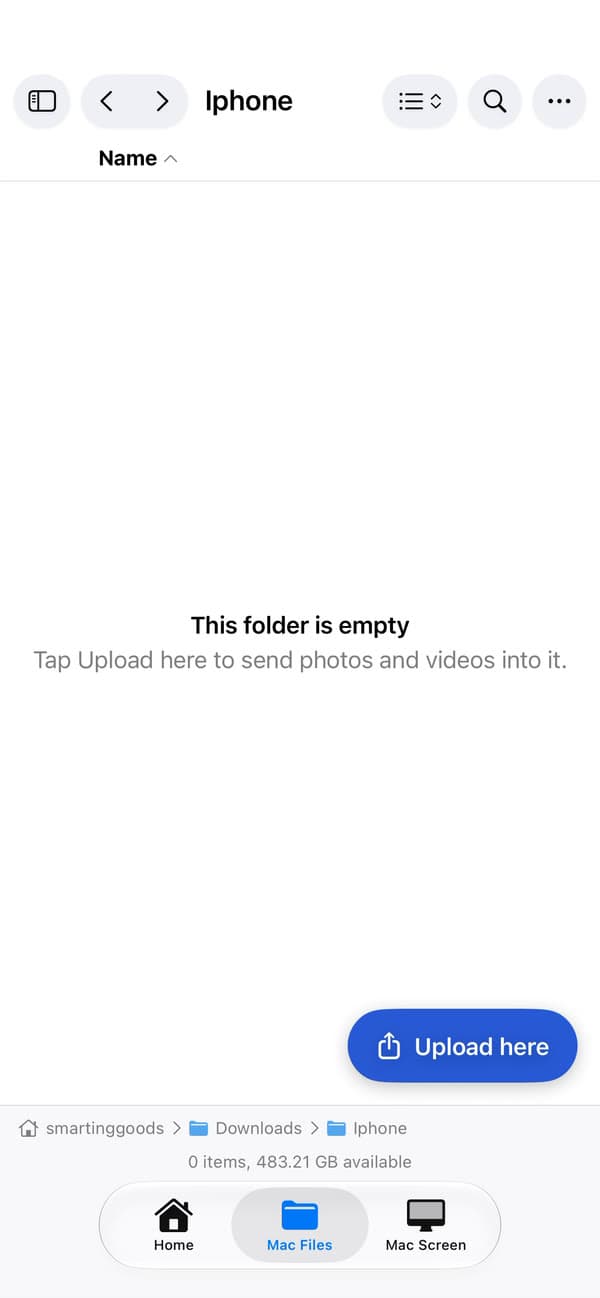
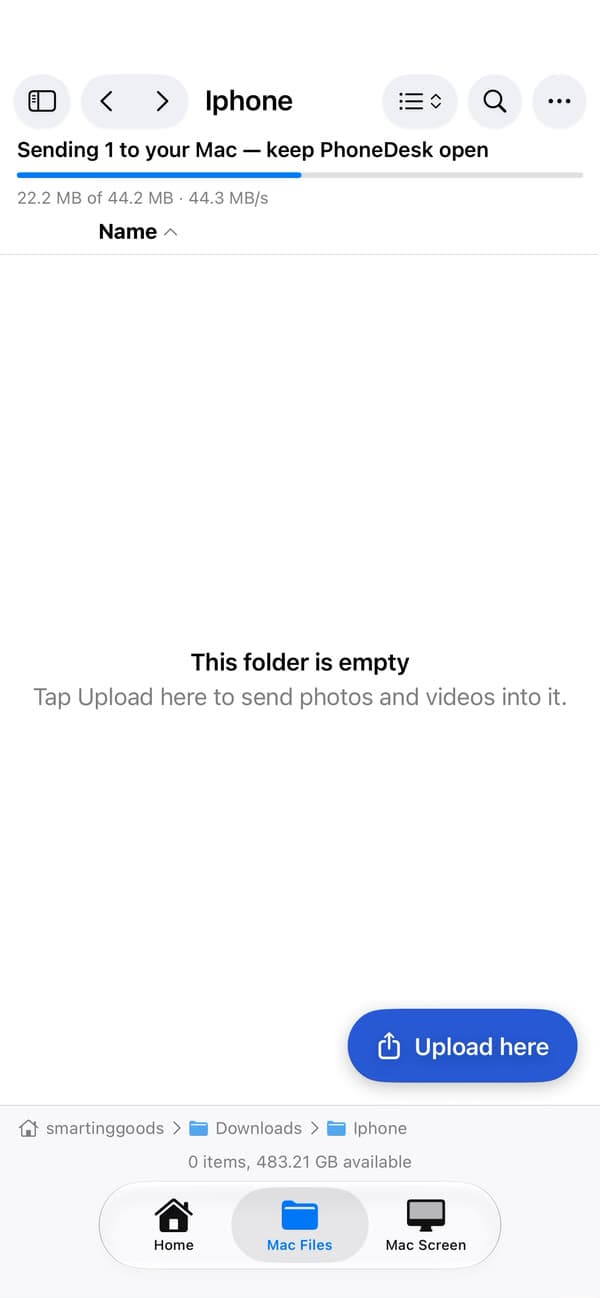
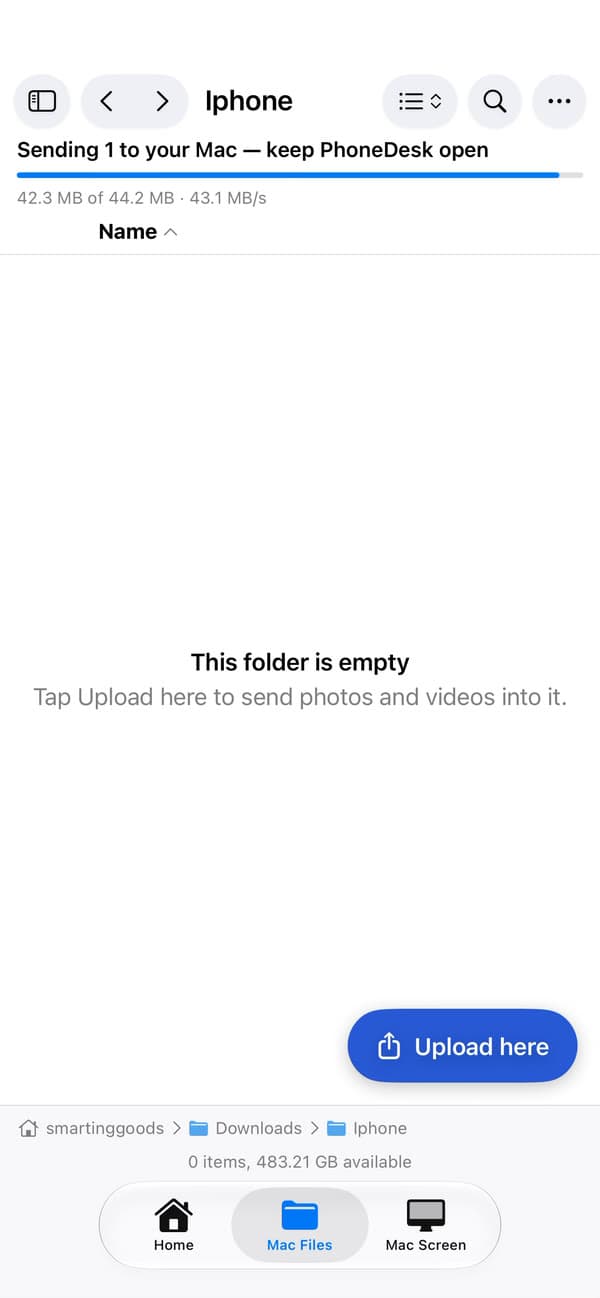
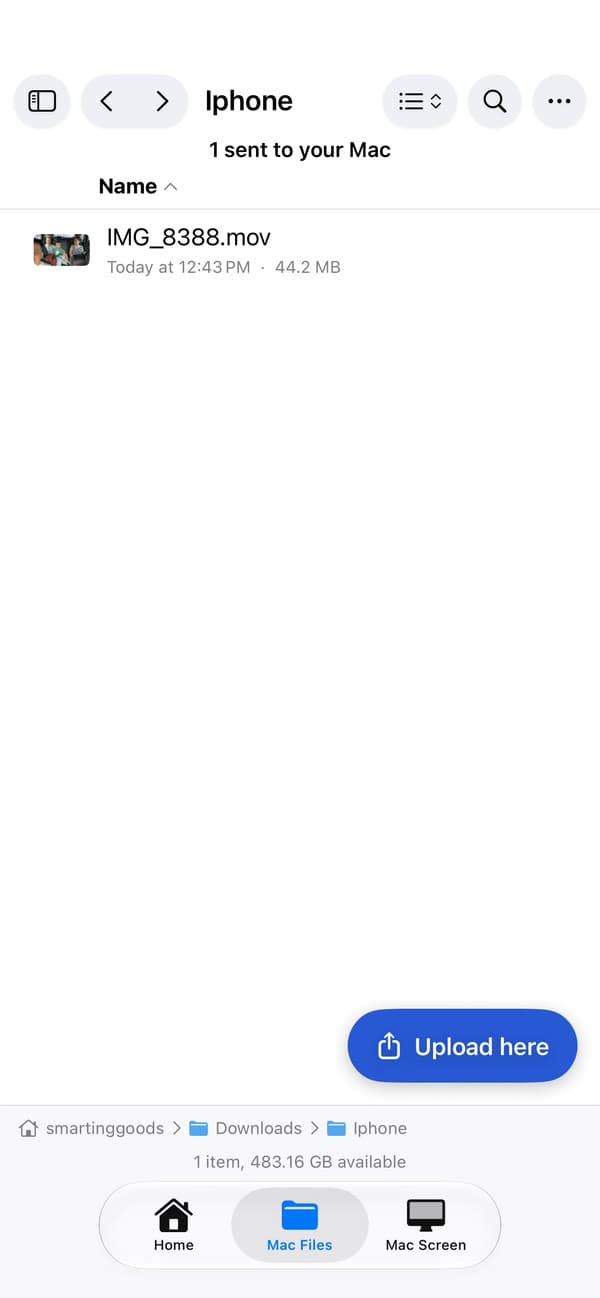
Open any folder on your Mac from the iPhone, make new folders, and send photos and videos straight into the one you pick, at full size.
- Originals: no compression, no resizing
- Fast on your Wi-Fi: a 44 MB video in about a second in our test
- Make new folders right from the iPhone
- Save files from your Mac to the iPhone
At home and away
Works on your Wi-Fi and from anywhere
At home your iPhone connects straight to your Mac. Away, it reaches it over mobile data or any Wi-Fi: a café, the office, a hotel.
- Direct on your own Wi-Fi, fastest picture
- Away from home over 4G, 5G or any Wi-Fi
- Encrypted end to end, everywhere
At home
iPhone
Wi-Fi
Your Mac
same Wi-Fi
Away
iPhone
5G or any Wi-Fi
Your Mac
at home
Private by design
Your screen, keystrokes and files are only ever readable by your iPhone and your Mac. No account, nothing to sign up for.
Paired by scanning a code
Your Mac shows a code, your iPhone scans it. Only phones you paired can connect.
Direct at home
On your own Wi-Fi the iPhone talks to the Mac directly, encrypted, without the internet.
End to end, away
From another network the connection is encrypted end to end. Our relay passes it along without being able to read it.
Set up in two minutes
Get PhoneDesk for Mac
Free with the iPhone app. The iPhone hands you the download: Handoff, AirDrop or smartinggoods.com/mac.
Pair
Choose Pair iPhone… in PhoneDesk’s menu on the Mac and scan the code with your iPhone.
Take over
Allow Screen Recording and Accessibility once on the Mac, then open Mac Screen on the iPhone.
Made for a Mac and an iPhone
PhoneDesk for iPhone at a glance.
| Price | 7 days free, then $4.99 a month or $39 a year |
| Account | None: pair by scanning a code on your Mac |
| See and control your Mac | |
| Upload full-size photos and videos into any Mac folder | |
| Works at home and away | On your Wi-Fi, and over 5G or any Wi-Fi |
| Same subscription covers an Android phone | |
| PhoneDesk for Mac | Free with the iPhone app |
| Works with | Macs with macOS 13 or later, iPhones with iOS 17 or later |
or $39 a year (save 35%). Cancel any time.
- Mac Screen: trackpad, Mac keyboard, sound
- Mac Files: browse and upload full-size
- On your Wi-Fi and from anywhere
- One iPhone and one Android phone
- PhoneDesk for Mac included, free
- No account
Have an Android phone too? PhoneDesk for Mac's lifetime license adds Samsung DeX and Pixel desktop mode in a Mac window, Browse Files and your phone as a second monitor.
Questions
Can I control my Mac from my iPhone?
Yes. PhoneDesk for iPhone shows your Mac’s screen live and lets you control it with a trackpad or by tapping, type with a Mac keyboard, and hear its sound. It works on the same Wi-Fi and from anywhere over mobile data.
Can I get files from my Mac on my iPhone, and send photos to my Mac?
Yes. Mac Files opens your Mac’s folders on the iPhone. You can save files to the phone, make folders, and upload photos and videos from the iPhone into any folder on the Mac at full size.
What does it cost?
PhoneDesk Anywhere has a 7-day free trial, then $4.99 a month or $39 a year. One subscription covers one iPhone and one Android phone. PhoneDesk for Mac is free with the iPhone app.
Do I need to buy PhoneDesk for Mac?
No. With the iPhone app, PhoneDesk for Mac is free: open it and choose “Use with iPhone (free)”. The lifetime license is only for its Android features: Samsung DeX and Pixel desktop mode in a Mac window, Browse Files, Keyboard & Mouse and an Android phone as a second display.
Do I need an account?
No. You pair your iPhone with your Mac by scanning a code the Mac shows. Your subscription goes through your Apple ID like any App Store subscription.
Is it the same as Apple’s iPhone Mirroring?
No, it’s the other way round. iPhone Mirroring shows your iPhone on your Mac. PhoneDesk shows your Mac on your iPhone.
Is it secure?
Yes. Pairing happens by scanning a code on your Mac, so only your iPhone can connect. On your Wi-Fi the iPhone talks to the Mac directly over an encrypted connection. Away from home the connection is encrypted end to end, so our relay passes it along without being able to see your screen or files.
Which Macs and iPhones work?
Macs with macOS 13 or later, Apple silicon and Intel, and iPhones with iOS 17 or later.
When is it out?
It isn’t on the App Store yet. Leave your email and we’ll write once, when it is.
Your Mac, wherever you are.
PhoneDesk for iPhone is coming to the App Store. Leave your email and we’ll tell you once, the day it’s out.