 PhoneFiles
Google Pixel guide
How to transfer files from a Pixel to a Mac
A Pixel and a Mac don't talk to each other out of the box: there's no AirDrop, no Quick Share for Mac, and Google withdrew its Android File Transfer app. Here's how to move photos, videos and files anyway. We tested every step on a Pixel 9 Pro running Android 16.
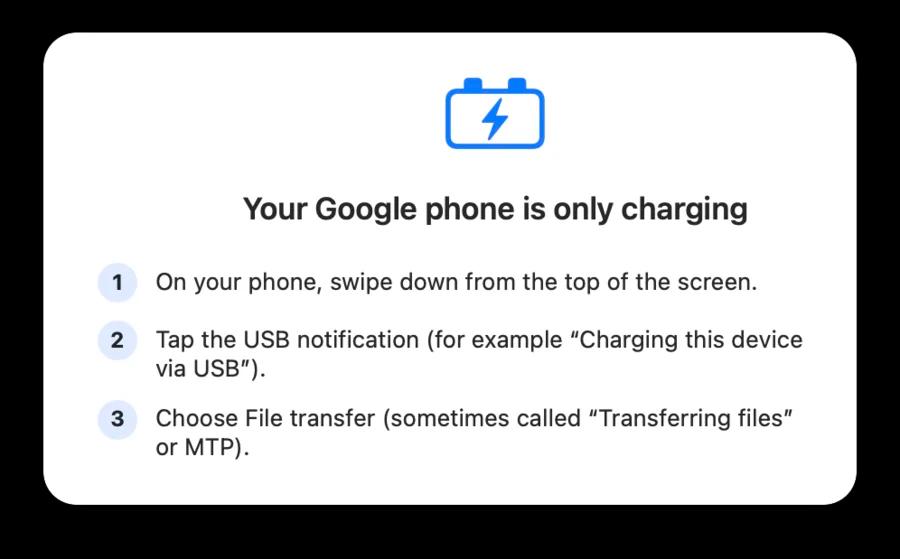
1.Switch the Pixel from charging to File transfer
- Connect the Pixel to the Mac with a USB-C data cable.
- Swipe down and tap “Charging this device via USB”.
- Under Use USB for, choose File transfer / Android Auto.
The Pixel goes back to charging-only next time you plug in, so you'll repeat this each time. PhoneFiles reminds you when it sees a Pixel that's only charging.
2.Find your photos, videos and screenshots
- DCIM → Camera: photos and videos, named
PXL_+ date and time. - Pictures → Screenshots: screenshots.
.MP.jpgfiles are Motion Photos (a photo with a short clip inside);.PORTRAIT.jpgare portrait-mode shots. Both open as normal photos on a Mac.
3.Copy them with PhoneFiles
PhoneFiles shows the Pixel like a folder on your Mac, with real thumbnails for photos and videos. Drag what you want to Finder (⌘A selects everything), or drop files from the Mac onto the phone. Press space to preview a photo or play a video straight from the Pixel before copying it.
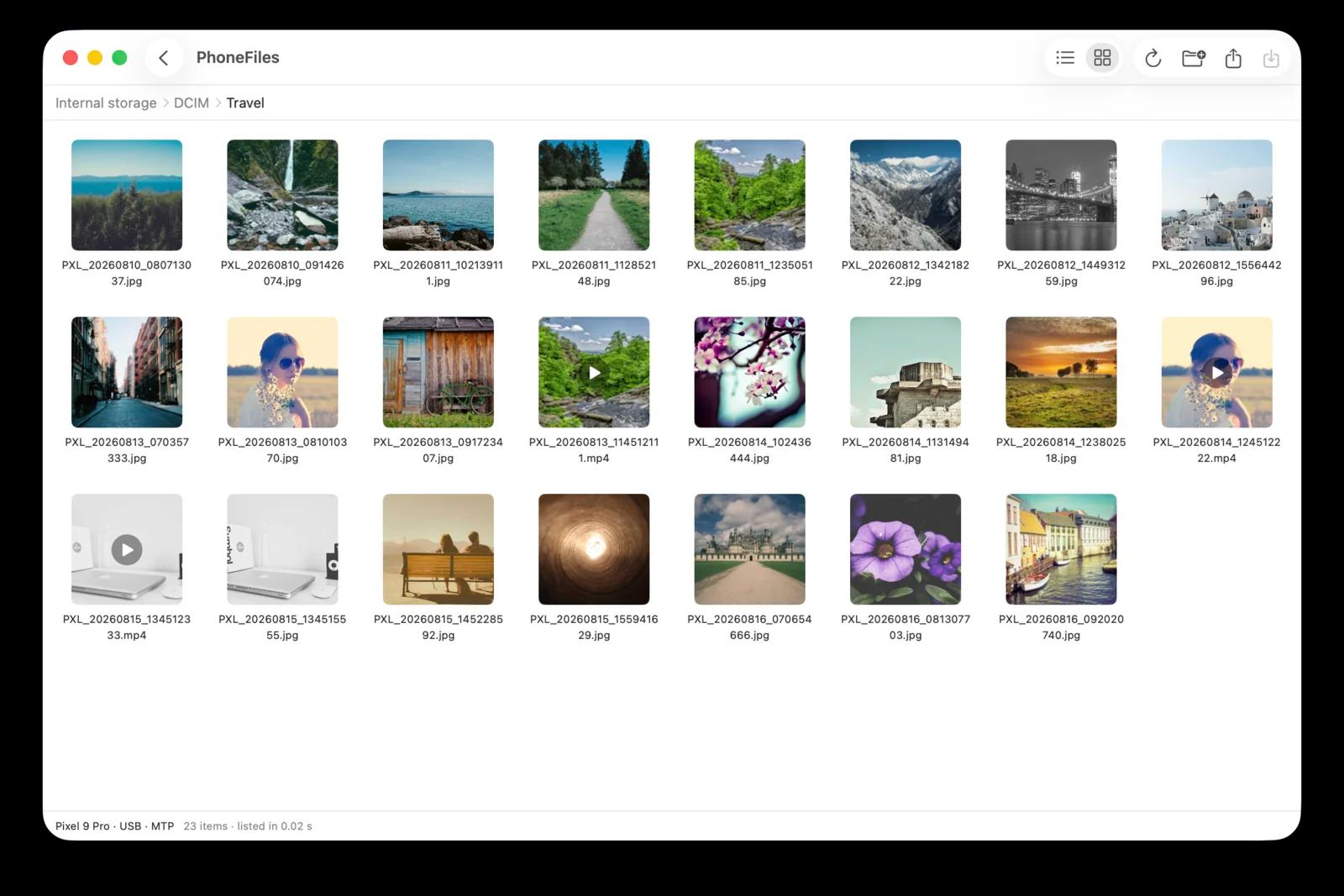

Your Pixel, like a folder on your Mac
Thumbnails, drag and drop both ways, videos that play instantly. Tested on the Pixel 9 Pro. USB or Wi-Fi, $19 once.
4.No cable? Use Wi-Fi
Install the free PhoneFiles phone app on the Pixel, allow access to files, and pair once by checking both screens show the same 6-digit code. After that the Pixel appears in PhoneFiles whenever it's on the same Wi-Fi. More on Wi-Fi transfer.
Other options
- Image Capture (built into macOS): choose PTP in the Pixel's USB settings, then import. Camera photos only.
- Google Photos: if your Pixel backs up, download from photos.google.com. Slow for videos.
- Not connecting? 8 fixes when Android won't show up on a Mac.
Questions
Where are Pixel photos and screenshots stored?
Camera photos and videos are in DCIM/Camera (named PXL_ followed by the date and time). Screenshots are in Pictures/Screenshots.
What are the .MP.jpg files from my Pixel?
Motion Photos: a normal JPEG photo with a short video stored inside. On a Mac they open as a regular photo; the photo itself is unaffected.
Why does my Pixel only charge when I plug it into my Mac?
That’s the Pixel’s default. Tap the USB notification and choose File transfer / Android Auto each time you plug in.
Can I use Quick Share from a Pixel to a Mac?
Not officially; Quick Share has no Mac app. Use a USB cable, or Wi-Fi with PhoneFiles.
PhoneFiles: Android File Transfer for Mac
Plug in and browse, or go wireless. $19 once, with a refund if it can't connect to your phone.