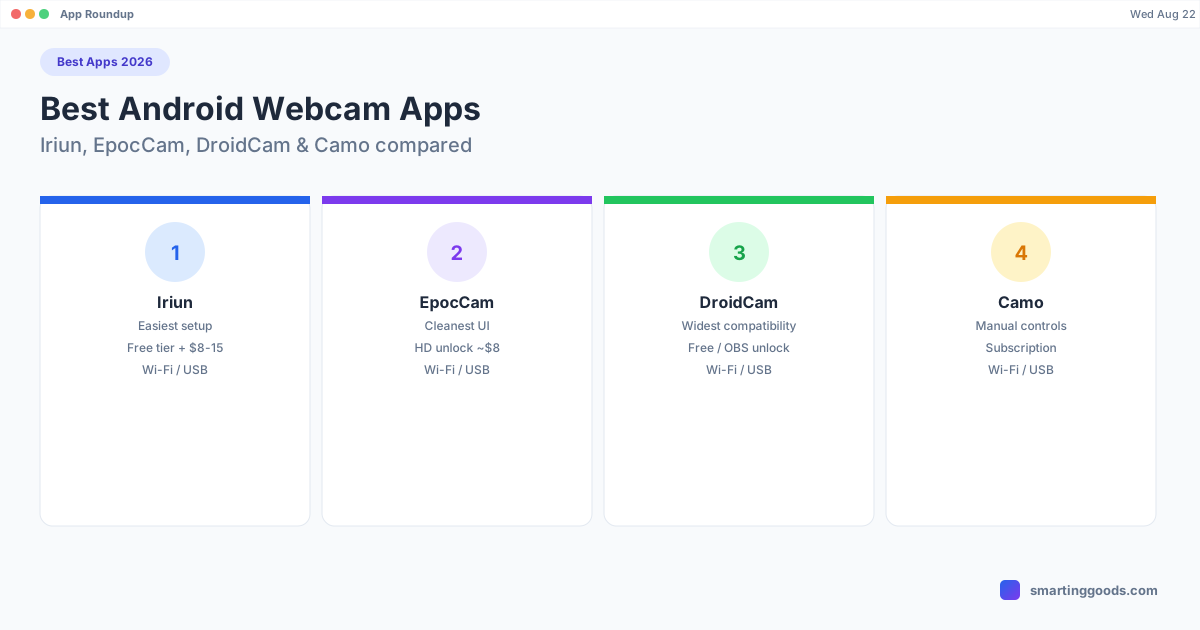
Best Apps to Use Your Android Phone as a Webcam (2026)
Iriun, EpocCam, DroidCam, or Camo — a current, tested roundup of the Android webcam apps that actually work on Mac in 2026.
Best Apps to Use Your Android Phone as a Webcam (2026)
There are more Android-to-webcam apps than there used to be, and most "best apps" lists online are outdated, padded with apps that were discontinued years ago, or written without anyone actually installing and testing them side by side. Here's a current, honest roundup of the apps that actually work in 2026 — what each one costs once you're past the free tier, how setup differs, and which one fits which situation.
Quick Answer
- Best overall for most people: Iriun Webcam — easiest setup, usable free tier, cheap paid unlock.
- Best polish/UI: EpocCam (Elgato) — cleanest app, best exposure handling.
- Best for older/budget phones: DroidCam — widest compatibility, most manual setup.
- Best for streamers/creators: Camo — manual camera controls, built for OBS-heavy workflows.
- Best for iPhone owners (not this list's focus, but worth knowing): Continuity Camera, built into macOS — no app needed at all.
1. Iriun Webcam
Platforms: Mac, Windows, Linux · Connection: Wi-Fi or USB · Free tier: Yes, with watermark and resolution cap · Paid: One-time unlock, roughly $8–15
Iriun is the app most people should try first. Install it on the phone (Play Store) and on the Mac, put both on the same Wi-Fi network, and the desktop app finds the phone automatically — no IP addresses to type in, no account to create. USB mode is available if Wi-Fi latency is an issue, though it requires Android File Transfer or ADB working correctly on the Mac side, which can be a small extra step for some setups.
What makes Iriun stand out from the pack is that it's genuinely cross-platform — the same app works identically on Windows and Linux, which matters if your household or office isn't Mac-only. The free tier is usable for casual calls; the watermark and 720p cap are the main reasons to pay.
2. EpocCam (Elgato)
Platforms: Mac, Windows · Connection: Wi-Fi or USB · Free tier: 480p with watermark · Paid: EpocCam HD (~$8 one-time) for 720p; EpocCam Cloud for extras like external mic passthrough
EpocCam is made by Elgato — the same company behind Stream Deck and Cam Link — and that pedigree shows in the interface: cleaner controls, better default exposure, and a more polished first-run experience than most competitors. It's a strong pick if you want something that looks good with minimal fiddling.
The free tier is more limited than Iriun's in practice (lower resolution cap), so if you plan to use it regularly for work calls, budget for the HD unlock.
3. DroidCam
Platforms: Mac, Windows, Linux · Connection: Wi-Fi or USB · Free tier: 480p · Paid: DroidCam OBS unlocks HD + direct OBS integration, small one-time fee
DroidCam has the longest track record of any app on this list and, correspondingly, the widest device support — if you've got an older or budget Android phone that newer apps don't detect well, DroidCam is the most likely to still work. The tradeoff is a slightly more manual setup: auto-discovery isn't always as reliable as Iriun's, and you may need to manually enter your Mac's local IP address into the phone app to connect over Wi-Fi.
If you're setting this up for OBS specifically (streaming, not just calls), DroidCam OBS's direct plugin integration is a genuine advantage over apps that only expose a generic virtual camera.
4. Camo (Reincubate)
Platforms: Mac, Windows · Connection: Wi-Fi or USB · Free tier: 720p with watermark · Paid: Subscription tiers for higher resolution, manual controls, and multi-cam
Camo is built more for creators than casual users — manual exposure, focus, and white-balance controls that the other apps here don't offer, plus better low-light image processing. The cost of that extra control is a subscription rather than a one-time unlock, which is a real factor if you only need this occasionally.
If you're recording or streaming regularly and want to fine-tune the image the way you would with a dedicated capture setup, Camo is worth the subscription. If you just need to look presentable on a call twice a week, it's more than you need.
Comparison Table
| App | Connection | Free tier | Paid | Best for |
|---|---|---|---|---|
| Iriun Webcam | Wi-Fi/USB | Watermark, capped res | ~$8–15 one-time | Easiest overall setup |
| EpocCam | Wi-Fi/USB | 480p, watermark | ~$8 one-time (HD) | Cleanest UI |
| DroidCam | Wi-Fi/USB | 480p | Small one-time fee (OBS) | Older/budget phones |
| Camo | Wi-Fi/USB | 720p, watermark | Subscription | Creators, manual controls |
Setup Tips That Matter More Than Which App You Pick
- Use a real stand. A phone propped against a mug looks worse than any of these apps can fix. A $15–20 desk clip mount is the single highest-impact purchase here.
- Prefer USB when latency matters. Wi-Fi is more convenient but adds variable lag; if you're doing anything live where sync matters, plug in.
- Turn on Do Not Disturb. Every one of these apps will happily stream a notification banner across your face mid-call if you forget this.
- Use the rear camera if the app supports switching. Most Android rear sensors outperform the front-facing camera by a wide margin — Iriun, EpocCam, and DroidCam all support flipping to the rear lens.
A Different Category: Getting Your Phone's Screen (Not Camera) on Your Mac
Everything above streams your phone's camera. If what you're actually after is your phone's screen — running Samsung DEX or Pixel desktop mode as a window on your Mac, using your phone as an actual second monitor, or sending files from phone to Mac without a cable — none of the apps in this roundup do that, and we're not going to pretend they overlap. That's a separate tool called PhoneDesk, and it's worth knowing about if you're already reaching for your Android phone as extra hardware for your Mac in more ways than one.
Frequently Asked Questions
Q: Is there a completely free Android webcam app with no watermark? A: Not among the apps that are actually reliable in 2026 — all four here gate either resolution or the watermark behind a paid tier. The free tiers are fine for casual use; expect to pay $8–15 once (or subscribe, for Camo) if you want a clean HD image.
Q: Which app has the lowest latency? A: USB connections on any of these apps beat Wi-Fi for latency. Among the apps, Iriun and DroidCam are both commonly reported as low-latency over USB; Wi-Fi performance depends more on your router than on which app you choose.
Q: Can I use these apps for Twitch or YouTube streaming, not just video calls? A: Yes — DroidCam OBS and Camo are both built with streaming in mind (direct OBS plugin support and manual camera controls, respectively). Iriun and EpocCam also work in OBS via their virtual camera driver, just without the dedicated plugin.
Q: Does PhoneDesk belong on this list? A: No — PhoneDesk doesn't do webcam functionality. It handles your phone's actual screen (desktop mode, second monitor, file transfer to your Mac), which is a different job than streaming a camera feed. If you came here for webcam apps, use one of the four above; if you actually wanted your phone's screen on your Mac, see PhoneDesk instead.
Bottom Line
Start with Iriun Webcam if you want the least setup friction — it's free to try, cheap to unlock, and works the same on Mac, Windows, and Linux. Switch to EpocCam if you want a more polished interface, DroidCam if your phone is older or the others won't detect it, and Camo if you're doing serious streaming work and want manual camera controls.
If it turns out what you actually wanted was your phone's screen — not its camera — on your Mac, see how PhoneDesk handles desktop mode and second-monitor use →. $25 one-time license, no subscription.