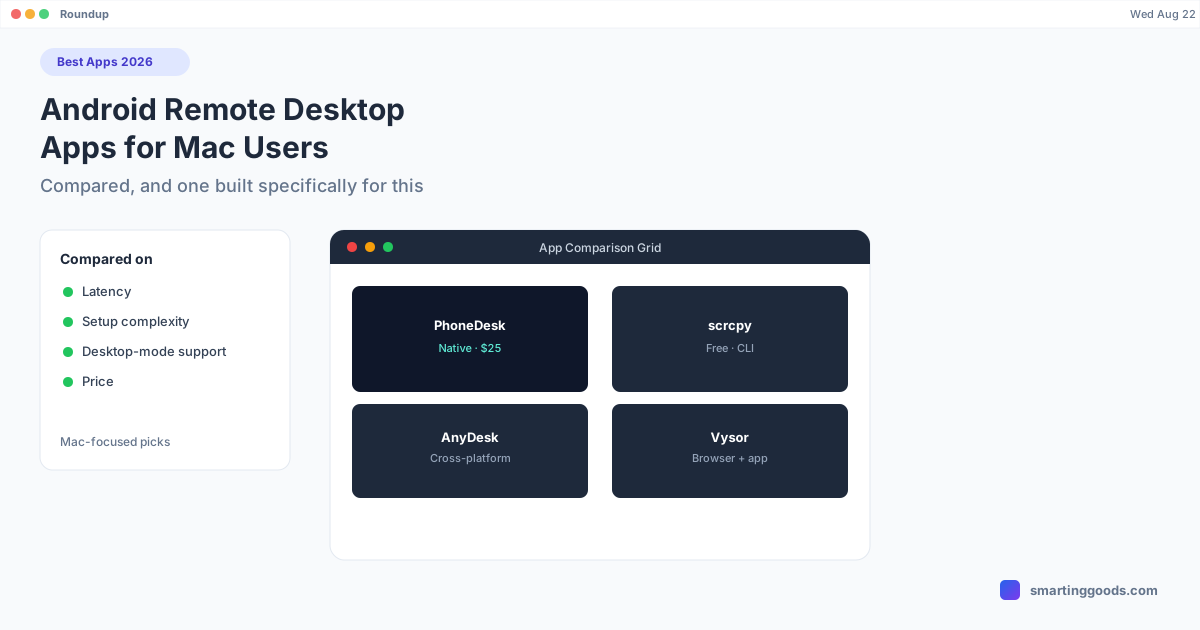
Best Android Remote Desktop Apps for Mac Users in 2026
A roundup of the best Android remote desktop and screen-control apps for Mac users in 2026 — free, paid, and the one built specifically for Samsung DEX and Pixel desktop mode on a Mac.
Best Android Remote Desktop Apps for Mac Users in 2026
"Android remote desktop" is a broad search term covering everything from IT-grade remote support tools to simple screen mirrors to real desktop-mode utilities. What counts as "best" depends heavily on what you're actually trying to do — and if you're specifically on a Mac, several of the biggest names in this space (Microsoft Phone Link, most notably) aren't even available to you.
Here's an honest roundup for Mac users specifically, covering free command-line tools, paid GUI apps, general remote-desktop software, and the option built for Samsung DEX and Pixel desktop mode.
What "Android Remote Desktop" Actually Covers
Before comparing tools, it helps to separate what people usually mean by this phrase, because they're different products:
- Basic screen mirroring — see and tap your phone's screen from a computer window (scrcpy, Vysor)
- True remote access/support — control a device you may not be physically near, often with recording and unattended access (AnyDesk, TeamViewer)
- Desktop-mode interfaces — Android's own desktop UI (Samsung DEX, Pixel desktop mode) rendered properly on a computer, not just mirrored (PhoneDesk)
- Notification/texting sync — lighter-weight tools that just sync texts and notifications, not full screen control (Windows-only Phone Link, not available on Mac at all)
If you search "android remote desktop" wanting #3 and end up trying #1 or #2, the tool will technically work but feel like the wrong fit — mirrored phone screens in awkward portrait windows, no proper desktop layout.
scrcpy — Free and Fast, No GUI
scrcpy remains the standard free option in 2026. It's open-source, actively maintained (recent versions added flex-display support and better aspect-ratio handling), and mirrors your Android screen over USB or Wi-Fi with low latency (35-70ms on USB).
The catch: it's entirely command-line. Setup means installing Homebrew, ADB platform tools, and enabling Developer Options and USB Debugging on the phone. No file-transfer GUI, no Samsung DEX integration — it mirrors the phone's normal screen exactly as it looks on the device.
Best for: developers and technical users who want free, fast mirroring and don't mind a terminal.
Vysor — A Friendlier Free/Paid GUI
Vysor wraps similar mirroring technology in an actual graphical interface — install, click, connect. The free tier caps frame rate and shows a watermark; paid tiers (roughly $10-40) remove those limits and unlock Wi-Fi mirroring.
Still no Samsung DEX support, no reverse "phone as monitor" mode, and file transfer is limited to basic drag-and-drop into the mirror window.
Best for: casual users who want point-and-click mirroring without a terminal.
AnyDesk and TeamViewer — Full Remote Desktop, Not Built for This
Both are legitimate enterprise remote-access tools with Android apps that can, with Accessibility Service permissions granted, let a Mac view and control an Android phone. Both route sessions through relay servers even on local networks, adding latency a direct connection wouldn't have. Neither has any Samsung DEX or desktop-mode awareness, and TeamViewer's free tier is explicitly personal-use only, with the company known to flag and restrict accounts it suspects of business use.
Best for: actual remote support of a device you're not physically near — not daily use with your own phone and Mac side by side.
Why Microsoft Phone Link Isn't on This List
Phone Link is Microsoft's best consumer answer to Android-PC integration, including real screen mirroring on newer Samsung devices — but it's Windows-only. Microsoft has never released a Mac version, and there's no indication one is coming. If you're on a Mac, this tool simply doesn't exist for you, no matter how good the Windows reviews are.
PhoneDesk — Built Specifically for Samsung DEX and Pixel Desktop Mode on Mac
This is the gap PhoneDesk fills. It's a native macOS menu bar app — not a repurposed remote-desktop tool, not a command-line utility — built around three specific things Mac users with Android phones actually want:
- Samsung DEX or Pixel desktop mode as a real Mac window — the actual Android desktop interface, rendered at proper proportions, resizable, with full keyboard and mouse support. Not a mirrored phone screen showing DEX cropped to phone dimensions.
- Android phone as a second monitor — the reverse direction none of the tools above support. PhoneDesk creates a virtual display on your Mac and streams it to your phone, giving you real extended-desktop space.
- Wireless file transfer — share files from your phone to your Mac through the standard Android share sheet, and drag files from your Mac onto the phone. No MTP cable, no ADB commands.
Setup is two minutes: download, open, connect over USB or Wi-Fi.
Comparison Table
| Tool | Price | GUI | Desktop Mode | 2nd Monitor | File Transfer |
|---|---|---|---|---|---|
| scrcpy | Free | No (CLI) | No | No | CLI only |
| Vysor | Free/paid | Yes | No | No | Basic |
| AnyDesk | Free (personal) | Yes | No | No | Limited |
| TeamViewer | Free (limited)/paid | Yes | No | No | Limited |
| Phone Link | Free | Yes | Samsung only | No | Yes (Windows only) |
| PhoneDesk | $25 one-time | Yes | Yes (DEX + Pixel) | Yes | Yes, wireless |
Which Should You Pick?
- Want it free and don't mind a terminal: scrcpy.
- Want free/cheap and a GUI, basic mirroring is enough: Vysor.
- Need to remotely support a device you're not near: AnyDesk or TeamViewer.
- On Windows with a Samsung phone: Microsoft Phone Link.
- On a Mac and want Samsung DEX or Pixel desktop mode as a real window, a second monitor, or wireless file transfer: PhoneDesk is the only option on this list actually built for that.
Frequently Asked Questions
Q: What's the best free Android remote desktop app? A: scrcpy for technical users comfortable with a command-line setup; Vysor if you want a GUI and can live with free-tier limits.
Q: Is there a Mac version of Microsoft Phone Link? A: No. Phone Link is Windows-only, and Microsoft has not released a macOS equivalent.
Q: Which of these tools support Samsung DEX or Pixel desktop mode as a real window? A: Only PhoneDesk. The others mirror the phone's regular screen — none render Android's own desktop-mode interfaces as a proper independent window.
Q: Can any free tool turn my Android phone into a second monitor for my Mac? A: No, none of the free or general remote-desktop tools support this reverse direction. PhoneDesk is built specifically to do this.
Q: Is PhoneDesk worth $25 compared to the free options? A: If you only need basic mirroring, no — scrcpy or Vysor's free tier will do. If you want Samsung DEX or Pixel desktop mode as a real desktop window, your phone as a second monitor, or wireless file transfer, none of the free tools offer those, so the comparison isn't really apples-to-apples. There's also a 14-day no-questions refund if it's not for you.
The Bottom Line
"Android remote desktop" covers a lot of different tools solving different problems. For Mac users specifically, the free and general-purpose options (scrcpy, Vysor, AnyDesk, TeamViewer) all stop at basic screen mirroring, and the best consumer tool in this space — Microsoft Phone Link — isn't available on macOS at all. PhoneDesk is the option purpose-built for Mac users who want Samsung DEX or Pixel desktop mode as a real window, a second monitor, or wireless file transfer — $25 one-time, no subscription.
See everything PhoneDesk does → Set up Samsung DEX or Pixel desktop mode on your Mac →