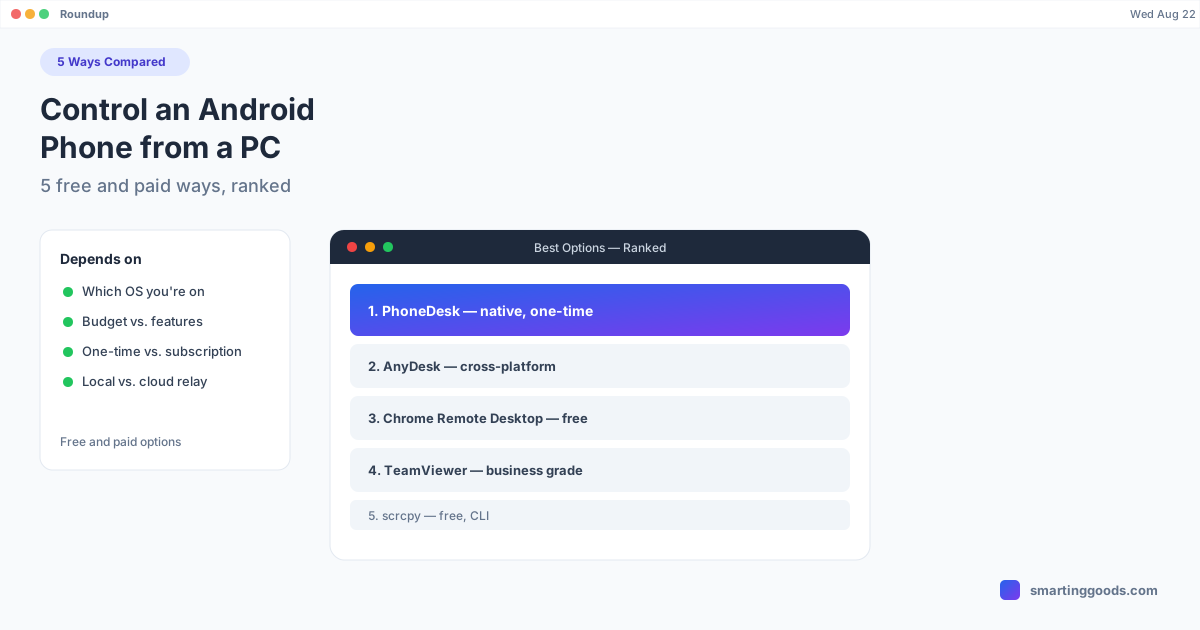
How to Control an Android Phone from a PC (5 Free & Paid Ways)
Five real ways to control an Android phone from a computer — scrcpy, Vysor, AnyDesk, Microsoft's Phone Link, and PhoneDesk for Mac users — compared on price, latency, and what each is actually built for.
How to Control an Android Phone from a PC (5 Free & Paid Ways)
"Control an Android phone from a PC" covers a wide range of actual needs — full remote control for IT support, casual mirroring so you can reply to a text without picking up your phone, or a proper desktop-style interface for real work. Different tools are built for different points on that spectrum, and picking the wrong one means fighting the tool instead of using it.
Here are five real options in 2026, what each is actually good at, and — since this list gets used by Mac and Windows users alike — where the picture changes if you're specifically on a Mac.
1. scrcpy — Free, Open-Source, Command-Line
Price: Free. Platform: Windows, Mac, Linux.
scrcpy (screen copy) is the tool most developers and power users reach for first. It's open-source, actively maintained by Genymobile, and mirrors an Android phone's screen to a resizable window over USB or Wi-Fi (via ADB), with control passed back through mouse and keyboard input.
Strengths: Free, fast (35-70ms latency over USB), no account or install wizard beyond Homebrew/ADB setup, cross-platform.
Limits: No GUI — it's entirely command-line driven. Setup requires enabling Developer Options and USB Debugging on the phone, and installing ADB platform tools. No file-transfer interface beyond adb push/pull commands. No Samsung DEX or desktop-mode support — it mirrors the phone screen exactly as-is.
Best for developers, QA testers, and anyone comfortable in a terminal who wants raw, low-latency control for free.
2. Vysor — Freemium GUI Wrapper
Price: Free tier (with limits) / paid tiers from roughly $10-40. Platform: Windows, Mac, Linux, Chrome extension.
Vysor is essentially a friendlier GUI on top of similar underlying technology to scrcpy, aimed at people who want mirroring and control without touching a terminal.
Strengths: Easy setup, drag-and-drop install, works over USB or Wi-Fi (Wi-Fi requires the paid tier), no command-line knowledge needed. Limits: Free tier is capped at a lower frame rate and shows ads/watermarks. No Samsung DEX support. No second-monitor or reverse mirroring mode. No dedicated file-transfer flow — you're limited to drag-and-drop into the mirror window in some configurations.
Best for casual users who want a point-and-click mirroring tool and don't mind paying for the smoother tier.
3. AnyDesk — Full Remote Desktop, Repurposed for Phones
Price: Free for personal use. Platform: Windows, Mac, Linux, Android, iOS.
AnyDesk is genuinely remote-desktop software (the same category as TeamViewer), but its Android app supports connecting to and controlling an Android device from a desktop client, provided the phone grants Accessibility Service permission.
Strengths: Free for personal use, works across firewalls/NAT without configuration, good for unattended or remote support access. Limits: Because it's relay-based remote-desktop software rather than a local mirroring tool, it introduces more latency than a direct local connection. No desktop-mode integration. No reverse "phone as monitor" capability. Full control requires broad Accessibility Service permissions.
Best for actual remote support scenarios — helping someone else's phone from a distance — rather than daily local use with your own devices.
4. Microsoft Phone Link (Windows-Only)
Price: Free, built into Windows 11. Platform: Windows only.
Phone Link is Microsoft's built-in Windows feature for linking an Android phone to a Windows PC — texting, notifications, photo access, and on select Samsung devices, actual phone-screen mirroring and app-window streaming ("Link to Windows").
Strengths: Free, deeply integrated into Windows, excellent texting/notification sync, and genuinely good full-screen mirroring on supported Samsung devices. Limits: Windows-only — there is no Mac version, and Microsoft has not brought Phone Link's mirroring features to macOS. Full app-streaming mirroring (not just notifications) is limited mostly to newer Samsung Galaxy devices; other Android phones get a reduced feature set.
Best for Windows users with a Samsung phone. Not an option at all for Mac users — which is the gap the next entry fills.
5. PhoneDesk — Built Specifically for Mac Users
Price: $25 one-time, no subscription. Platform: macOS only.
Every option above either lacks Mac support (Phone Link), wasn't designed for local phone control (AnyDesk), or stops at basic mirroring without desktop-mode or reverse-display features (scrcpy, Vysor). PhoneDesk is the option built specifically to close that gap for Mac users.
PhoneDesk is a native macOS menu bar app that:
- Drives Samsung DEX or Pixel desktop mode as a real Mac window — a proper desktop layout, not a mirrored phone screen
- Turns your Android phone into a second monitor for your Mac — the one direction none of the other four tools support
- Sends files and text wirelessly through the Android share sheet, no MTP cable or command-line file transfer
Setup takes about two minutes: download, open, connect over USB or Wi-Fi. No terminal, no Accessibility Service permission grant, no Windows dependency.
Quick Comparison
| Tool | Price | Platform | Desktop Mode | 2nd Monitor | File Transfer |
|---|---|---|---|---|---|
| scrcpy | Free | Win/Mac/Linux | No | No | CLI only |
| Vysor | Free/paid | Win/Mac/Linux | No | No | Limited |
| AnyDesk | Free (personal) | Win/Mac/Linux | No | No | Limited |
| Phone Link | Free | Windows only | Samsung only | No | Yes (Windows) |
| PhoneDesk | $25 one-time | macOS only | Yes (DEX + Pixel) | Yes | Yes (wireless) |
Which One Should You Actually Use?
- On Windows with a Samsung phone: Microsoft Phone Link, free and deeply integrated — hard to beat.
- On any platform, comfortable with a terminal, want it free: scrcpy.
- Want a free GUI and don't mind occasional ads/limits: Vysor.
- Need to remotely support someone else's phone: AnyDesk.
- On a Mac and want desktop mode, a second monitor, or wireless file transfer: PhoneDesk is the one option on this list actually built for that combination.
Frequently Asked Questions
Q: What's the easiest free way to control an Android phone from a PC? A: scrcpy for technical users comfortable with a terminal; Vysor for a point-and-click GUI experience with some free-tier limitations.
Q: Does any of these support Samsung DEX as a desktop window? A: Only PhoneDesk drives Samsung DEX (or Pixel desktop mode) as a proper, independent desktop window on the computer. The others mirror the phone's regular screen as-is.
Q: Can I turn my Android phone into a second monitor with any of these? A: Only PhoneDesk supports this reverse direction — turning the phone into an extended display for the Mac. The rest are one-directional (computer views/controls phone only).
Q: Is Microsoft Phone Link available on Mac? A: No. Phone Link is Windows-only; Microsoft has not released a macOS version.
Q: Is PhoneDesk worth it if scrcpy is free? A: If you just need basic mirroring, scrcpy is hard to beat for free. PhoneDesk earns its $25 price with features scrcpy doesn't have at all — Samsung DEX as a real window, phone-as-second-monitor, and wireless file transfer with a native macOS interface. It also comes with a 14-day no-questions refund if it's not the right fit.
The Bottom Line
There's no single best way to control an Android phone from a PC — it depends on your platform and what "control" actually means to you. For Mac users who want more than basic mirroring — desktop mode, a second monitor, or wireless file transfer — PhoneDesk is the one purpose-built option on this list.
See everything PhoneDesk does → Learn how PhoneDesk handles Samsung DEX on Mac →