Samsung DEX for Windows PC: Setup Guide (2026 Status)
Samsung is discontinuing DEX for PC on Windows starting with One UI 7. Here's the setup, the verified sunset timeline, and what Samsung recommends instead.
Samsung DEX for Windows PC: Setup Guide (2026 Status)
Before you spend time installing Samsung's DEX for PC app, there's one thing you need to know: Samsung is discontinuing it. DEX for PC — the dedicated Windows app that let a Galaxy phone cast its DEX session onto a Windows laptop screen — stops being supported starting with One UI 7, and Samsung is directing users to Microsoft's Phone Link app instead. This guide covers what the app did, what still works if you already have it installed, what replaces it, and what your options are if what you actually want is DEX on a computer that isn't running Windows.
What Samsung DEX for PC Was
DEX for PC was a free Windows companion app from Samsung, separate from plugging a phone into a monitor with a DEX-compatible cable. Instead of a physical dock, you'd install the DEX for PC app on a Windows laptop, connect your Galaxy phone (over USB or Wi-Fi, depending on the version), and your phone's DEX desktop session would display in a resizable window right on the Windows screen — keyboard and mouse from the laptop, phone apps and files in the window. It was Samsung's answer to "I want to use my phone as a mini-PC on the machine I already own," without buying dedicated dock hardware.
Samsung DEX for PC Is Being Discontinued
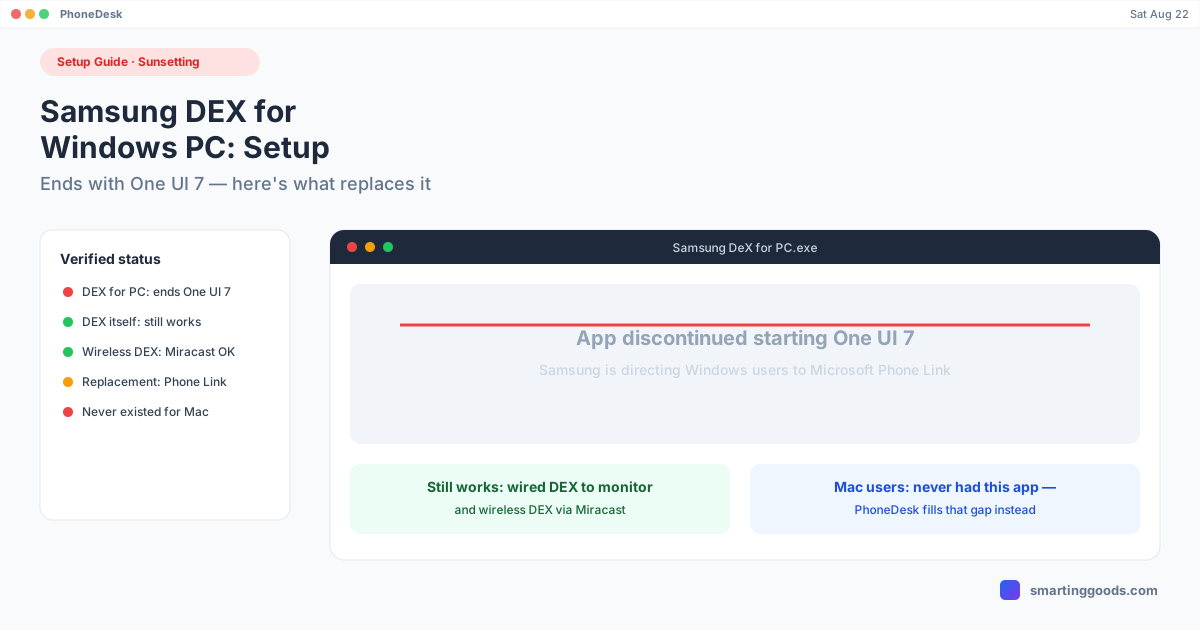
Here's the current, verified status: Samsung has confirmed DEX for PC on Windows will end support starting with One UI 7. Samsung's own UK support page states plainly that "the DeX for PC on Windows OS will end support from One UI 7 version." If your phone is running One UI 7 or later, the DEX for PC Windows app path is no longer the supported route — Samsung is steering users toward Microsoft's Phone Link app for phone-to-PC functionality going forward instead.
This is a genuine sunset, not a rumor or a temporary bug. If you've been searching "DEX for PC not working" or "DEX for PC won't connect" recently, this discontinuation is very likely why — it's not a settings problem you can fix.
What Still Works: DEX Itself Isn't Going Away
Important distinction: Samsung DEX the feature is not being discontinued — only the dedicated Windows companion app is. DEX desktop mode continues to work the way it always has when you plug a Galaxy phone into an external monitor with a proper DEX-compatible USB-C cable or dock. And on newer devices, DEX keeps working wirelessly too: Galaxy S26 series, Galaxy Z Fold 7, and Galaxy Tab Active5 Pro can run DEX wirelessly to any display that supports Miracast — no app, no PC required, just a compatible screen.
So the practical takeaway is: if your setup was "phone → DEX for PC app → Windows laptop screen," that specific path is closing. If your setup is "phone → cable → monitor" or "phone → wireless → Miracast display," DEX itself is fine.
Setting Up DEX If You Still Have Access to the App (Pre–One UI 7)
If your phone hasn't been updated to One UI 7 yet, or you're on an older version where DEX for PC is still functional, here's the setup:
- Download DEX for PC from Samsung's official site or the app itself, onto a Windows 10/11 laptop.
- Enable DEX on the phone. Settings → search "DEX" → make sure Samsung DEX is available (Galaxy S8 and later, Note 8 and later, most Tab S-series).
- Connect the phone to the laptop — USB-C cable for the first pairing, or follow the app's wireless pairing flow if your phone/version supports it.
- Launch DEX for PC on the Windows side and accept the connection prompt on the phone.
- The DEX session opens in a window on the Windows desktop — resizable, using the laptop's keyboard and mouse.
If this doesn't work and you're on One UI 7 or later, that's expected — the app has been sunset for your OS version, not broken.
What Replaces DEX for PC on Windows: Phone Link
Samsung's official recommendation going forward is Microsoft's Phone Link app, which is built into Windows 11 and available for Windows 10. Phone Link handles calls, texts, notifications, photo access, and — on supported Samsung devices — a degree of app mirroring and multi-app windowing, all without needing Samsung's own dedicated companion app. It's a different underlying architecture than DEX (it's Microsoft's cross-Android bridge, not Samsung's desktop-mode rendering), so the experience isn't a 1:1 replacement for a full DEX session, but it's the path Samsung itself is pointing Windows users toward.
If You Don't Use Windows: Where This Leaves Mac Users
Here's the part that doesn't get mentioned in most "DEX for PC" coverage: Samsung never built a DEX for PC equivalent for macOS in the first place. The Windows app existed; nothing comparable ever shipped for Mac. So Mac users were never going to be affected by this discontinuation the way Windows users are — there was no Mac app to lose.
That's a real, separate gap, and it's the one PhoneDesk exists to close — not by resurrecting DEX for PC, but by using Android's own adb and scrcpy tools to drive a DEX (or Pixel desktop mode) session as a genuine window on a Mac. It bundles adb/scrcpy under the hood so there's no terminal work: plug in or pair wirelessly, click Desktop Mode in the menu bar, and the phone's DEX session opens as a normal resizable macOS window. USB to start, one-click switch to Wi-Fi after, plus fully wireless pairing via QR code if you'd rather skip cables entirely.
If you were relying on DEX for PC on a Windows machine and are considering switching to a Mac (or already use one alongside a Windows PC), this is the direct equivalent — same idea, different underlying technology, works with the app Samsung is sunsetting having no bearing on it either way.
See the full setup in the Samsung DEX on Mac guide.
Frequently Asked Questions
Q: Is Samsung DEX for PC discontinued? A: The dedicated Windows companion app is being discontinued starting with One UI 7 — Samsung has confirmed this on its own support pages and is directing users to Microsoft's Phone Link app instead. Samsung DEX as a feature (wired or wireless to a monitor) is not discontinued.
Q: What replaces DEX for PC on Windows? A: Microsoft's Phone Link app, which is built into Windows 11 and downloadable for Windows 10. It's Samsung's own recommended path going forward, though it's architecturally different from DEX and not a feature-for-feature replacement.
Q: Can I still use DEX for PC if I haven't updated to One UI 7? A: If your phone is on a pre–One UI 7 build and you already have the app, it should continue functioning until you update. Once you're on One UI 7 or later, the app is no longer supported.
Q: Does Samsung DEX still work with a monitor if I don't use Windows at all? A: Yes — plugging a DEX-capable Galaxy phone into a monitor with a proper cable, or using wireless DEX to a Miracast-compatible display on newer devices (Galaxy S26 series, Z Fold 7, Tab Active5 Pro), works independently of the Windows app being discontinued.
Q: Was there ever a Samsung DEX for PC app for Mac? A: No. Samsung only ever released DEX for PC for Windows; a native macOS equivalent was never built. PhoneDesk fills that specific gap using Android's adb/scrcpy tools rather than Samsung's own software.
The Bottom Line
Samsung DEX for PC on Windows is being sunset starting with One UI 7, with Samsung pointing users to Microsoft's Phone Link app as the successor. DEX itself — wired to a monitor or wireless to a Miracast display on newer devices — keeps working regardless. And if your computer is a Mac rather than a Windows PC, this discontinuation doesn't change anything for you, because Samsung never built that bridge for macOS to begin with.
PhoneDesk is a $25 one-time license — no subscription, 14-day no-questions refund. See the full feature list →