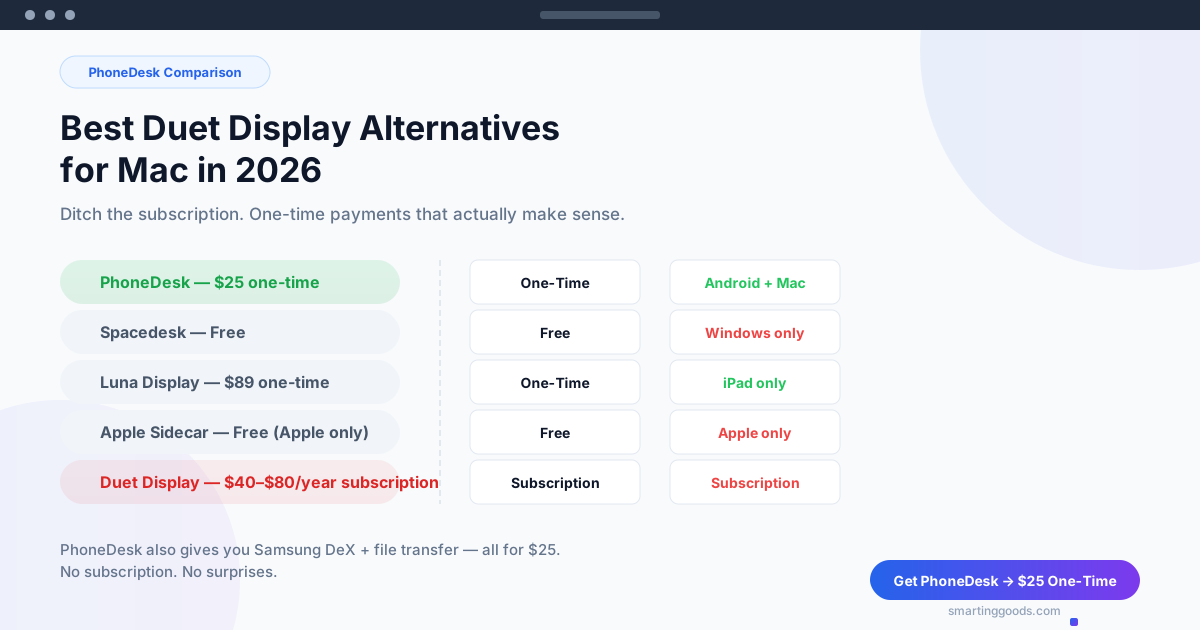
Best Duet Display Alternatives for Mac in 2026 — Ditch the Subscription
Looking for the best alternative to Duet Display for Mac in 2026? Compare PhoneDesk ($25 one-time), Spacedesk, Luna Display, and Sidecar. Ditch the subscription.
Best Duet Display Alternatives for Mac in 2026 — Ditch the Subscription
Duet Display has been a go-to app for turning an iPad into a second monitor since 2014. It worked well — back when it was a $15 one-time purchase. Then the subscription model arrived, and the complaints piled up. Users on Trustpilot and Reddit report auto-charges after cancelling trials, prices that keep climbing, and an app that feels abandoned (no Android updates in over 7 months).
If you are looking for an alternative to Duet Display for Mac in 2026, you have better options — some free, some a one-time payment, and none that lock you into recurring fees for the basic feature of extending your screen.
What Is Duet Display and Why Are People Leaving?
Duet Display lets you use an iPad as a second monitor for Mac or PC, connected over USB or wirelessly. It also offers a Pro tier with Apple Pencil support (turning the iPad into a graphics tablet) and a Remote Access feature.
The core problem is the pricing model. Here is what Duet currently charges:
- Duet Starter: $3.99/month or $39.99/year
- Duet Air: $5.99/month or $49.99/year
- Duet Pro: $7.99/month or $79.99/year
Free trials require a credit card upfront, and cancelling is reportedly difficult. The Trustpilot page tells the story: "They collect your payment info up front, then make cancelling impossible." Another user: "I've been charged $50+ dollars! I have cancelled weeks before!"
For a utility that plugs one device into another, this is a lot of friction. It is a $25 problem dressed up in a $50/year subscription.
Best Duet Display Alternatives for Mac in 2026
Here are the five best alternatives, ranked by value.
1. PhoneDesk — Best Overall Value ($25 One-Time)
PhoneDesk is the best Duet Display alternative for Mac if you use an Android phone. It does three things:
- Second monitor: Turns your Android phone into a real extended display for Mac (creates a virtual display on the Mac and streams it to your phone).
- Samsung DeX / Pixel desktop mode: Drives Samsung DeX or Google Pixel desktop mode as a proper window on your Mac, not a janky side load.
- File transfer: Send files and text from your phone to Mac wirelessly via share sheet — no MTP cable needed.
Price: $25 one-time, no subscription, no recurring anything. Includes a 14-day no-questions refund.
For Mac users with an Android phone who want a second monitor, PhoneDesk replaces Duet Display's core feature and adds DeX and file transfer on top — all for less than the cost of a single month of Duet Pro.
How to use your Android as a second monitor →
2. Spacedesk — Best Free Option
Spacedesk is a free app that turns any Android, iOS, or Windows device into a second display for your PC. It is widely used and well-reviewed.
- Price: Free for personal use; commercial license available as one-time in-app purchase
- Works with: Windows primary machine → Android, iOS, or Windows secondary
- Connection: Wi-Fi or USB
- Latency: Good on wired, acceptable on wireless for static content
The catch: Spacedesk does not support macOS as the primary machine. The driver only runs on Windows. If your main computer is a Mac, Spacedesk is not an option for extending your display.
For Windows users, Spacedesk is a solid free choice. For Mac users, it is irrelevant.
3. Luna Display — Best Hardware Solution ($89–$129)
Luna Display is a hardware dongle (USB-C or HDMI) that lets you use an iPad or another Mac as a wireless second display.
- Price: $89 (USB-C) or $59 (HDMI) — one-time hardware purchase
- Works with: Mac or PC primary → iPad or Mac secondary
- Connection: Wireless (uses its own radio, not Wi-Fi)
- Latency: Very low, even for video and design work
- 5K support: Yes, on compatible setups
Luna is a premium product — the latency is genuinely impressive and it supports 5K resolution. But you need to buy a physical dongle, and it only works with iPads and other Macs as receivers. No Android support at all.
For Mac users who already own an iPad and want the lowest possible latency, Luna is a strong contender. But it costs 3–5x what PhoneDesk costs and cannot use an Android phone as the secondary screen.
4. Apple Sidecar — Best Free Option (Apple Only)
Apple Sidecar is built into macOS and iPadOS. It lets you use a compatible iPad as a wired or wireless second display for a compatible Mac.
- Price: Free (built-in)
- Works with: Mac (2016 or newer) → iPad (iPadOS 13+)
- Connection: USB or wireless
- Latency: Excellent on wired, very good on wireless
The obvious limitations: you need both a fairly recent Mac and an iPad. No Android support. No Windows support. If you have the right hardware, Sidecar is seamless and free. If you use Android (like the majority of the world), it does not help.
5. Splashtop Wired XDisplay — Paid, Wired-Only
Splashtop Wired XDisplay is a paid utility that connects your phone to your Mac or PC via USB and turns it into a second display.
- Price: One-time purchase (varies by platform, roughly $9.99–$14.99)
- Works with: Windows or Mac → Android or iOS
- Connection: USB only
- Latency: Low (wired connection)
Wired XDisplay is cheap and works reasonably well, but it only does one thing — second monitor. No DeX support, no file transfer, and a cable is required at all times. For the same price range, PhoneDesk does more.
Pricing Comparison Table
| Product | Price | Model | Android Support | Mac Support | Additional Features |
|---|---|---|---|---|---|
| PhoneDesk | $25 | One-time | Yes | Yes | DeX, file transfer |
| Duet Display | $40–$80/yr | Subscription | Yes | Yes | Remote access, Apple Pencil |
| Spacedesk | Free | Free (personal) | Yes | No (receiver only) | — |
| Luna Display | $89–$129 | One-time (dongle) | No | Yes | 5K, iPad support |
| Apple Sidecar | Free | Built-in | No | Yes (2016+) | Seamless Apple ecosystem |
| Splashtop Wired XDisplay | $10–$15 | One-time | Yes | Yes | Wired only |
Why PhoneDesk Is the Best Duet Display Alternative for Mac Users
Duet Display asks you to pay yearly for a single feature that a $25 utility handles just as well — and adds two more on top.
The second monitor feature: PhoneDesk creates a virtual display on your Mac and streams it to your Android phone. It works over Wi-Fi or USB, handles retina resolutions, and treats your phone as a genuine extended display (not a laggy mirror).
Samsung DeX + Pixel desktop mode: This is unique to PhoneDesk. No other second-monitor app lets you drive Samsung DeX or Pixel desktop mode as a proper macOS window. For traders, developers, or anyone who wants a desktop Android experience on their Mac, this alone is worth the $25.
File transfer: PhoneDesk adds wireless file transfer via share sheet — send photos, documents, or text from your phone to Mac without hunting for a USB cable or fighting with Android File Transfer.
All three features for $25, once, with a 14-day refund. No monthly reminder that "your subscription will renew."
How to Set Up PhoneDesk as a Duet Display Replacement
- Buy PhoneDesk at phonedesk.smartinggoods.com ($25 one-time).
- Install the Mac menu bar app.
- Install the Android companion app on your phone.
- Connect both devices to the same Wi-Fi (or use USB).
- Open PhoneDesk on your Mac and select your phone.
From there, your Android phone acts as a second display. You can drag windows, watch video, read code, or monitor dashboards — exactly like Duet, but without the subscription.
If you also want to use Samsung DeX or transfer files, those features are in the same app. No separate purchase needed.
Frequently Asked Questions
Q: Is there a free alternative to Duet Display for Mac? A: Apple Sidecar is free if you own a compatible iPad and Mac (2016 or newer). For Android users, Spacedesk only works as a receiver for Windows primary machines — it cannot extend a Mac display. Deskreen + DeskPad is free but requires more setup and has higher latency.
Q: Does PhoneDesk work on Windows too? A: PhoneDesk is currently a macOS menu bar app designed for Mac users. It works with Android phones (Samsung, Google Pixel, and other Android devices).
Q: Can PhoneDesk replace Duet Display entirely? A: For Mac + Android setups, yes. PhoneDesk does second monitor, desktop mode (DeX/Pixel), and file transfer — Duet only does second monitor on this combination. If you specifically need iPad support or Apple Pencil drawing, Luna Display or Duet itself would still be options, but for Android phone users on Mac, PhoneDesk covers more for less.
Q: How does PhoneDesk compare to Duet Display on latency? A: On a wired connection, latency is comparable to Duet. Over Wi-Fi, performance depends on your network — PhoneDesk uses an optimized streaming protocol designed for Mac-to-Android. Most users report smooth performance for coding, reading, and dashboard monitoring.
Q: What if PhoneDesk does not work for me? A: PhoneDesk comes with a 14-day no-questions refund. If it does not meet your needs, you get your $25 back.
Conclusion: Ditch the Subscription
Duet Display was innovative in 2014. In 2026, it is a subscription service for a feature that should be a one-time purchase. Android phones are powerful enough to serve as secondary displays, and the software to make that happen costs a fraction of what Duet charges annually.
PhoneDesk gives Mac users with Android phones everything Duet offers — plus DeX support and file transfer — for a single $25 payment. No auto-renewals, no surprise charges, no fighting with customer support over a cancelled trial.