Is PhoneDesk Safe? Privacy and Security Explained
A straightforward look at what PhoneDesk actually connects to, how it moves your phone's screen and files, and what's verified about its architecture — no vague reassurances.
Is PhoneDesk Safe? Privacy and Security Explained
Granting any app the ability to see or control your phone's screen is a reasonable thing to be cautious about. Here's what's actually documented about how PhoneDesk works, so you can judge for yourself rather than take a marketing page's word for it.
How the Connection Works
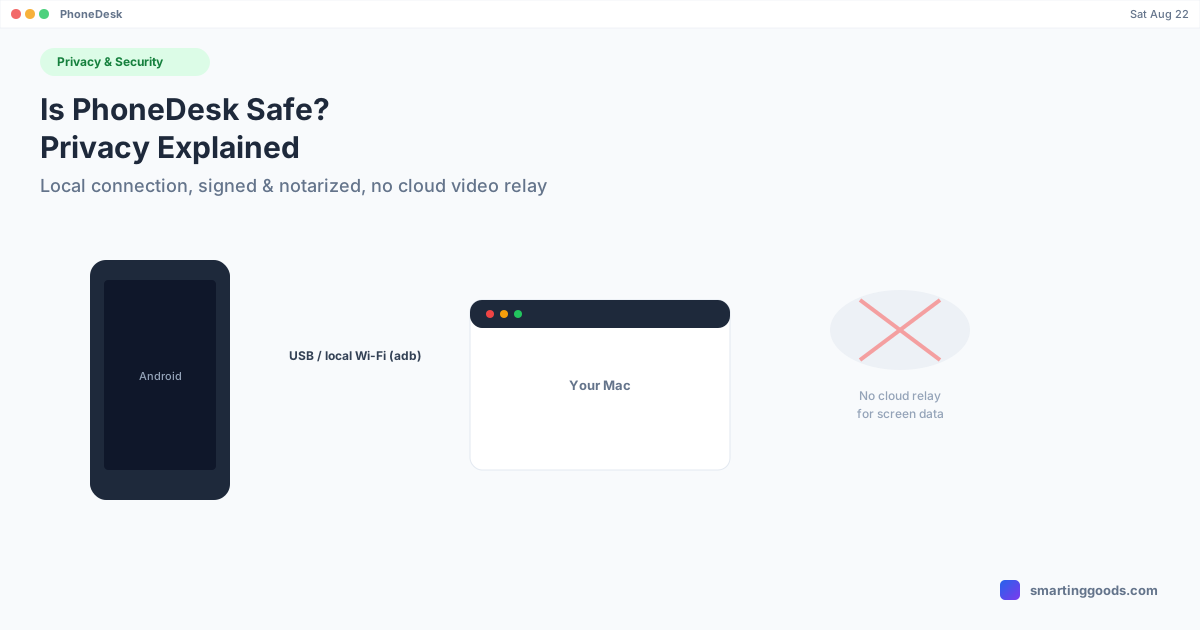
PhoneDesk connects to your Android phone using adb (Android Debug Bridge) and scrcpy, both bundled inside the Mac app rather than requiring separate installs. This connection runs either over a USB cable or over your local Wi-Fi network once you pair wirelessly — it is a direct connection between your phone and your Mac, using the same underlying protocol Android developers and Google's own tooling use to debug and control devices. It is not a proprietary streaming protocol built from scratch.
When you use Desktop Mode, Mirror Screen, or the second-monitor feature, the video and control data travels over that direct USB or local-network connection between the two devices you own. There's no indication in PhoneDesk's product documentation of screen content being routed through a third-party or Smarting Goods-operated server as part of normal operation — the connection is phone-to-Mac, on your own network or cable.
USB Debugging: What It Requires You to Approve
USB debugging — the Android setting PhoneDesk depends on — has a built-in Android security mechanism: the first time a specific computer connects, your phone shows an "Allow USB debugging?" prompt with that computer's unique key fingerprint, and you have to manually approve it. This is standard Android behavior, not something PhoneDesk adds or bypasses — it's the same authorization gate every adb-based tool goes through.
File Transfer: Where Files Actually Go
When you send a file from your phone to your Mac — via the share sheet, the companion app's file picker, or drag-and-drop during a desktop session — files land directly in your Mac's Downloads folder, and shared text lands on your clipboard. This is a local file placement, not an upload to a hosted service as part of the transfer itself.
App Distribution: Signed and Notarized
The Mac app is signed and notarized by Apple — it goes through Apple's standard code-signing and notarization pipeline, which is why it installs without triggering Gatekeeper's "unidentified developer" warnings or requiring you to bypass macOS security settings to open it. Updates are delivered through Sparkle, a widely used open-source auto-update framework for macOS apps, rather than a custom updater.
Licensing: What's Documented
PhoneDesk uses an offline-capable license key system — buying a license generates a signed key tied to your purchase, which the app verifies locally. This is a common pattern for one-time-purchase desktop software and doesn't require the app to phone home continuously to function.
What We Can't Independently Verify From the Outside
We're not going to claim things about internal telemetry, exact data retention practices, or a from-scratch security audit that aren't published and verifiable — if you need that level of detail for a compliance or IT-policy reason, the honest answer is to contact support directly and ask for specifics rather than rely on generic reassurances here.
Frequently Asked Questions
Q: Does PhoneDesk send my phone's screen to a cloud server? A: No — the screen mirroring, desktop mode, and second-monitor connections run over a direct USB or local Wi-Fi connection between your phone and your Mac, using adb and scrcpy. There's no cloud relay involved in that data path based on PhoneDesk's documented architecture.
Q: Can someone else's computer secretly access my phone through PhoneDesk? A: No — Android's USB debugging authorization requires you to manually approve each new computer's connection via the on-device fingerprint prompt. This is an Android OS-level protection, not something PhoneDesk controls or can bypass.
Q: Is the PhoneDesk Mac app legitimate/signed? A: Yes — it's signed and notarized through Apple's standard developer program process, which is a baseline trust signal macOS itself enforces before letting an app run without warnings.
Q: What happens to files I send from my phone? A: They land directly in your Mac's Downloads folder (or your clipboard, for shared text) — a local placement, not a third-party upload, as part of the file-transfer feature.
Try It With Confidence
If you're still evaluating whether PhoneDesk fits your setup, the 14-day no-questions refund exists specifically so you can try it without commitment. See the full feature list →
PhoneDesk is a $25 one-time license — no subscription, no account required to activate, 14-day no-questions refund.