Microsoft Remote Desktop on Android: Does It Work From a Mac?
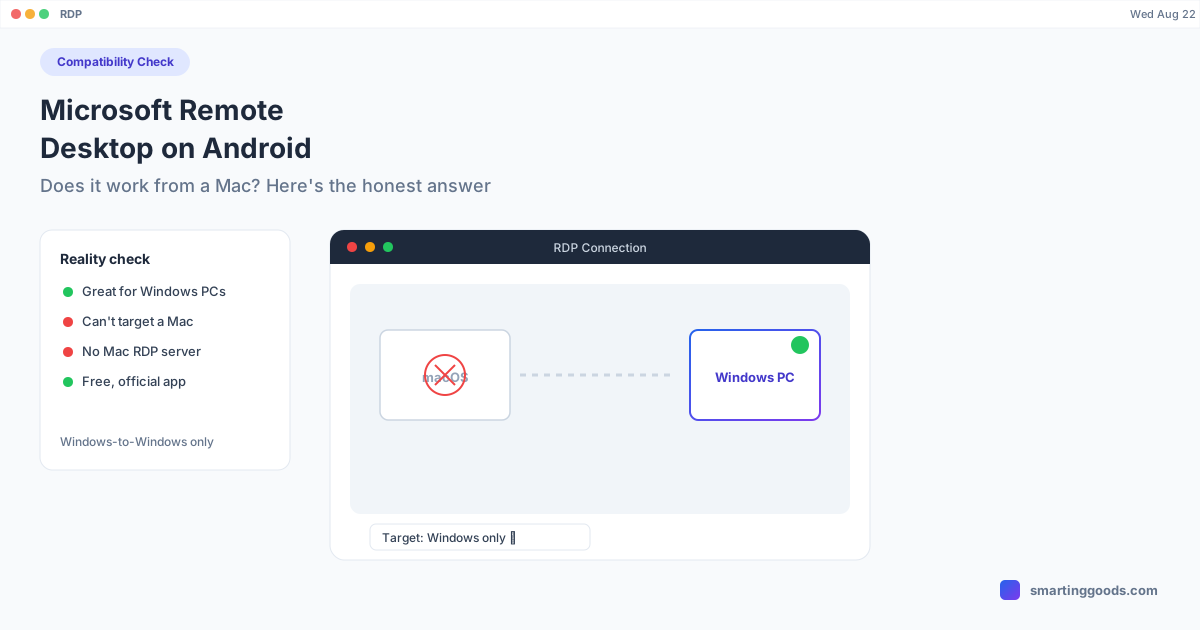
Microsoft Remote Desktop's Android app connects phones to Windows PCs and RDP servers — not to Macs, and not to control the phone itself. Here's what it actually does and what to use instead.
Microsoft Remote Desktop on Android: Does It Work From a Mac?
Searching "Microsoft Remote Desktop Android" alongside "Mac" usually means one of two things: you're trying to figure out if the app works cross-platform between an Android phone and a Mac, or you actually want your Android phone's screen accessible on your Mac and assumed Microsoft's app was a general-purpose solution. It's worth clearing up what this app actually is before you spend time setting it up for the wrong job.
What Microsoft Remote Desktop Actually Is
Microsoft Remote Desktop (branded as "Windows App" in newer releases) is Microsoft's official client for RDP — the Remote Desktop Protocol used to connect to Windows machines, Windows Server instances, Azure Virtual Desktop, and Microsoft 365 cloud PCs. It exists on Android, iOS, Mac, and Windows, but its entire purpose is connecting a client device to a Windows-based remote session.
It is not a general phone-mirroring tool. It doesn't let you view or control an Android phone's screen from anywhere. It's a doorway into Windows environments, and Android is just one of several client platforms Microsoft supports for reaching that doorway.
Does Microsoft Remote Desktop Work Between an Android Phone and a Mac?
Here's the direct answer: Microsoft Remote Desktop doesn't connect an Android phone to a Mac at all, because a Mac is not an RDP host. RDP is a protocol for connecting to Windows machines specifically. There is no scenario where you install Microsoft Remote Desktop on your Android phone and your Mac, and it lets the phone control the Mac or vice versa — the Mac simply isn't a valid RDP server target.
What Microsoft Remote Desktop on Android can do:
- Connect your Android phone to a Windows PC you've configured for Remote Desktop access (requires Windows Pro/Enterprise — Windows Home doesn't support incoming RDP connections)
- Connect to an Azure Virtual Desktop or Windows 365 Cloud PC session
- Connect to a Windows Server instance, common in IT/sysadmin contexts
If you have a Mac and an Android phone and no Windows machine anywhere in the picture, Microsoft Remote Desktop simply has no role to play in your setup.
Setting Up Microsoft Remote Desktop From Android to a Windows PC
If you do have a Windows PC and want to reach it from an Android phone (useful context even if this isn't your Mac-Android question), here's the setup:
- On the Windows PC: Go to Settings → System → Remote Desktop, and turn on "Remote Desktop." Note the PC name shown.
- Windows edition matters: This only works on Windows 10/11 Pro or Enterprise. Windows Home edition cannot accept incoming RDP connections without a workaround.
- On the Android phone: Install "Windows App" (formerly Microsoft Remote Desktop) from the Google Play Store.
- Add a PC: Tap the + button, enter the PC's name or IP address, and enter Windows account credentials.
- Connect: Tap the saved connection to open an RDP session — the Windows desktop appears on your phone, controllable via touch.
This works well over local Wi-Fi. For access from outside your home network, you'd typically need a VPN into your home/office network, since RDP isn't safely exposed directly to the internet without one.
Why This Doesn't Solve "I Want My Android Phone Usable on My Mac"
If your actual goal was to get your Android phone's screen, or Samsung DEX, or Pixel desktop mode working on your Mac, Microsoft Remote Desktop was never going to get you there — not because of a setup mistake, but because the protocol itself only speaks to Windows. There's no version of this workflow where it applies to a Mac.
That's a common mix-up: people search for "remote desktop android" tools broadly, land on whichever big name they recognize (Microsoft, in this case), and don't realize the tool is scoped to one specific ecosystem.
What to Use Instead for Android-to-Mac
If you're a Mac user and you want your Android phone's screen, desktop mode, or files integrated with your Mac, you need a tool actually built for that pairing — not an RDP client scoped to Windows.
PhoneDesk is a macOS menu bar utility built specifically for Android-Mac use. It:
- Drives Samsung DEX or Pixel desktop mode as a real, resizable window on your Mac
- Turns your Android phone into a second monitor for your Mac — an extended display, not a mirror
- Sends files and text wirelessly between phone and Mac through the Android share sheet, no cable or MTP connection needed
Because it's built around the actual Android-to-Mac pairing rather than a general remote-desktop protocol, there's no Windows dependency, no RDP host requirement, and no confusion about which direction the connection works. It's a $25 one-time purchase with a 14-day no-questions refund — no subscription.
Frequently Asked Questions
Q: Can Microsoft Remote Desktop connect my Android phone to my Mac? A: No. RDP (the protocol Microsoft Remote Desktop uses) only connects to Windows-based hosts — PCs, servers, and Azure/Windows 365 cloud sessions. A Mac cannot act as an RDP host, so there's no configuration that makes this work.
Q: Can I use Microsoft Remote Desktop to control my Android phone from any computer? A: No. It's a client app for reaching Windows machines from Android — not a way to control the Android device itself from a computer.
Q: Does Windows Home support Remote Desktop connections? A: No, incoming RDP connections require Windows 10/11 Pro or Enterprise. Windows Home can be a client (connecting out) but can't accept incoming remote sessions without third-party workarounds.
Q: What should Mac users search for instead of Microsoft Remote Desktop? A: Look for tools built specifically for Android-Mac pairing rather than general RDP clients — scrcpy (free, command-line), or PhoneDesk (a native macOS app with Samsung DEX support, second-monitor mode, and wireless file transfer).
Q: Is there any RDP-based way to get a desktop-style interface from an Android phone on a Mac? A: Not through Microsoft Remote Desktop specifically, but Samsung DEX and Pixel desktop mode are Android's own desktop-interface features, and PhoneDesk brings those to a Mac window without needing RDP or Windows at all.
The Bottom Line
Microsoft Remote Desktop is a well-built app for what it does — connecting to Windows machines and cloud PCs — but it has no path between an Android phone and a Mac, because a Mac isn't a valid RDP destination. If you landed here looking for a way to use your Android phone's screen on your Mac, this isn't the tool; the protocol simply doesn't reach.
PhoneDesk is built for exactly that pairing — Samsung DEX or Pixel desktop mode as a Mac window, phone as a second monitor, and wireless file transfer. $25 one-time, no subscription.
See everything PhoneDesk does → Set up Samsung DEX or Pixel desktop mode on your Mac →