RDP Client for Android: What It Is and When You Actually Need One
An RDP client for Android connects your phone to a Windows machine — not the other way around. Here's what RDP actually does, the best Android clients, and what to use if you're on a Mac instead.
RDP Client for Android: What It Is and When You Actually Need One
"RDP client for Android" is a specific, well-defined search — but it's also a search that trips people up, because it sounds like it might be about controlling an Android phone, when it's actually about the opposite: using an Android phone to control a Windows machine. If you landed here wanting to see your phone's screen on a computer, this isn't that. Here's the real explanation, the best RDP clients for Android, and where to go instead if your actual goal was Android-to-Mac integration.
What RDP Actually Is
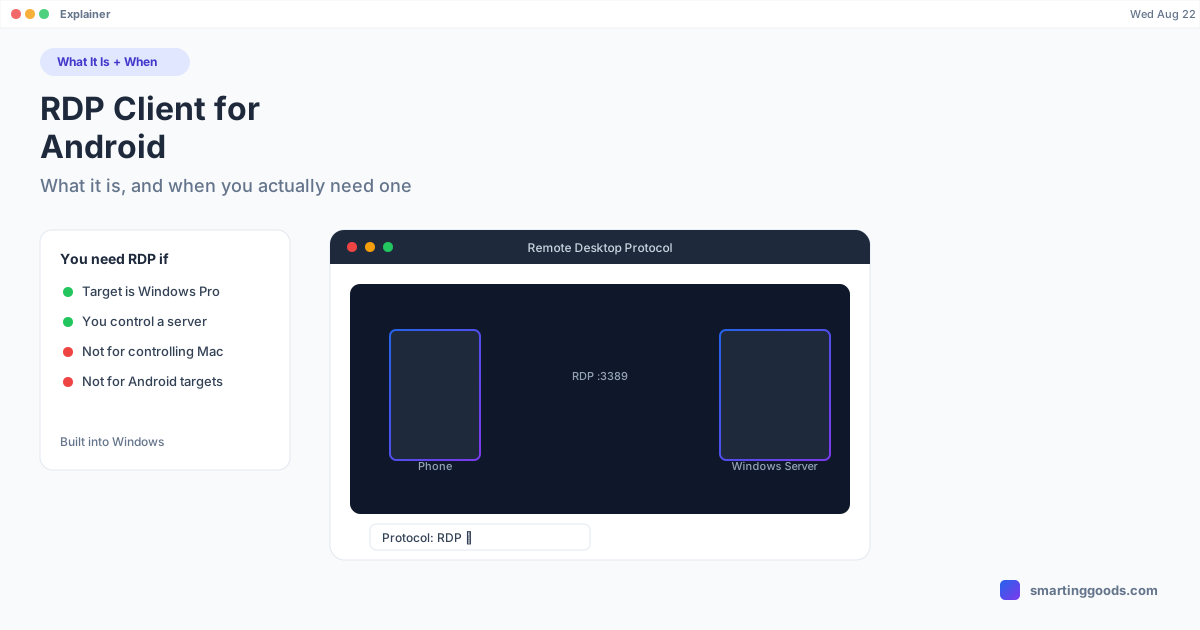
RDP (Remote Desktop Protocol) is a protocol Microsoft built for connecting to and controlling a Windows-based computer or server remotely. It's the same technology IT admins use to manage servers, and the same feature that lets you connect to a work PC from home.
An "RDP client for Android" is an app that lets your Android phone act as the client — the device initiating the connection — to reach a Windows PC, Windows Server, or a cloud-hosted Windows session (Azure Virtual Desktop, Windows 365) that's acting as the host.
Critically: RDP only connects to Windows hosts. There's no version of RDP where an Android phone or a Mac can be the thing being connected to via RDP — neither is a supported RDP server target. That rules out RDP entirely if your goal is to reach your Android phone's screen from any other device.
When You Actually Need an RDP Client on Android
RDP is the right tool specifically when:
- You need to access a Windows PC (Pro/Enterprise edition — Home doesn't support incoming RDP) from your phone
- You're connecting to a Windows Server for admin purposes
- You use Azure Virtual Desktop or Windows 365 and need mobile access to your cloud PC
- Your workplace has an RDP gateway set up for remote access to office machines
If none of these apply to you — if you don't have a Windows machine anywhere in your setup — an RDP client has no use case for you at all.
Best RDP Clients for Android
If you do need one, these are the main options in 2026:
- Windows App (formerly Microsoft Remote Desktop) — Microsoft's official client. Free, reliable, supports Azure Virtual Desktop and Windows 365 directly. The default choice for most people.
- Jump Desktop — a well-regarded paid client (subscription or one-time options depending on platform) with support for RDP plus other protocols (VNC, Fluid Remote Desktop for Mac/Windows). Faster rendering than some alternatives on slow connections.
- RD Client — an older name for Microsoft's app, largely superseded by Windows App but still referenced in some documentation.
- Remotix / Royal TSX (companion apps) — used more by IT professionals managing multiple servers with saved connection profiles.
For most personal use, Microsoft's own free client covers everything needed without added cost.
Setting Up an RDP Client on Android
- Confirm the target machine is Windows Pro/Enterprise (or a server/cloud PC) with Remote Desktop enabled in Settings → System → Remote Desktop.
- Note the PC name or IP address, and confirm you have valid Windows login credentials.
- Install "Windows App" (or your chosen RDP client) from the Google Play Store.
- Add a new connection: enter the PC name/IP, and the account credentials.
- Connect — the Windows desktop renders on your phone, touch-controllable.
- For access outside your local network, set up a VPN into that network first — exposing RDP directly to the internet is a well-known security risk and generally not recommended without one.
If You're on a Mac and This Isn't What You Needed
If you searched "RDP client Android" hoping to find a way to get your Android phone's screen onto your Mac, or to use Samsung DEX / Pixel desktop mode from your Mac, RDP was never the right protocol — it only reaches Windows hosts, and a Mac isn't one.
What you actually want is a tool built for the Android-to-Mac pairing specifically. PhoneDesk is a native macOS menu bar app that:
- Drives Samsung DEX or Pixel desktop mode as a real Mac window
- Turns your Android phone into a second monitor for your Mac
- Sends files and text wirelessly between phone and Mac through the Android share sheet
No Windows machine required, no RDP protocol involved — it connects directly to your Android phone over USB or local Wi-Fi. It's a $25 one-time purchase, no subscription, with a 14-day no-questions refund.
Frequently Asked Questions
Q: Can I use RDP to connect to my Android phone from a computer? A: No. RDP only connects to Windows-based hosts (PCs, servers, cloud PCs). Android and macOS are never valid RDP server targets — RDP clients on Android connect out to Windows machines, not the reverse.
Q: What's the best free RDP client for Android? A: Microsoft's own "Windows App" (formerly Microsoft Remote Desktop) — it's free, officially supported, and works with standard Windows PCs, Windows Server, and Microsoft's cloud PC services.
Q: Do I need Windows Pro to use RDP? A: To accept incoming RDP connections (be the host), yes — Windows Home edition doesn't support this natively. To connect out as a client from Android, any Windows version on the receiving end that has RDP enabled works.
Q: Is there an RDP client that works with a Mac as the host? A: No — a Mac can never be the RDP host, since RDP is a Windows-specific protocol. Mac users need Mac-specific tools like Screen Sharing (Mac-to-Mac) or PhoneDesk (Android-to-Mac) instead.
Q: What should I use instead of RDP for Android-to-Mac? A: PhoneDesk, built specifically for that pairing — Samsung DEX/Pixel desktop mode as a Mac window, phone as a second monitor, and wireless file transfer, no Windows or RDP involved.
The Bottom Line
An RDP client for Android is exactly what it sounds like: a way to reach a Windows machine from your phone. It has no role in getting an Android phone's screen onto a Mac, because RDP simply doesn't support Mac as a host. If Android-to-Mac was your actual goal, PhoneDesk is the tool built for that — $25 one-time, no subscription.
See everything PhoneDesk does → Learn how PhoneDesk handles Samsung DEX on Mac →