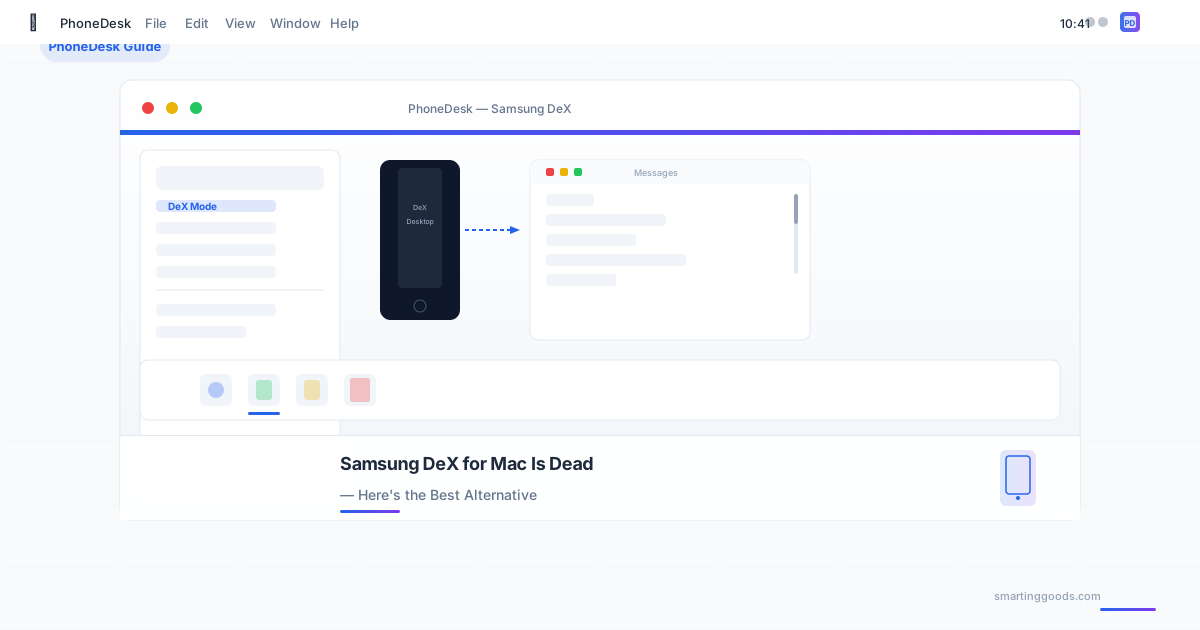
Samsung DeX for Mac Is Dead — Here's the Best Alternative
Samsung killed DeX for Mac in January 2022. If you're looking for a way to run Samsung DeX or Pixel desktop mode on your Mac, here are the alternatives that actually work — including one that does it better than Samsung ever did.
In January 2022, Samsung quietly pulled the plug on DeX for Mac. No warning, no replacement — just a dead download link and a "no longer supported" notice. If you own a Samsung phone and a Mac, that left a real gap.
DeX turns your Samsung phone into a desktop-like experience — resizable windows, keyboard shortcuts, external display support. It's genuinely useful. And for two years, Samsung offered a Mac app that let you run it directly on your macOS desktop. Then they killed it.
This post covers what happened, why, and — more importantly — how to get DeX (and Pixel desktop mode) running on your Mac today. The apps that actually work, the ones that don't, and the one that does it better than Samsung's own software ever did.
What Was Samsung DeX for Mac?
Samsung DeX for Mac was a macOS app that let you connect your Samsung Galaxy phone to your Mac and run the DeX desktop interface in a window. Your phone stayed in your pocket — the DeX experience ran right on your Mac screen.
It supported:
- Resizable DeX window on macOS
- Keyboard and trackpad input from your Mac
- Drag-and-drop file sharing
- Clipboard sync between phone and Mac
For anyone who wanted to use their Samsung phone as a desktop companion without carrying a separate monitor and keyboard, it was the best option available.
Why Did Samsung Discontinue DeX for Mac?
Samsung never gave an official reason, but the timing and context tell the story.
Apple Silicon. January 2022 was right when the M1 Mac was taking over. Samsung's DeX app was built for Intel Macs. Rather than rewrite it for Apple Silicon (a significant engineering investment for a niche use case on a competitor's platform), Samsung pulled the plug.
Low Mac market share among Samsung users. Samsung's core audience is Android users, most of whom don't own Macs. The engineering cost to maintain a Mac app for a small fraction of the user base didn't pencil out.
Samsung refocusing on their own ecosystem. Samsung has been investing in their own PCs (Galaxy Book line) and built-in DeX support there. They'd rather you buy a Galaxy Book than use DeX on a Mac.
Whatever the reason, the result is the same: since January 2022, there has been no official way to run Samsung DeX on a Mac.
The Alternatives: What Actually Works in 2026
If you're a Mac user with a Samsung (or Pixel) phone, here are the options available today.
1. PhoneDesk — The Best Overall Alternative
PhoneDesk is a macOS menu bar utility built specifically for this gap. It runs Samsung DeX and Pixel desktop mode as a real, resizable window on your Mac — the same core experience Samsung's app offered, but better.
What PhoneDesk does:
- Runs DeX and Pixel desktop mode in a native Mac window. Connect your phone via USB or wirelessly, and your phone's desktop interface appears in a macOS window with proper window controls (resize, minimize, fullscreen).
- Turns your Android phone into a second monitor for your Mac. The reverse direction — your Mac creates a virtual display and streams it to your phone screen. No paid subscription needed.
- Wireless file transfer. Send files and text from your phone to your Mac via the share sheet. No MTP, no cloud uploads, no cables.
Unlike Samsung's abandoned app, PhoneDesk is actively maintained, works on both Intel and Apple Silicon Macs, and supports not just Samsung DeX but also Google Pixel desktop mode (which is getting more capable with every Android release).
Pricing: $25 one-time license. No subscription. 14-day no-questions refund.
2. scrcpy — The Free, Technical Option
scrcpy is an open-source command-line tool that displays and controls Android devices from your computer. It's free, works well, and is widely used by developers.
Pros: Free, open-source, low latency, works on any Android device. Cons: No DeX-specific support (just mirrors your phone screen), command-line setup, no native macOS integration, no drag-and-drop file transfer.
scrcpy is a good option if you're comfortable with the terminal and just need basic screen mirroring. But it doesn't give you the DeX desktop experience — it's a mirror of your phone screen, not a desktop interface.
3. Vysor — The Paid Screen Mirror
Vysor is a cross-platform app that mirrors your Android screen to your computer. It's polished and easy to set up, but requires a subscription for useful features.
Pros: Easy setup, drag-and-drop file transfer, works over USB and Wi-Fi. Cons: Subscription pricing ($2.50/mo or $40/year), no DeX support, limited free tier.
Vysor works well for basic screen mirroring. But it doesn't run DeX, and the subscription cost adds up over time.
4. AirDroid — The Swiss Army Knife
AirDroid is a comprehensive Android management tool that includes screen mirroring, file transfer, remote control, and more.
Pros: Feature-rich, wireless connectivity, file transfer built-in. Cons: Subscription model ($3.99/mo or $19.99/year), can be buggy, no DeX support.
AirDroid is useful if you need a general-purpose Android-on-Mac tool. But for DeX specifically, it doesn't help.
5. Spacedesk — Second Monitor Only
Spacedesk turns your Android device into a wireless second monitor for your computer. It's focused on the extended display use case.
Pros: Works as a second monitor, low latency on Wi-Fi, free. Cons: Windows-focused (Mac support is limited), phone-as-monitor only (no DeX, no file transfer).
Spacedesk is a good option if "second monitor" is all you need. But if you want DeX or desktop mode, look elsewhere.
How They Compare
| Feature | PhoneDesk | scrcpy | Vysor | AirDroid | Spacedesk |
|---|---|---|---|---|---|
| DeX / Pixel desktop mode | ✅ Yes | ❌ No | ❌ No | ❌ No | ❌ No |
| Second monitor | ✅ Yes | ❌ No | ❌ No | ❌ No | ✅ Yes |
| Wireless file transfer | ✅ Yes | ❌ No | ✅ Yes | ✅ Yes | ❌ No |
| Price | $25 once | Free | $2.50/mo | $3.99/mo | Free |
| Mac-native UI | ✅ Yes | ❌ CLI | ✅ Yes | ✅ Yes | ⚠️ Limited |
| Intel + Apple Silicon | ✅ Yes | ✅ Yes | ✅ Yes | ✅ Yes | ⚠️ Partial |
Why PhoneDesk Is the Best Alternative to Samsung DeX for Mac
Samsung's DeX for Mac had one job: run your phone's desktop mode on your Mac. PhoneDesk does that job, plus turns your Android phone into a second monitor, plus handles wireless file transfer — all in a native macOS app that lives in your menu bar.
It matters because:
It fills Samsung's gap. Samsung abandoned Mac users. PhoneDesk picked up where they left off — and extended the feature set.
It's not a subscription. Samsung's app was free while it lasted. Most alternatives charge monthly. PhoneDesk is $25 once. That's less than a year of Vysor or AirDroid.
It supports Pixel desktop mode too. Android 16 is making desktop mode a first-class feature on Pixel devices. PhoneDesk works with both Samsung phones and Google Pixels — future-proofing your setup.
Frequently Asked Questions
Q: Can I still download Samsung DeX for Mac? A: No. Samsung removed the download link in January 2022. Even if you find an archived copy, the app won't work properly on modern macOS versions (especially Apple Silicon).
Q: Why did Samsung stop supporting DeX on Mac? A: Samsung never officially explained, but the consensus is that Apple Silicon made the Intel-only app obsolete, and Samsung chose not to invest in a rewrite for a small Mac-using portion of their user base.
Q: Does PhoneDesk support wireless DeX? A: Yes. PhoneDesk works over both USB and Wi-Fi. For the best experience (especially with DeX desktop mode), USB is recommended. For quick file transfers or second-monitor use, Wi-Fi works great.
Q: Is PhoneDesK only for Samsung phones? A: No. PhoneDesk works with any Android phone that supports desktop mode — including Google Pixel devices running Android 16's built-in desktop mode, and any Android phone running a third-party desktop launcher.
Q: Is there a free alternative to Samsung DeX for Mac? A: scrcpy is free but doesn't support DeX. Spacedesk is free as a second-monitor solution but doesn't help with DeX. There is no free app that runs DeX on a Mac — PhoneDesk is the most affordable option at $25 one-time.
Q: Does PhoneDesk work on Apple Silicon Macs? A: Yes. PhoneDesk runs natively on both Intel and Apple Silicon (M1, M2, M3, M4) Macs.
Q: What if PhoneDesk doesn't work for me? A: PhoneDesk comes with a 14-day, no-questions-asked refund. If it doesn't solve your problem, you get your money back.
Conclusion
Samsung abandoning DeX for Mac was frustrating — especially if you'd been relying on it as part of your daily workflow. But the gap didn't stay empty for long.
PhoneDesk gives Mac users with Android phones exactly what Samsung took away: a way to run DeX (and Pixel desktop mode) in a native macOS window. Plus it adds features Samsung never offered — second-monitor mode and wireless file transfer — all for a one-time price with no subscription.
If you've been looking for a real replacement for Samsung DeX on Mac since 2022, this is it.
PhoneDesk is a macOS menu bar utility that runs Samsung DeX and Pixel desktop mode on your Mac, turns your Android into a second monitor, and transfers files wirelessly. $25 one-time license, 14-day refund. No subscription.