Samsung DEX for PC App: Is It Still Available? (2026)
Samsung confirmed DEX for PC on Windows ends support at One UI 7. Here's the direct status, what still works, and Samsung's official replacement.
Samsung DEX for PC App: Is It Still Available? (2026 Status Check)
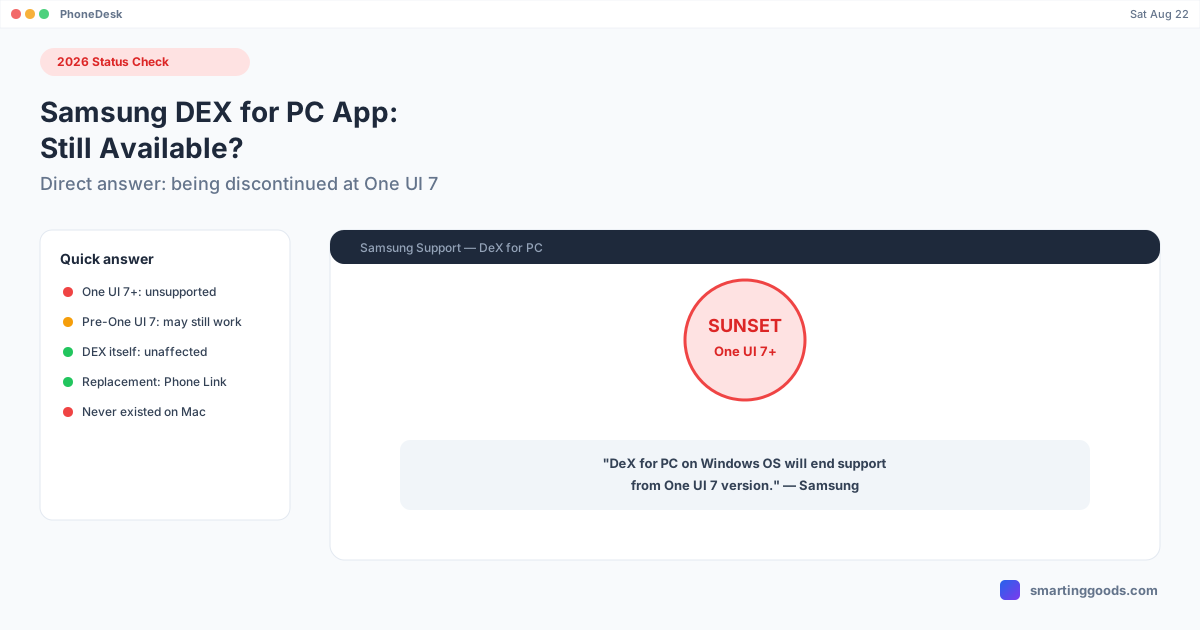
Short answer: it's being discontinued. Samsung has confirmed that the DEX for PC app for Windows is ending support starting with One UI 7, and the company is directing users to Microsoft's Phone Link app instead. If you're trying to figure out whether it's worth downloading, whether it still works on your phone, or why it suddenly stopped connecting, here's the direct status and what to do next.
Current Status: Being Sunset, Not Instantly Dead
Samsung's own UK support documentation states it plainly: "The DeX for PC on Windows OS will end support from One UI 7 version." That means:
- If your phone is on One UI 7 or later, the DEX for PC app is no longer the supported path — it may not connect, or Samsung may stop distributing/maintaining it for your device at all.
- If your phone is still on a pre–One UI 7 build, the app should continue to function for now, but treat it as living on borrowed time rather than a long-term solution.
- There is no Linux or macOS version — DEX for PC was always Windows-only, and its discontinuation doesn't change that; it was never available elsewhere to begin with.
This is a confirmed Samsung decision, not a rumor, not a temporary outage, and not something a reinstall or driver update will fix if you're on an unsupported OS version.
Why This Matters If You Were About to Set It Up
If you were about to install DEX for PC for the first time, it's worth knowing upfront that you may be setting up something Samsung is actively phasing out — worth checking your phone's One UI version (Settings → About phone → Software information) before investing time in the setup, since a newer phone or a recently-updated one may already be past the cutoff.
What Samsung Recommends Instead: Phone Link
Samsung is steering Windows users toward Microsoft's Phone Link app, built into Windows 11 and downloadable for Windows 10. It's not a like-for-like replacement — Phone Link is Microsoft's own cross-Android bridge (handling calls, texts, notifications, photos, and on supported Samsung devices some degree of app windowing) rather than Samsung's DEX desktop-rendering technology — but it's the officially supported path going forward for Windows users who want phone-to-PC functionality.
What Didn't Change: DEX Itself
It's worth separating the app from the feature. Samsung DEX — the desktop mode itself — is not being discontinued. Plugging a DEX-capable phone into a monitor with a proper USB-C cable or dock still works exactly as before. And on newer flagship devices (Galaxy S26 series, Galaxy Z Fold 7, Galaxy Tab Active5 Pro), DEX also works wirelessly to any Miracast-compatible display — no PC, no app, no cable required. The thing going away is specifically the dedicated Windows companion app that let DEX display inside a window on a laptop screen without a separate monitor.
Was There Ever a DEX for PC App for Mac?
No — and this is worth being explicit about, since it changes the practical impact of this discontinuation depending on what computer you use. Samsung only ever built DEX for PC for Windows. A macOS version was never released, at any point, on any One UI version. So if you're a Mac user, this discontinuation doesn't remove anything you had access to — the gap already existed.
That gap is what PhoneDesk is built to close, using a different underlying approach than Samsung's own (now-discontinued) app. PhoneDesk is a macOS menu bar app that drives a Samsung DEX session as a real, resizable window on a Mac, using Android's own adb and scrcpy tools bundled under the hood — no terminal, no manual pairing commands. Connect over USB the first time, then switch to Wi-Fi with one click, or pair fully wirelessly with a QR code straight from Android's Wireless debugging screen. It also drives Google's Pixel desktop mode the same way, for Pixel 9 Pro owners.
Because PhoneDesk doesn't depend on Samsung's DEX for PC app or infrastructure at all — it talks to the phone directly via adb/scrcpy — Samsung sunsetting their Windows app has no effect on it.
See the full setup in the Samsung DEX on Mac guide.
Frequently Asked Questions
Q: Is Samsung DEX for PC still available to download? A: It's being phased out starting with One UI 7. Whether it still functions depends on your phone's current One UI version — pre–One UI 7 devices may still have it working, while One UI 7+ devices are past the supported cutoff.
Q: Why did my DEX for PC connection suddenly stop working? A: If you recently updated to One UI 7 or later, this discontinuation is the most likely explanation — it's not a bug you can fix with a reinstall or driver update.
Q: What should I use instead of DEX for PC? A: Samsung's official recommendation is Microsoft's Phone Link app (built into Windows 11, downloadable for Windows 10), though it's architecturally different from DEX and doesn't replicate the full desktop-rendering experience.
Q: Does Samsung DEX still work at all if the PC app is discontinued? A: Yes — DEX to an external monitor via a proper USB-C cable/dock, and wireless DEX to Miracast-compatible displays on newer devices, both continue to work. Only the dedicated Windows PC companion app is being sunset.
Q: Is there a Mac equivalent of DEX for PC? A: Samsung never built one, discontinuation or not. PhoneDesk fills that specific gap for Mac users with its own adb/scrcpy-based approach, independent of Samsung's Windows app entirely.
The Bottom Line
Samsung DEX for PC on Windows is a confirmed, official discontinuation starting with One UI 7 — not a bug, not a rumor. Samsung points Windows users to Phone Link as the successor. DEX itself, wired or wireless to a real display, keeps working regardless. And if you're on a Mac, none of this changes anything for you either way, since Samsung's Windows app was never available on macOS to begin with — PhoneDesk remains the way to get a real DEX window there.
PhoneDesk is a $25 one-time license — no subscription, 14-day no-questions refund. See the full feature list →