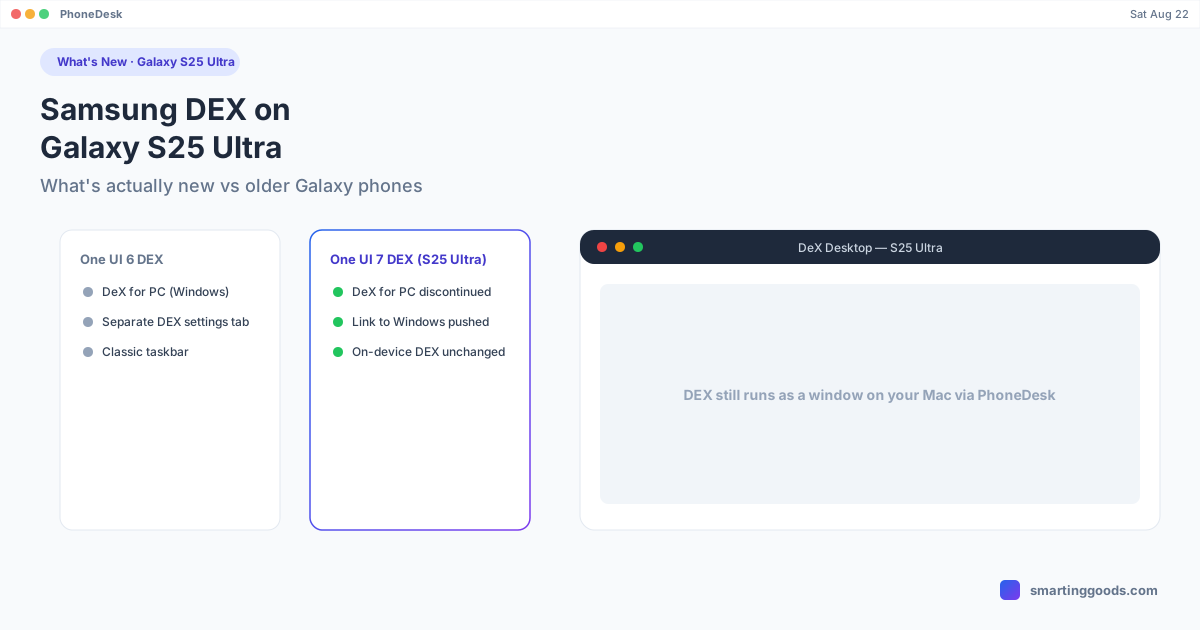
Samsung DEX on Galaxy S25 Ultra: What's New
The Galaxy S25 Ultra ships with One UI 7 — here's exactly what changed for Samsung DEX, what got dropped, and what still works the same as older Galaxy phones.
Samsung DEX on Galaxy S25 Ultra: What's New
The Galaxy S25 Ultra launched on One UI 7 (Android 15), and if you're coming from an older Galaxy phone, the DEX experience is mostly familiar with a couple of real changes worth knowing before you set it up.
The short version: on-device DEX — plugging into a monitor or projecting wirelessly — works the same way it always has. What changed is Samsung's PC-side tooling, not the desktop experience on the phone itself.
What Actually Changed in One UI 7
One UI 7 discontinued the DeX for PC app that let Windows users run a phone-hosted desktop session inside a Windows application window. Samsung has been steering users toward Link to Windows instead, which handles calls, texts, and app access from a Windows PC but is a different feature — it's not DEX, and it doesn't give you a full desktop window.
On the phone side, plugging the S25 Ultra into an external monitor or TV still launches the same windowed desktop environment: taskbar, resizable app windows, drag-and-drop, and keyboard/mouse support. If you've used DEX on a Galaxy S23 or S24, the core experience on the S25 Ultra will feel identical.
It's worth noting the bigger DEX overhaul — the one rebuilt on Android's native desktop windowing framework, with a new settings location and different taskbar behavior — arrived in One UI 8, not One UI 7. If your S25 Ultra has been updated past its launch software, the interface may already look different from what's described here; check Settings → Advanced features → Samsung DEX (or the connected-display menu if that section has moved) to confirm which DEX version you're running.
Hardware: What the S25 Ultra Brings to DEX
The S25 Ultra's Snapdragon 8 Elite handles DEX without the performance ceiling issues older, lower-tier Galaxy phones sometimes hit — multitasking with several windows open stays smooth. Wireless DEX projection performance depends more on your Wi-Fi network than the phone's chip, so a stable 5GHz connection still matters more than which Galaxy model you're on.
Nothing about the S25 Ultra's hardware requires a different setup process than any other recent Galaxy DEX-capable phone — the steps are the same: enable DEX from Settings, connect via USB-C-to-HDMI or wirelessly over Wi-Fi, and pair a keyboard/mouse if you want the full desktop feel.
The One Thing Samsung Still Doesn't Offer: DEX on a Mac
With DeX for PC gone even for Windows, Samsung has never had an official path to running DEX on a Mac at all. If your "monitor" is actually a MacBook or iMac display, none of Samsung's own tools — old or new — get you there.
PhoneDesk fills that gap. It connects to the S25 Ultra over USB or Wi-Fi using adb and launches DEX as a real, resizable window on macOS — the actual DEX session, not a screen recording or remote-desktop stream. It's confirmed working the same way on a Galaxy Z Fold 6, and the underlying DEX connection method is the same across current Galaxy Ultra and Fold devices.
Setup: turn on Developer options (Settings → About phone → tap Build number seven times), enable USB debugging, then connect from PhoneDesk's menu bar — USB cable or a wireless QR pairing. Click Desktop Mode and DEX opens as a window on your Mac.
Frequently Asked Questions
Q: Did Samsung remove DEX from the S25 Ultra? A: No — on-device DEX (monitor or wireless projection) is still fully supported. What was discontinued was the separate DeX for PC Windows app, not DEX itself.
Q: Is DEX on the S25 Ultra faster than on older Galaxy phones? A: The Snapdragon 8 Elite handles heavier multitasking more smoothly, but for typical use — a few app windows, a browser, email — the difference from an S23 or S24 Ultra is minor.
Q: Does the S25 Ultra support DEX on a Mac? A: Not through anything Samsung ships. PhoneDesk is a third-party menu bar app that drives DEX as a window on macOS over USB or Wi-Fi — confirmed working on Galaxy DEX-capable devices.
Q: Should I wait for One UI 8 before setting up DEX? A: No — DEX works fine on One UI 7. One UI 8 changes some interface details and settings locations, but the core feature isn't gated behind it.
Get DEX Running on Your Mac
Samsung didn't build a Mac path for DEX — PhoneDesk did. See the full setup guide and feature list →
PhoneDesk is a $25 one-time license — no subscription, 14-day no-questions refund.