Samsung DeX on Ubuntu: What's Actually Possible in 2026
Linux on DeX literally ran Ubuntu on Galaxy phones — then Samsung discontinued it in 2019. Here's the verified status, what still works, and what doesn't.
Samsung DeX on Ubuntu: What's Actually Possible in 2026
Searches for "Samsung DeX Ubuntu" almost always trace back to one specific, now-dead Samsung feature: Linux on DeX, which used an Ubuntu-based image as its Linux distribution of choice. If you're picturing a full Ubuntu desktop running on your Galaxy phone through DEX, that's not a hypothetical — Samsung actually built it. They also discontinued it, back in 2019. Here's what was real, what's still possible today, and what isn't coming back.
Linux on DeX Used Ubuntu — Here's What It Was
When Samsung launched Linux on DeX in beta in late 2018 (alongside the Galaxy Note 9 and Galaxy Tab S4), the Linux distribution running underneath it was based on Ubuntu. You'd install the Linux on DeX app, download an Ubuntu-based image, and boot into it from within a DEX session — full terminal, apt package manager, real desktop Linux applications, all running on your phone's ARM chip while the DEX window displayed on an external monitor. It was, genuinely, Ubuntu running on a phone, wired into Samsung's desktop mode.
For developers who wanted a portable Linux box that lived in their pocket, this was a legitimately compelling pitch — and for about a year, it worked.
Then Samsung Discontinued It
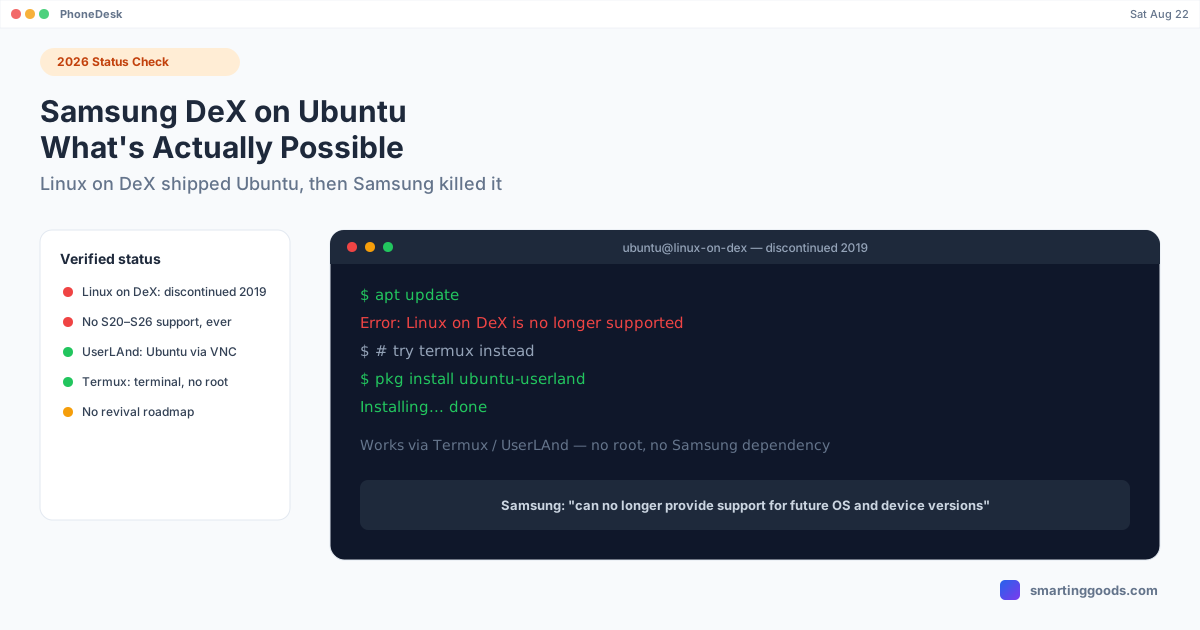
Samsung pulled the plug on Linux on DeX in 2019, with formal support ending alongside the Android 10 rollout. Samsung's own statement at the time said the company could "no longer provide support for future OS and device versions" — meaning every Galaxy phone released after that point, including everything from the S20 series onward through the current S26 lineup, has never had official Linux on DeX support. There's no beta flag to enable, no hidden developer setting — the underlying integration between DEX and the Linux container layer was removed from Samsung's OS builds going forward.
If you're on a phone released in the last several years, Ubuntu-via-Linux-on-DeX is not available to you, full stop. This isn't a niche compatibility issue — it's a discontinued feature with no supported successor from Samsung.
Does Any Current Galaxy Phone Run Ubuntu via DeX?
No. Not the S24, S25, or S26 series, not the Z Fold or Z Flip line, not the current Tab S-series tablets. None of them ship with, or support installing, Samsung's Linux on DeX. Any tutorial claiming otherwise dated after 2019 is either describing a workaround (covered below) or is simply outdated information circulating from when the feature was still live.
What Actually Still Works for Linux/Ubuntu on a Galaxy Phone
The official Samsung path is closed, but the underlying goal — a real Linux command line or desktop environment on an Android phone — is still achievable through community tools that don't depend on Samsung at all:
- Termux. The most practical option for most people. It's a terminal emulator with its own package manager (pkg/apt-based) that installs a genuine Linux userland alongside normal Android — Python, Node, Git, SSH, compilers, all installable, no root required. It runs as a normal app, which means it works fine inside a DEX session too, giving you a real terminal window in your desktop-mode layout.
- UserLAnd. Goes a step further than Termux by supporting full Ubuntu or Debian installs with a VNC-based graphical desktop, still without root. It's the closest thing to what Linux on DeX used to offer — a genuine graphical Ubuntu environment — just running through a different, actively-maintained app instead of Samsung's discontinued one.
- Proot-distro / chroot-based setups inside Termux. For people comfortable with more manual setup, Termux can host a proper proot-based Ubuntu chroot, giving closer-to-native package compatibility than Termux's own package repo alone.
None of these carry the "Samsung DeX" branding, and none are Samsung products — but functionally, they get you further toward "Ubuntu on my Galaxy phone" in 2026 than anything Samsung currently ships.
Samsung DeX for PC Isn't an Ubuntu Path Either
Worth ruling out explicitly: Samsung's separate DeX for PC app (the one that lets a phone drive a Windows laptop's screen) was never released for Linux or Ubuntu — Windows-only, always. And that Windows app itself is being phased out: Samsung has confirmed DeX for PC support on Windows ends starting with One UI 7, with Samsung steering users toward Microsoft's Phone Link app going forward. So there's no DeX-to-Ubuntu-PC bridge, past or present, and the nearest equivalent (Windows) is also winding down.
If Your Real Goal Is a Desktop Workspace, Not Specifically Linux
It's worth asking what the underlying need actually is. If "Ubuntu on DeX" was really shorthand for "I want a real, resizable, desktop-shaped workspace off my phone" — writing, browsing, terminal work, multitasking — plain Samsung DEX (still fully alive and actively developed, unlike Linux on DeX) already delivers that without needing a Linux layer underneath. Pair it with Termux for the terminal/dev-tools piece and you get most of the original appeal without depending on a discontinued feature.
Where PhoneDesk Fits (and Where It Doesn't)
To be upfront: PhoneDesk does not add Ubuntu or Linux on DeX support, and it doesn't run on Linux — it's a macOS-only app. If you came here hoping for a way to get Ubuntu-on-DeX working again through a third-party tool, that's not what this solves.
What PhoneDesk does solve is a parallel gap: Samsung built DEX for Windows PCs and for monitors with the right cable, but never built a DEX app for macOS — same category of gap as the missing Linux/Ubuntu PC app, just on a different OS. PhoneDesk bridges that specific hole using Android's own adb and scrcpy tools under the hood, so DEX (or Pixel desktop mode, for Pixel owners) opens as a real, resizable window directly on a Mac — no terminal commands, no manual adb pairing, one click from the menu bar.
If your workflow is "Termux or UserLAnd running Ubuntu-flavored tools on the phone, displayed inside a DEX session, on a Mac," that combination works today: the Linux layer comes from Termux/UserLAnd, and PhoneDesk handles getting that DEX session onto your Mac's screen as a proper window.
See the full setup in the Samsung DEX on Mac guide.
Frequently Asked Questions
Q: Can I still install Ubuntu on Samsung DeX in 2026? A: Not through Samsung's official Linux on DeX feature — it was discontinued in 2019 and no Galaxy phone released since supports it. UserLAnd is the closest working alternative for a graphical Ubuntu-like environment today.
Q: Which Galaxy phones originally supported Linux on DeX? A: It launched in beta with the Galaxy Note 9 and Galaxy Tab S4 in 2018 and was available on a handful of contemporaneous flagship devices before Samsung discontinued the feature in 2019 with the Android 10 rollout.
Q: Is there an official Samsung roadmap to bring back Linux on DeX? A: No. Samsung has given no public indication of reviving it, and the feature has been absent from every Galaxy device released since 2019.
Q: What's the closest thing to Ubuntu on DeX today? A: UserLAnd, for a full graphical Ubuntu or Debian install via VNC, or Termux for a lighter terminal-only Linux environment. Both run as normal non-root Android apps and work inside a DEX session.
Q: Does PhoneDesk let me run Ubuntu on DeX? A: No — PhoneDesk doesn't add Linux support to DeX, and it's macOS-only software. It solves a different but related problem: getting a DEX (or Pixel desktop mode) session to display as a real window on a Mac, since Samsung never built a native DEX app for macOS either.
The Bottom Line
Samsung DeX ran real Ubuntu once, through Linux on DeX — and Samsung discontinued it in 2019, with no device since supporting it and no revival on the roadmap. Termux and UserLAnd are the honest, working answer in 2026 if a Linux environment on your phone is the actual goal. If what you're really after is a solid desktop-mode workspace and your computer happens to be a Mac, that's the gap PhoneDesk closes — same missing-official-app problem Samsung left for Linux, just on macOS.
PhoneDesk is a $25 one-time license — no subscription, 14-day no-questions refund. See the full feature list →