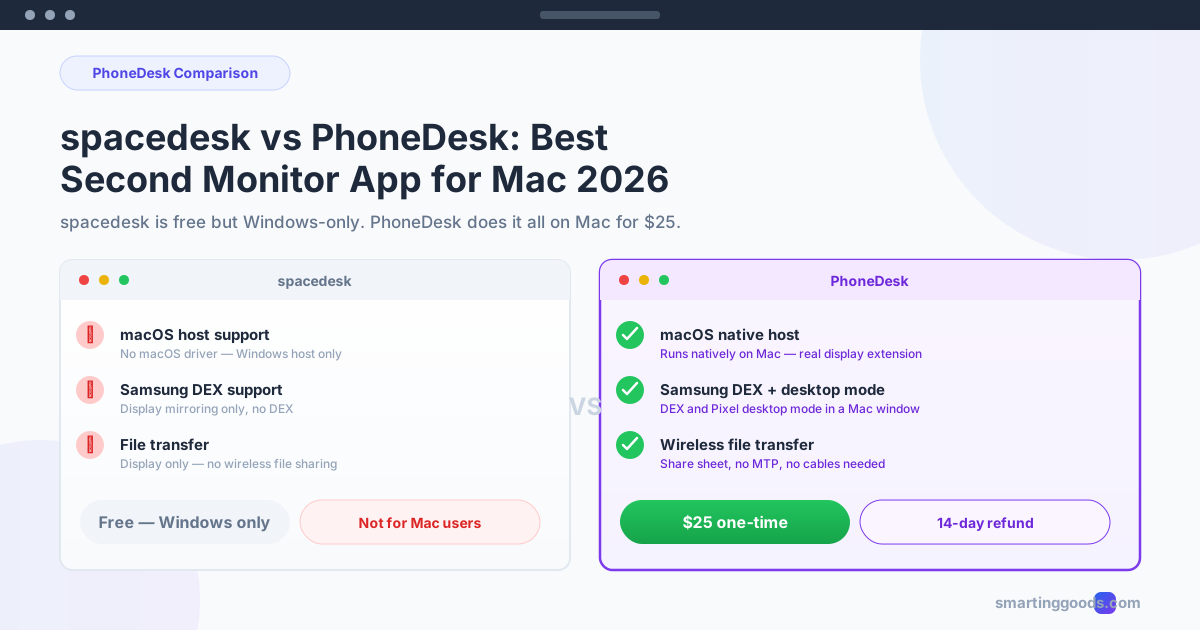
spacedesk vs PhoneDesk: Best Second Monitor App for Mac in 2026
spacedesk is free but Windows-only, leaving Mac users with no second monitor option. PhoneDesk fixes that — native macOS, Samsung DEX support, file transfer, and more for $25 one-time.
spacedesk vs PhoneDesk: Best Second Monitor App for Mac in 2026
If you've searched for "spacedesk android second monitor" or "android phone as second monitor", you already know the problem: spacedesk is a great free option for Windows, but Mac users get almost nothing. Here's what actually works on macOS in 2026.
What Is spacedesk?
spacedesk is a free screen extension application. It lets you use an Android tablet or phone as a second monitor — but with a critical limitation: the primary (host) machine must run Windows 7 or later. The Android or iOS device connects as a display client over USB or Wi-Fi.
Key features:
- Free forever — no ads, no subscription, no account needed
- Windows host only — the driver that creates the virtual display runs exclusively on Windows
- Android and iOS viewer apps — download from the Play Store or App Store
- USB and Wi-Fi modes — works over USB tethering or local network
- Up to 60fps on a wired LAN connection
- Max 1920×1080 resolution
The dealbreaker for Mac users: spacedesk has no macOS host driver. You cannot use it to extend your MacBook or iMac's display to an Android phone. spacedesk is a Windows-first product, and the Mac is left out completely.
What Is PhoneDesk?
PhoneDesk is a native macOS menu-bar utility built for exactly the scenario spacedesk ignores: using your Android phone with a Mac. It costs $25 once — no subscription, no tiers, no hidden fees — and takes about two minutes to set up.
PhoneDesk does three things:
- Second monitor — creates a real virtual display on your Mac and streams it to your Android phone. macOS treats it as a genuine extended display. Drag any window onto the phone.
- Samsung DEX / Pixel desktop mode — runs Android desktop mode in a proper Mac window with keyboard and mouse input.
- Wireless file transfer — send photos, documents, links, and text from your phone to your Mac via the share sheet. No MTP cables, no cloud uploads.
Unlike spacedesk, PhoneDesk was designed from the ground up for macOS.
spacedesk vs PhoneDesk: Side-by-Side Comparison
| Feature | spacedesk | PhoneDesk |
|---|---|---|
| Price | Free | $25 one-time |
| macOS host support | ✗ No — Windows only | ✓ Yes — native Mac app |
| Windows host support | ✓ Yes | ✓ Yes (via web) |
| Android second monitor | ✓ Android → Windows only | ✓ Android → Mac |
| Samsung DEX support | ✗ No | ✓ Yes |
| Pixel desktop mode | ✗ No | ✓ Yes |
| Wireless file transfer | ✗ No | ✓ Yes |
| USB connection | ✓ Yes | ✓ Yes |
| Wi-Fi connection | ✓ Yes | ✓ Yes |
| Latency (LAN) | ~20-40ms | ~30-50ms |
| Max frame rate | 60fps | 60fps |
| Max resolution | 1920×1080 | 1920×1080 |
| Native macOS app | Viewer app only (not a host) | ✓ Full menu bar utility |
| Setup time | 5-10 minutes | ~2 minutes |
| Account required | No | No |
| Open source | No (proprietary) | No |
| Refund policy | N/A (free) | 14-day no-questions refund |
Why spacedesk Falls Short on Mac
The core issue is architectural. spacedesk uses a Windows Display Driver Model (WDDM) driver to create a virtual monitor. This driver hooks into Windows' graphics pipeline at the kernel level. There is no equivalent driver for macOS, and spacedesk has not built one.
Here are the workarounds Mac users try — and why they fail:
Running a Windows VM
Installing spacedesk inside Parallels or VMware creates a virtual display inside the VM, but the VM's own graphics are virtualized. spacedesk cannot access the Mac's GPU directly, so the second monitor stream is laggy, low-resolution, and unusable for real work.
Boot Camp
You can reboot your Mac into Windows via Boot Camp and run spacedesk there. But rebooting every time you want a second screen defeats the purpose. You lose access to macOS apps, notifications, and your workspace.
Third-party VNC viewers
spacedesk does not use VNC or any open protocol. Its display stream is proprietary and tied to the Windows host driver. No Android VNC app can connect to spacedesk's stream.
The bottom line: if you own a Mac, spacedesk is not a viable way to use your Android phone as a second monitor. It simply wasn't built for you.
What PhoneDesk Does That spacedesk Can't
PhoneDesk fills every gap spacedesk leaves open for Mac users.
Native macOS Display Extension
PhoneDesk uses macOS's built-in virtual display framework (CoreGraphics + AVFoundation) to create a real second monitor. When you connect your Android phone, it appears in System Settings → Displays as a genuine external display. You can arrange it, use full-screen apps on it, and macOS handles all the rendering natively.
Samsung DEX as a First-Class Mac Window
spacedesk has zero DEX support. PhoneDesk drives Samsung DEX (and Pixel desktop mode on Android 15+) as a proper resizable Mac window with keyboard and trackpad input. No separate monitor required — your Android phone's desktop mode runs right alongside your Mac apps.
Wireless File Transfer Without MTP
Android's MTP (Media Transfer Protocol) support on macOS is famously unreliable. Files vanish mid-transfer, devices disconnect randomly, and there is no drag-and-drop from the share sheet. PhoneDesk bypasses MTP entirely with a direct Wi-Fi transfer system. Share a photo from your Android gallery → it appears on your Mac instantly. No cables, no cloud, no Google Drive upload.
One Price for Everything
spacedesk is free on Windows, but useless on Mac. Other cross-platform alternatives like Duet Display ($40-$80/year subscription) and Luna Display ($89 one-time, no Android support) cost more and do less. PhoneDesk covers second monitor, DEX, and file transfer — all three features — for $25 one-time.
How to Set Up Your Android Phone as a Second Monitor with PhoneDesk
- Download PhoneDesk — purchase the $25 one-time license at phonedesk.smartinggoods.com
- Open the app — it lives in your Mac menu bar, not the Dock
- Install the PhoneDesk companion app on your Android phone (free download from the same site)
- Connect — both devices on the same Wi-Fi network. Click "Connect" in the menu bar and select your phone
- Arrange the display — open System Settings → Displays, drag the phone display to your preferred position
- Use it — drag any window onto your Android phone. It works exactly like a real monitor
No ADB, no USB debugging, no terminal commands, no Homebrew. Two minutes from download to dual-screen.
That's the complete PhoneDesk setup guide — if you want more detail about the second monitor feature specifically, the full guide is here.
Frequently Asked Questions
Q: Can I use spacedesk on Mac with an Android phone? A: No. spacedesk has no macOS host driver. You can install the spacedesk Android viewer app, but without a Windows PC to connect to, it cannot receive a display stream. It is not usable on Mac.
Q: Does PhoneDesk work wirelessly? A: Yes. PhoneDesk streams over your local Wi-Fi network. For best performance, use a 5GHz connection — latency averages 30-50ms, which is fine for reading, writing, coding, and video playback.
Q: Is PhoneDesk a subscription? A: No. PhoneDesk is $25 one-time. You pay once and own it forever. There are no monthly fees, no feature tiers, and no upsells.
Q: Does spacedesk support Samsung DEX? A: No. spacedesk is a second-monitor tool only. It cannot run Samsung DEX or any desktop-mode interface. PhoneDesk supports both Samsung DEX and Pixel desktop mode as native Mac windows.
Q: What Android phones does PhoneDesk support? A: PhoneDesk works with any modern Android device running Android 11 or later. This includes Samsung Galaxy (S21+, S22+, S23+, S24+, Z Fold/Flip), Google Pixel (6+), OnePlus, Xiaomi, and most mainstream Android phones.
Q: Can I use a USB cable instead of Wi-Fi? A: Yes. While Wi-Fi is the default and most convenient option, PhoneDesk detects a USB connection automatically. USB gives slightly lower latency (~20-30ms) but requires the phone to stay tethered.
Q: Is there a free trial for PhoneDesk? A: PhoneDesk comes with a 14-day no-questions refund policy. Purchase, test it with your exact setup, and if it doesn't meet your needs, request a full refund.
Q: Which is better — spacedesk or PhoneDesk? A: For Windows users who want a free second monitor from an Android device, spacedesk works fine. For Mac users — and this is the key distinction — PhoneDesk is the only option that actually works. spacedesk doesn't support macOS at all. PhoneDesk was built specifically for the Mac + Android pairing.
Other Apps to Consider
Besides spacedesk and PhoneDesk, here is how the alternatives stack up for Mac users:
- Duet Display — supports Android, but costs $40-$80/year as a subscription. Fine if you need cross-platform (Windows + Mac), but the subscription pricing adds up fast.
- Luna Display — excellent macOS experience, but no Android support. Requires a hardware dongle ($89 one-time). Only works with iPads.
- Sidecar — built into macOS, but iPad-only (requires an iPad, not an Android phone). Free for compatible Macs.
- scrcpy — free and open-source, but mirroring only (no second monitor). Great for developers comfortable with the command line.
None of these cover the Mac + Android second monitor + DEX + file transfer combo that PhoneDesk delivers for $25.
Conclusion: spacedesk for Windows, PhoneDesk for Mac
spacedesk is a perfectly good free option if you're on Windows and want to repurpose an old Android tablet as a second screen. But if you searched for "spacedesk android second monitor" hoping it works on Mac, the answer is no. spacedesk does not support macOS as a host. Period.
PhoneDesk was built for exactly this scenario. It works natively on macOS, turns your Android phone into a real second monitor, supports Samsung DEX and Pixel desktop mode, and transfers files wirelessly — all for $25 one-time with a 14-day refund guarantee.
If you're a Mac user looking for the second monitor solution spacedesk can't provide, PhoneDesk is the answer. Check out the full guide to using your Android phone as a second monitor →