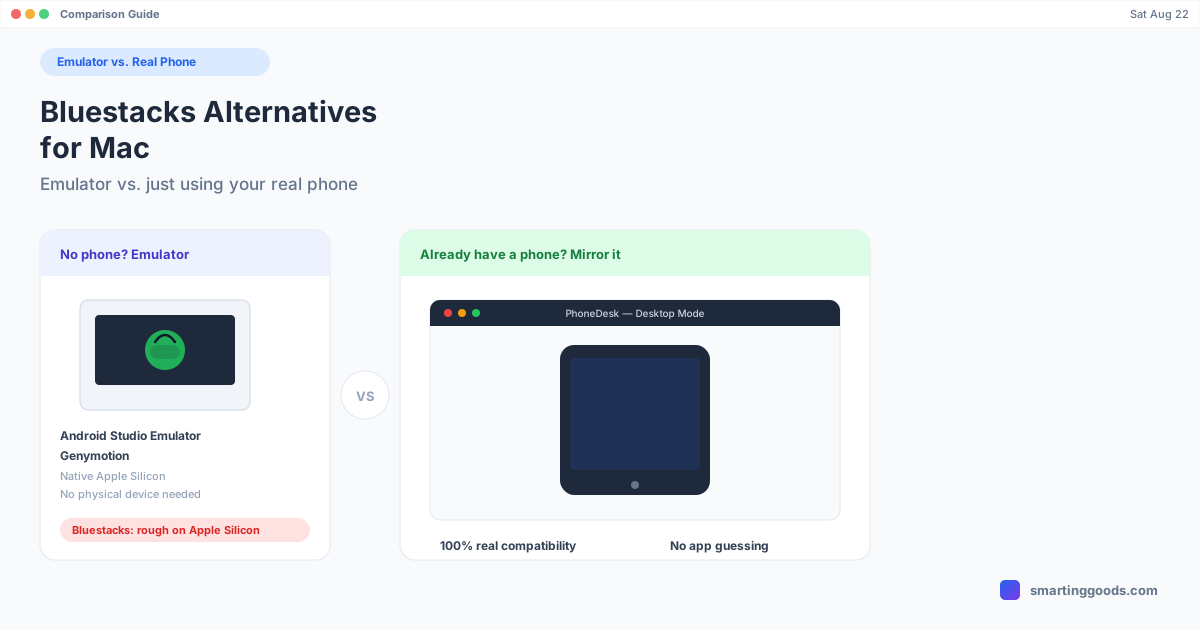
Bluestacks Alternatives for Mac: Emulator vs. Real Phone
Bluestacks barely runs on Apple Silicon. Here are the real Android emulators for Mac — plus why using the Android phone you already own beats emulating one entirely.
Bluestacks Alternatives for Mac: Emulator vs. Just Using Your Real Phone
If you searched "Bluestacks alternative Mac," there's a decent chance Bluestacks itself is why you're here — Bluestacks doesn't ship a native Apple Silicon build, and the workarounds (Intel emulation under Rosetta, running it inside a Windows VM) are slow enough that people go looking for something else. Or maybe you never tried Bluestacks at all and just want to run an Android app or game on a bigger screen than your phone.
Either way, there are really two different answers here, and most "Bluestacks alternatives" articles blur them together. One path is a true Android emulator — software that pretends to be an Android device so apps run without you owning a phone. The other is simply using the Android phone you already have, projected onto your Mac. They solve different problems, and picking the wrong one wastes an afternoon.
What Bluestacks Actually Is (and Why It's Rough on Mac)
Bluestacks is an Android emulator — it creates a virtual Android device on your computer using a modified Android-x86 build inside a hypervisor, so mobile apps and games run without any physical phone involved. On Windows it's mature and fast. On Mac it has always been the weaker sibling: the current Mac build only fully supports Intel Macs, and on Apple Silicon (M1 through M4) you're either running it through Rosetta translation or, in some setups, inside a virtualized x86 layer — extra translation steps that cost real performance. Graphics-heavy games stutter, boot times are long, and RAM/CPU usage runs high for what you're getting.
None of that makes Bluestacks bad software. It just means the Mac experience has never matched the Windows one, and Apple Silicon widened that gap rather than closing it.
Real Android Emulators for Mac (Apple Silicon Included)
If your actual goal is "run Android apps without owning an Android phone," these are the legitimate options:
Android Studio's built-in emulator (free). Google's own emulator, bundled with Android Studio, now has native Apple Silicon system images — meaning it runs as ARM code on M-series Macs instead of translating x86, which is a real speed advantage over Bluestacks on the same hardware. The catch is that it's a developer tool first: you're pulling it in through Android Studio, picking an AVD (Android Virtual Device) configuration, and managing SDK versions. It's free and it's fast on Apple Silicon, but the setup has more friction than a consumer app.
Genymotion (free personal tier, paid for business use). Built on VirtualBox, Genymotion offers a wide range of virtual device profiles and is popular with QA testers and developers who need to check an app across many screen sizes. It's more polished than the raw Android Studio emulator but still aimed at people testing apps, not casually playing a mobile game.
LDPlayer, NoxPlayer, MEmu — Windows/gaming-focused emulators. Worth naming because they come up constantly in "Bluestacks alternative" searches, but they're Windows-only, which makes them irrelevant on a Mac unless you're already running Windows in a VM.
The honest summary: on Apple Silicon in particular, Android Studio's emulator is the most credible free, native option. Everything else in the "gaming emulator" category (Bluestacks, LDPlayer, NoxPlayer, MEmu) is either Windows-only or running through translation layers on Mac that cost you performance.
The Other Path: Just Use the Phone You Already Have
Here's the thing an emulator can't give you: 100% real compatibility. An emulator is Android pretending to be Android — most apps work, but banking apps with hardware-attestation checks, some games with anti-cheat, and anything that hard-requires Play Integrity or a real SIM will refuse to run or will flag the session. You're always one Android update or one paranoid app away from something breaking on an emulator.
If you already own an Android phone, there's a simpler move: don't emulate Android on your Mac — put your actual phone's screen in a window on your Mac instead. Every app runs exactly the way it runs on the phone, because it is the phone, just projected. No compatibility guessing, no anti-cheat flags, no "why won't this specific app open in the emulator" troubleshooting.
This is a fundamentally different tool than Bluestacks, and it only works if the first condition is true: you need to already own an Android phone. If you don't, an emulator is still the right call — that's the whole reason emulators exist. But if you're one of the many people who searched "Bluestacks alternative Mac" while an Android phone was sitting on the desk next to their laptop, mirroring that phone is usually less setup and zero compatibility risk.
How PhoneDesk Fits In
PhoneDesk is a macOS menu bar app built around exactly that second path. It uses adb and scrcpy under the hood — the same open, well-tested tooling developers use — to put your Android phone's screen in a real, resizable window on your Mac, over USB or wirelessly. Plug in, click Desktop Mode or Mirror Screen from the menu bar, and you're looking at (and controlling) your actual phone, not a virtual approximation of one.
It also goes further than mirroring alone: on Samsung Galaxy or Pixel phones it can launch the phone's own desktop mode (Samsung DEX or Pixel desktop mode) as a proper Mac window instead of a cramped mobile-shaped mirror, it can flip the direction and turn your phone into a real second monitor for your Mac, and it handles wireless file transfer straight from the phone's share sheet — no MTP, no cable.
What it won't do is let you run Android apps without a phone. If that's genuinely your situation — no Android device, just want to try an app or game — Android Studio's emulator or Genymotion are the right tools, not PhoneDesk. But if you own a phone and just wanted a bigger screen and a keyboard for it, PhoneDesk skips the emulator step entirely. See the full feature list →
Frequently Asked Questions
Q: Does Bluestacks run natively on Apple Silicon Macs (M1–M4)? A: Not fully. Bluestacks on Mac is built primarily for Intel, and on Apple Silicon it runs through translation (Rosetta or an internal x86 layer) rather than as native ARM code, which costs performance compared to its Windows version.
Q: What's the fastest free Android emulator on Apple Silicon? A: Android Studio's built-in emulator, since Google ships native ARM system images for it — it runs as native code on M-series chips instead of translating, unlike Bluestacks. The tradeoff is a more developer-oriented setup process.
Q: Can I just mirror my phone instead of using an emulator? A: Yes, if you already own an Android phone. Mirroring (or driving desktop mode) shows and controls your actual device, so every app behaves exactly as it does on the phone — no emulator compatibility issues. It's a different tool for a different situation than an emulator, which exists specifically for people without a physical device.
Q: Will apps with anti-cheat or banking security work in an Android emulator? A: Often not reliably. Many banking apps and some games check for signs of emulation (via Play Integrity or similar attestation) and will refuse to run or restrict functionality. Mirroring a real phone avoids this entirely since the app is running on genuine hardware.
Q: Is PhoneDesk an Android emulator? A: No. PhoneDesk doesn't emulate Android — it connects to a real Android phone you own via USB or Wi-Fi and displays/controls it in a Mac window. If you don't have an Android phone, PhoneDesk isn't the right tool; an emulator like Android Studio's is.
Bottom Line
"Bluestacks alternative" searches usually split into two different needs. If you don't own an Android phone and want to run apps or games anyway, Android Studio's emulator (free, native on Apple Silicon) or Genymotion are the legitimate options — Bluestacks itself just isn't well-suited to Mac hardware right now. If you do own an Android phone, skip emulation altogether and put the real thing in a window on your Mac instead.
PhoneDesk is a $25 one-time license — no subscription — with a 14-day no-questions refund. See the full feature list → or check out how screen mirroring compares across tools if you want the deeper mirroring-specific breakdown.