How to Enable USB Debugging on Android
USB debugging is the single toggle that lets adb, scrcpy, and PhoneDesk actually talk to your Android phone. Here's exactly where to find it and what the fingerprint prompt means.
How to Enable USB Debugging on Android
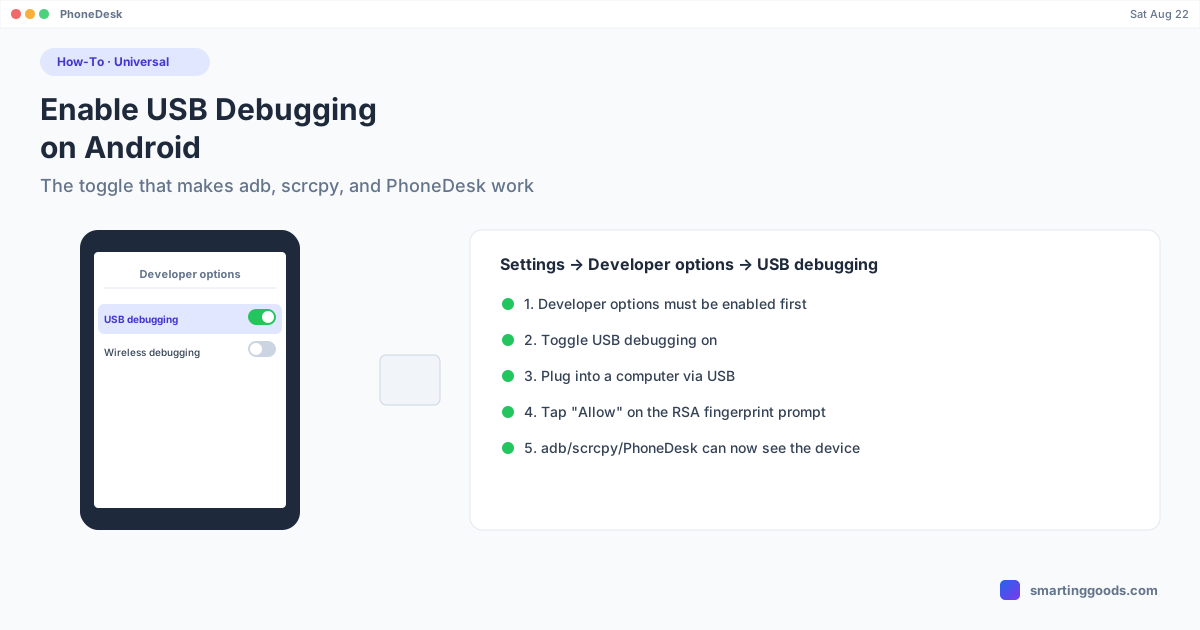
USB debugging is a specific toggle inside Developer options that allows a connected computer to send commands to your Android phone through adb (Android Debug Bridge). Without it, plugging your phone into a Mac only gives you basic file access or nothing at all — with it on, tools like scrcpy, Android Studio, and PhoneDesk can see and control the device.
If you haven't unlocked Developer options yet, that's the required step before this one — see the guide here. This post assumes Developer options is already on.
The Steps
- Open Settings.
- Go to System → Developer options (location varies slightly by manufacturer — some put it directly in the main Settings list).
- Scroll to the Debugging section and find USB debugging.
- Toggle it on.
- Tap OK on the confirmation dialog that explains what USB debugging does.
- Plug the phone into a computer via USB (if it isn't already connected).
- A dialog appears on the phone: "Allow USB debugging?" showing the connected computer's RSA key fingerprint. Tap Allow (optionally check "Always allow from this computer" to skip this prompt on future connections).
That confirmation dialog is a security feature — it only appears when a computer actively tries to establish a debugging connection, and it requires you to physically approve it on the phone. A computer can't silently start debugging a device without that tap.
Why the RSA Fingerprint Prompt Matters
The first time any specific computer connects to your phone with USB debugging on, Android shows you that computer's unique key fingerprint and asks for explicit permission. This exists so a random USB port or unfamiliar computer can't quietly start issuing adb commands to your phone. Checking "Always allow from this computer" remembers that specific machine's key so you're not re-approving it every time you plug in — but a different computer will always trigger a fresh prompt.
Wireless Debugging: The Cable-Free Version
Android 11 and later include Wireless debugging as a separate toggle in the same Developer options menu. It does the same job as USB debugging — authorizing a computer to issue adb commands — but pairs over Wi-Fi using a QR code or a six-digit pairing code instead of a cable. Once paired, most tools (including PhoneDesk) let you switch a device from USB to Wi-Fi with one click, and you won't need the cable again until the phone reboots (Android drops Wi-Fi adb connections on restart, so a quick USB reconnect or re-pair is needed after rebooting).
Is USB Debugging Safe to Leave On?
It's safe as long as you only approve connections from computers you trust — the Allow prompt is exactly what prevents unauthorized access. The general guidance from security-conscious users is to turn USB debugging off again when you're not actively using it, particularly if you plug your phone into public or shared charging stations, since some (rare, but documented) attacks specifically target devices with USB debugging left on and pre-approved. For a personal Mac you use daily, leaving it on is a normal, low-risk convenience.
How PhoneDesk Uses This
Once USB debugging (or Wireless debugging) is on and a connection is approved, PhoneDesk auto-detects the phone the moment it's plugged in or paired — name, resolution, and Wi-Fi port are picked up automatically, with nothing to configure manually. From there, one click in the menu bar launches Desktop Mode, Mirror Screen, or the phone-as-second-monitor mode, all built on the same adb connection this setting enables.
Frequently Asked Questions
Q: Do I need USB debugging even for wireless features? A: You need either USB debugging or Wireless debugging enabled — they're two separate toggles that do the same underlying job over different transport. Most people turn on USB debugging first to pair once, then switch to Wi-Fi.
Q: What does the RSA fingerprint prompt actually do? A: It's a one-time (per computer) authorization step — Android shows you which computer is requesting debug access and requires a manual tap to approve it, preventing silent unauthorized connections.
Q: Is it safe to check "Always allow from this computer"? A: Yes, for a personal computer you control and trust — it just skips the repeat prompt for that specific machine's key. Avoid checking it on public or shared computers.
Q: Why can't PhoneDesk see my phone even with USB debugging on? A: Usually an unapproved fingerprint prompt sitting unanswered on the phone screen, or a charge-only USB cable that doesn't carry data. Check the phone for a pending "Allow USB debugging?" dialog first.
Next Step: Connect to PhoneDesk
With USB debugging on, your phone is ready to connect. See the full PhoneDesk feature list → — desktop mode, screen mirroring, phone-as-second-monitor, and file transfer, all from one menu bar app.
PhoneDesk is a $25 one-time license — no subscription, 14-day no-questions refund.