Luna Display Alternative for Android Users (iPad-Only)
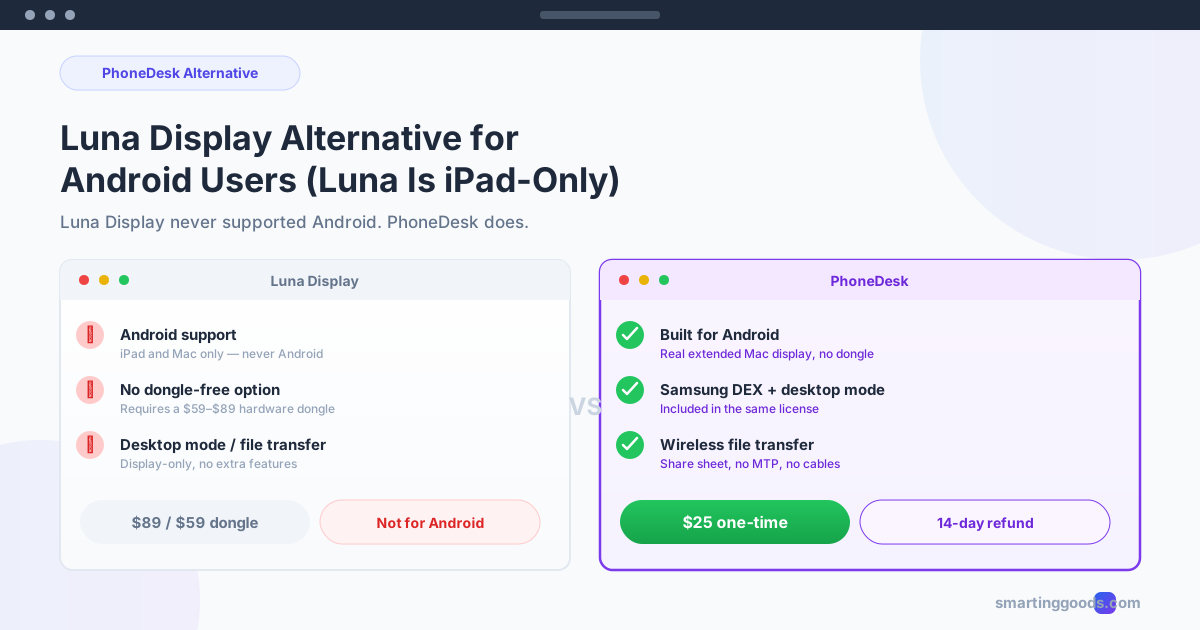
Luna Display never supported Android — it's iPad and Mac only. Here's the direct alternative for Android owners who want the same second-screen experience.
Luna Display Alternative for Android Users (Luna Is iPad-Only)
If you found Luna Display while searching for a way to use your Android phone as a second screen for your Mac, here's the short version before you read any further: Luna Display does not support Android, in any form, wired or wireless. It never has. It's a well-reviewed product for the wrong device.
This isn't a knock on Luna — it's genuinely good at what it does. It's just built around a different hardware ecosystem than the one you own. Here's what Luna actually supports, why Android isn't on the list, and what to use instead.
What Luna Display Actually Is
Luna Display is a hardware dongle — a small USB-C or Mini DisplayPort adapter — that plugs into your Mac and lets you use a second Apple device as a wireless (or wired) extended display.
- Host: Mac or PC (Windows support added later)
- Secondary display: iPad or a second Mac — that's the full list
- Connection: Wireless, using Luna's own radio protocol (not standard Wi-Fi), or wired via the dongle
- Price: $89 (USB-C dongle) or $59 (HDMI dongle), one-time hardware purchase
- Why people like it: genuinely low latency, good for design and creative work, 5K support on compatible setups
The dongle is the actual product — Luna's software pairs with it specifically, which is part of why the experience feels polished. It's also why the hardware cost is meaningfully higher than a pure-software solution.
Why Android Isn't Supported
Luna Display's secondary-display software is built for Apple's device ecosystem — it ships as an iPad app and leans on iPadOS-specific APIs (and, for the Mac-to-Mac case, macOS-specific ones) for its low-latency rendering pipeline. There's no Android app, no Android build in progress that's been publicly announced, and no roadmap mention of Android support as of this writing.
If you own an Android phone — even a high-end one — Luna Display simply isn't an option. Buying the dongle wouldn't unlock anything, because the software half of the product doesn't exist for your device.
What Actually Works for Android → Mac
If the goal is the same thing Luna Display promises — turn a device you own into a real second screen for your Mac — here's what supports Android specifically:
PhoneDesk — Built for Android + Mac ($25 One-Time)
PhoneDesk takes a similar approach to Luna Display conceptually (your Mac creates a real display and streams it to a second device) but is built around Android instead of iPad. No dongle required — it's a pure software menu bar app that pairs with a companion Android app over USB or Wi-Fi.
- Price: $25 one-time, no subscription — no dongle purchase needed
- Connection: USB or Wi-Fi, with QR-code wireless pairing
- What you get: your phone shows up in System Settings → Displays as a real extended display, not a mirror
- Extra features in the same license: Samsung DEX / Pixel desktop mode as a Mac window, and wireless file transfer from phone to Mac
The honest trade-off versus Luna: Luna's dedicated radio hardware gives it an edge in raw latency for demanding work like design or video review. PhoneDesk's Wi-Fi/USB streaming is well-suited to the kind of secondary-screen use most people actually want — chat, dashboards, reference material — but it's not marketed as a replacement for a color-calibrated creative-work monitor, and neither is a phone-sized screen in general.
Full second-monitor setup guide →
spacedesk — Free, but Windows Host Only
spacedesk supports Android as a viewer device and is completely free. The catch: the host software (the piece that creates the virtual display) only runs on Windows, not Mac. If your computer is a Mac, spacedesk can't fill the Luna Display role either — see our full spacedesk vs PhoneDesk breakdown for why.
Duet Display — Cross-Platform, Subscription Pricing
Duet Display does support Android as a secondary display for a Mac host, unlike Luna. It moved from a one-time purchase to subscription pricing a few years back — tiers currently run roughly $4–6/month. It's a legitimate option if you specifically want a well-established brand and don't mind the recurring cost.
Comparison Table
| Luna Display | PhoneDesk | spacedesk | Duet Display | |
|---|---|---|---|---|
| Android support | No | Yes | Yes (viewer only) | Yes |
| Mac host support | Yes | Yes | No | Yes |
| Price | $89/$59 dongle | $25 one-time | Free | ~$4–6/mo |
| Requires hardware dongle | Yes | No | No | No |
| Desktop mode (DEX/Pixel) support | No | Yes | No | No |
| File transfer included | No | Yes | No | No |
Frequently Asked Questions
Does Luna Display work with any Android phone at all? No — Luna Display has no Android support, on any model, wired or wireless. Its secondary-display software only runs on iPadOS and macOS.
Is there a Luna Display app for Android in development? There's no publicly announced Android version or roadmap commitment as of this writing. If that changes, it would be new information — but as things stand, Android users should look at Android-native alternatives instead of waiting.
What's the closest thing to Luna Display's experience, but for Android? PhoneDesk is the closest conceptual match — a Mac-native app that creates a real virtual display and streams it to a secondary device, minus the dongle requirement, built specifically with Android in mind rather than iPad.
Do I need to buy any extra hardware for PhoneDesk, like Luna's dongle? No — PhoneDesk is pure software. No dongle, no adapter required. Just the Mac app and the free companion Android app, connected over USB or Wi-Fi you already have.
Is PhoneDesk a subscription like Duet Display? No — $25 once, lifetime license, with a 14-day no-questions refund.
Bottom Line
Luna Display is a good product for the wrong device if you own an Android phone — it's built around iPad, full stop, with no Android support anywhere in its lineup. PhoneDesk fills the same role specifically for Android, without requiring a hardware dongle.
$25 one-time, no subscription. Get PhoneDesk → · Second-monitor setup guide →