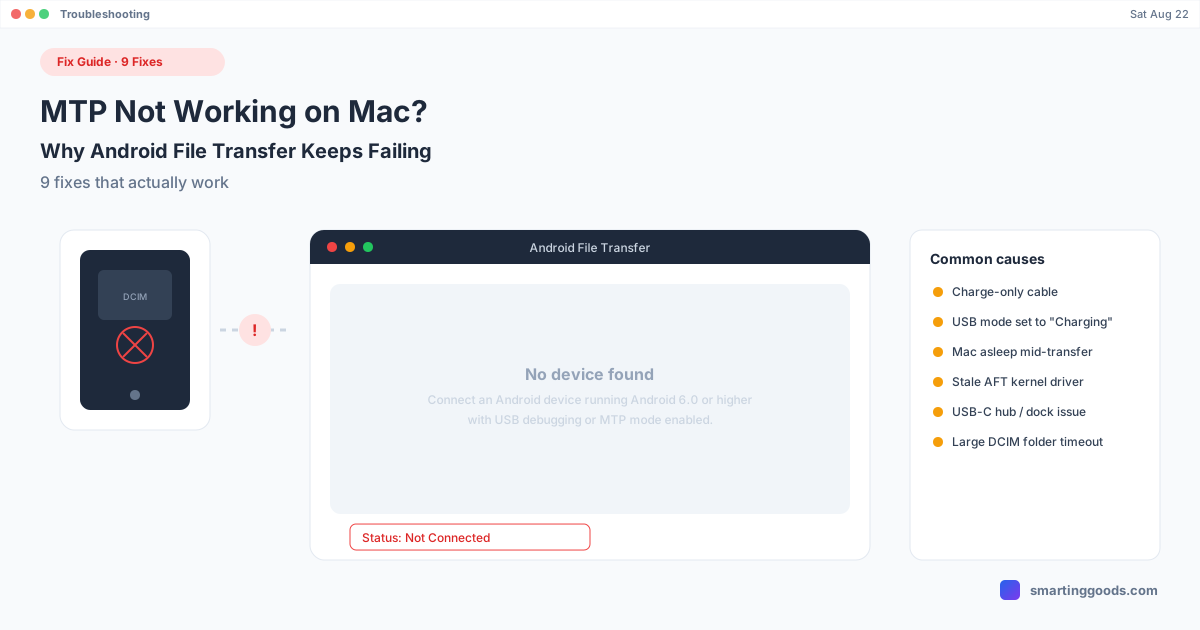
MTP Not Working on Mac? Why Android File Transfer Fails
"No device found," dropped transfers, MTP that just won't connect. Here are 9 fixes that actually work, plus why MTP is fragile on macOS in the first place.
"No device found." "MTP driver failed to load." A phone that mounts, then disappears halfway through copying your photos. If you're searching for why MTP isn't working on your Mac, you've probably already tried the obvious fix — unplug, replug, restart — and it's still broken.
MTP (Media Transfer Protocol) is the USB protocol Android phones use to expose their storage to a computer, and it's been unreliable on macOS for years — not because you're doing something wrong, but because Apple never built native MTP support into Finder, and Google's Android File Transfer app (the unofficial standard workaround) is thinly maintained against a constantly-changing macOS USB security model. Here are 9 fixes, in the order most likely to actually solve it.
Why MTP Is Fragile on macOS Specifically
Before the fixes, it helps to know why this happens so often on Mac and rarely on Windows. Windows has MTP support built into its USB driver stack at the OS level. macOS does not — Apple built AirDrop and iOS device sync instead, and never added first-party MTP support. Every Android-on-Mac file transfer tool (Android File Transfer included) is a third-party workaround bolted onto a platform that wasn't designed for it, which is why the connection is inherently less stable than it is on Windows or even Linux.
Fix 1: Check the USB Mode on Your Phone
The single most common cause. Android defaults to "Charging only" on many phones unless you explicitly select otherwise.
- Connect your phone to your Mac
- Pull down the notification shade
- Tap the USB connection notification
- Select File Transfer (sometimes labeled "Transfer files" or "MTP")
If you don't see a USB notification at all, the cable likely doesn't support data — try Fix 2.
Fix 2: Try a Different USB Cable
Not every USB-C or USB-A cable carries data. Many cables — especially ones bundled with power banks or budget chargers — are charge-only. If your Mac doesn't register the phone connecting at all (no sound, no notification, nothing in System Information), swap the cable before troubleshooting anything else.
Fix 3: Try a Different USB Port (Skip the Hub)
USB hubs and docks — especially cheap or unpowered ones — frequently fail to properly pass through MTP's data handshake. Plug directly into a port on the Mac itself. If that works and the hub doesn't, the hub is your bottleneck, not macOS or your phone.
Fix 4: Restart the Android File Transfer App (Fully, Not Just Reopen)
Force-quit Android File Transfer completely — Cmd+Option+Esc, select it, Force Quit — rather than just closing the window. AFT is known to hold a broken connection state in memory that a simple window close doesn't clear. Reopen it after the phone is already connected and unlocked.
Fix 5: Unlock the Phone and Keep It Awake
MTP connections drop the moment the phone's screen locks on many Android versions. If your screen timeout is short, the transfer can fail mid-copy simply because the phone locked itself. Set screen timeout to a longer duration (or disable it temporarily) for the duration of a large transfer.
Fix 6: Check System Settings → Privacy & Security for Blocked Permissions
On macOS Sonoma and Sequoia specifically, apps needing USB device access sometimes get silently blocked and need explicit approval. Open System Settings → Privacy & Security, scroll down, and look for any pending approval related to Android File Transfer or USB accessories.
Fix 7: Reduce the Batch Size
Large folders — a DCIM directory with several thousand photos, for example — are a common trigger for MTP timing out or disconnecting partway through. Rather than dragging the entire folder at once, copy in smaller batches (a few hundred files at a time). It's slower, but far more likely to complete without dropping.
Fix 8: Prevent Your Mac From Sleeping Mid-Transfer
If your Mac's display or system sleep settings kick in during a large transfer, the USB connection can drop along with it. Go to System Settings → Lock Screen (or Energy Saver on older macOS) and temporarily disable sleep, or use caffeinate in Terminal for the duration of the transfer.
Fix 9: Skip MTP Entirely — Switch to a Wireless or Non-MTP Tool
If you've worked through Fixes 1–8 and MTP is still unreliable, the most durable fix is bypassing MTP altogether rather than continuing to troubleshoot an inherently fragile protocol on a platform that was never built to support it well.
PhoneDesk is a macOS menu bar app that connects to your phone over USB or Wi-Fi without mounting it as an MTP drive at all. Instead of browsing a mounted volume, you share files directly from your phone's share sheet — pick "Send to Mac," and the file lands in your Downloads folder. No mount, no eject, no MTP driver in the loop to fail. It's signed and notarized for current macOS, so it doesn't inherit the USB permission issues that keep breaking Android File Transfer on Sonoma and Sequoia.
For large batch transfers specifically, PhoneDesk also supports drag-and-drop onto its window during a Desktop Mode or mirroring session, which handles bigger folders more reliably than MTP's one-file-at-a-time mount browsing.
Free alternatives that also skip MTP: LocalSend (Wi-Fi based, needs the app open on both ends) and cloud storage like Google Drive (works over any internet connection, no USB needed at all, but requires an upload-then-download round trip).
Quick Reference: Which Fix to Try First
| Symptom | Likely fix |
|---|---|
| No USB notification appears at all | Fix 2 (cable) or Fix 3 (port) |
| Notification appears, still "Charging only" | Fix 1 (USB mode) |
| AFT opens but shows "No device found" | Fix 4 (force quit + reconnect), Fix 6 (permissions) |
| Connects, then drops mid-transfer | Fix 5 (screen lock), Fix 7 (batch size), Fix 8 (Mac sleep) |
| Worked before, broke after a macOS update | Fix 6 (permissions), or switch tools entirely (Fix 9) |
| Nothing above works | Fix 9 — stop using MTP |
Frequently Asked Questions
Q: Why does my Mac say "No device found" even though my phone is connected? A: Usually a USB mode issue (phone set to "Charging only" instead of "File Transfer") or a blocked permission in System Settings → Privacy & Security. Less commonly, it's a cable that doesn't support data, or a stale AFT process that needs a full force-quit.
Q: Why does MTP keep disconnecting partway through a large transfer? A: The most common causes are the phone's screen locking mid-transfer, the Mac going to sleep, or the batch size being too large for MTP's connection to hold reliably. Try smaller batches and disable sleep on both devices during the transfer.
Q: Is there a way to transfer files from Android to Mac that doesn't use MTP at all? A: Yes. PhoneDesk transfers files through the Android share sheet directly, without mounting the phone as an MTP drive. LocalSend and cloud storage (Google Drive, Dropbox) also avoid MTP entirely, working over Wi-Fi or internet instead.
Q: Did a macOS update break my MTP connection? A: Possibly — macOS Sonoma and Sequoia tightened USB device permissions in ways that specifically affect Android File Transfer, which hasn't been substantially updated to match. See our Android File Transfer alternatives for Sonoma/Sequoia guide for the full breakdown.
Q: Is MTP inherently unreliable, or is this a Mac-specific problem? A: It's largely Mac-specific. Windows has MTP support built into the OS's USB driver stack; macOS never added native support, so every Mac-side MTP tool is a third-party workaround with more failure points.
Q: Does PhoneDesk require USB debugging like MTP-based tools? A: PhoneDesk uses USB debugging (adb) rather than MTP — a different, generally more stable protocol for the same USB connection, which is part of why it doesn't inherit MTP's disconnection issues.
Stop Troubleshooting MTP Every Time You Need a File
MTP on macOS has been unreliable for over a decade because the platform was never built to support it natively. The nine fixes above solve most one-off failures — but if you're troubleshooting this every single time you plug in, the more durable answer is a tool that doesn't depend on MTP at all.
PhoneDesk connects over USB or Wi-Fi without mounting an MTP drive — share a file from your phone, and it's in your Mac's Downloads folder in seconds. $25 one-time, no subscription, 14-day no-questions refund. See the full file transfer guide → or check out PhoneDesk →