OnePlus Open Canvas: What It Is and How It Compares to Samsung DeX
OnePlus Open Canvas lets you run three apps on a foldable's inner screen — but it's not a Samsung DeX-style external desktop mode. Here's the real difference.
OnePlus Open Canvas: What It Is and How It Compares to Samsung DeX
OnePlus Open Canvas is real, current, and still exclusive to OnePlus's foldable lineup — but it's not a Samsung DeX competitor in the way the name might suggest. If you're comparing the two hoping to find "DeX, but for OnePlus," you're comparing two features that solve different problems. Open Canvas is an on-device multitasking layout for the foldable's inner screen. DeX is an external-display desktop environment. They overlap in spirit — more productive multitasking on a phone — but not in mechanism.
Here's what Open Canvas actually does, how it differs from DeX, and why it doesn't help you if what you're after is a desktop-style session on an external monitor or a Mac.
What Is OnePlus Open Canvas?
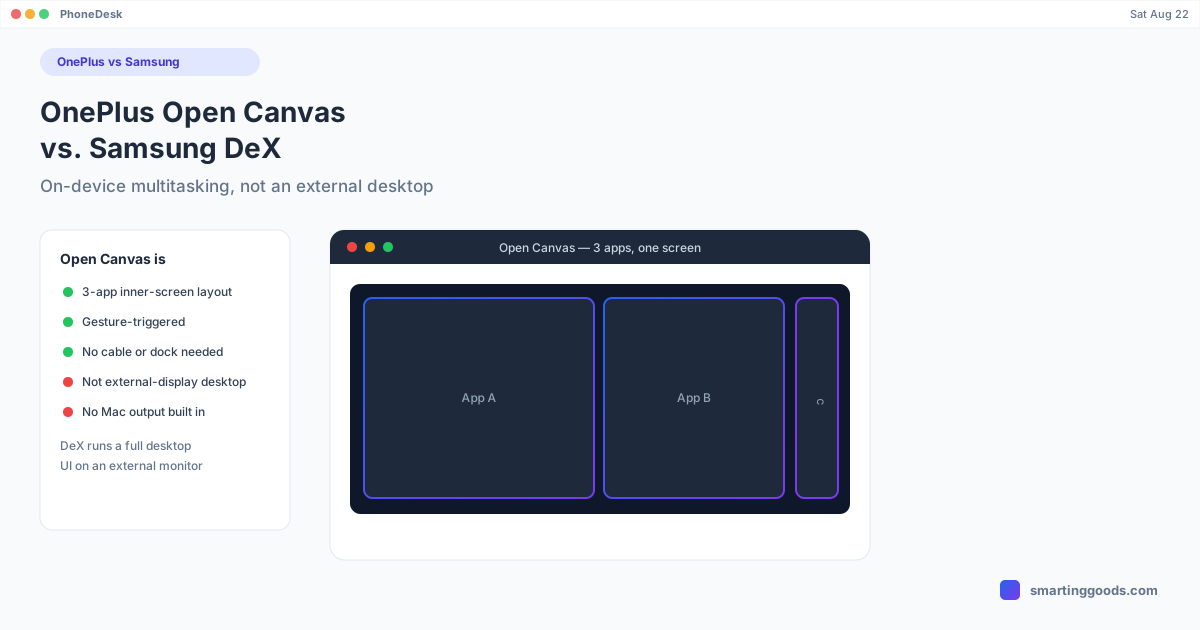
Open Canvas debuted on the original OnePlus Open foldable and has continued as a signature multitasking feature on OnePlus's foldable devices, running on OxygenOS. It lets you run up to three apps at once on the foldable's large inner display in a layered, freeform-adjacent layout: typically two apps occupy the majority of the screen side by side, with a third app tucked into a smaller strip that you can expand or swap into focus.
A four-finger gesture (or the equivalent gesture shortcut, depending on OxygenOS version) zooms out to show all three apps arranged together, so you can see everything at once and drag content — text, images, files — between them. It's designed around fast app-switching and cross-app drag-and-drop, more than around replicating a full desktop interface.
The key thing to understand: Open Canvas runs entirely on the phone's own inner screen. It doesn't involve an external monitor, doesn't require any cable or dock, and isn't triggered by connecting to anything. You open it the way you'd open split-screen — through a gesture or the recent-apps view — and it's available whenever the foldable is unfolded.
Open Canvas vs. Samsung DeX: Different Categories
Putting them side by side makes the distinction clear:
| OnePlus Open Canvas | Samsung DeX | |
|---|---|---|
| Where it runs | On-device, foldable's own inner screen | External monitor, phone connects via USB-C or wirelessly |
| Trigger | Gesture / recent apps, no connection needed | Plugging into a display, or Miracast |
| App layout | Up to 3 apps, freeform-adjacent multitasking | Full desktop UI — taskbar, floating windows, start menu-style app drawer |
| Mouse/keyboard | Supported, but touch-first design | Full desktop-style input handling, phone becomes trackpad |
| Hardware requirement | OnePlus foldables (OxygenOS) | Any DeX-capable Galaxy device |
| Closest analog | Foldable split-screen, evolved | A real desktop OS session |
DeX is trying to turn your phone into a full desktop computer once it's plugged into something bigger. Open Canvas is trying to make better use of the screen your foldable already has, without needing anything external at all. If you unfold a OnePlus device expecting a DeX-style taskbar and floating windows to appear, that's not what you'll get — you'll get a well-designed three-app multitasking layout instead.
Does Android Borrow From Open Canvas?
There's a real connection worth knowing about: stock Android's own windowing work — the desktop mode Google shipped broadly with Android 16 QPR3 in March 2026 — has visibly drawn design inspiration from Open Canvas-style multitasking on foldables. Coverage around the Android 16 betas repeatedly drew the comparison, and some of the multi-app layout thinking in Android's native windowing echoes what OnePlus shipped first. That's a credit to Open Canvas as an idea, not an indication that Open Canvas and Android desktop mode are the same feature, or that OnePlus phones now run Android's desktop mode. They remain separate implementations from separate companies.
What Open Canvas Doesn't Do
If your goal is any of the following, Open Canvas isn't the feature to look at:
- Desktop mode on an external monitor. OnePlus does not ship a DeX-equivalent external-display desktop mode. Open Canvas is inner-screen only.
- A Mac connection. Because Open Canvas never leaves the phone's own screen, there's no "Open Canvas on Mac" setup to speak of — nothing is being output anywhere external.
- Full desktop app behavior. You're still running Android apps in a multitasking layout, not a desktop-class OS with file system access and desktop software.
If what you actually want is a real external-display or Mac-window desktop experience from an Android phone, that's a Samsung DeX or Google Pixel desktop mode conversation — not a OnePlus Open Canvas one, at least as the feature stands today.
Getting Real Desktop Mode on a Mac
For OnePlus owners specifically hoping to route Open Canvas (or general screen mirroring) to a Mac, the honest answer is that Open Canvas itself has nothing to send — it's not designed to output anywhere. What you can do instead is mirror your OnePlus phone's screen to your Mac, which shows whatever is on the phone's display, Open Canvas layout included, inside a window on your Mac.
PhoneDesk is a macOS menu bar utility built for exactly this: it mirrors an Android phone's screen — OnePlus included — as a real, resizable window on your Mac over USB or Wi-Fi. It's not a DeX or desktop-mode replacement (OnePlus doesn't build one to plug into), but it's the practical way to get your OnePlus screen, and whatever multitasking layout you're running on it, onto your Mac's display. If your phone is a Samsung Galaxy or a Pixel 8 or newer instead, PhoneDesk also drives their native desktop modes (DeX or Pixel desktop mode) as a proper windowed session rather than a mirror — see our Samsung DeX for Mac guide or Pixel desktop mode on Mac guide for those setups.
Frequently Asked Questions
Q: Is OnePlus Open Canvas the same as Samsung DeX? A: No. Open Canvas is an on-device, three-app multitasking layout for a OnePlus foldable's own inner screen. Samsung DeX is a full desktop environment that runs on an external monitor once you connect a Galaxy device to it. They solve different problems.
Q: Does OnePlus have its own version of desktop mode for external monitors? A: Not currently. OnePlus has not shipped a DeX-equivalent external-display desktop mode. Open Canvas is scoped to the foldable's built-in screen only.
Q: Can I use Open Canvas on a Mac? A: Not directly — Open Canvas doesn't output to anything external, so there's nothing to connect to a Mac. You can screen-mirror your OnePlus phone (Open Canvas layout included) to a Mac using a tool like PhoneDesk, but that's mirroring the phone's own screen, not extending Open Canvas onto the Mac.
Q: Is Open Canvas only available on the OnePlus Open? A: It launched on the original OnePlus Open and has continued on OnePlus's subsequent foldable devices running OxygenOS. Check your specific model and OxygenOS version for current availability.
Q: Did Android 16's desktop mode copy Open Canvas? A: Reporting around the Android 16 betas noted that Google's native windowing work appears influenced by Open Canvas-style foldable multitasking, but they remain separate, independently built features from different companies.
The Bottom Line
Open Canvas is a genuinely well-built multitasking feature for OnePlus foldables — it just isn't the DeX-style external desktop mode its comparisons sometimes imply. It stays on the phone's own inner screen, requires no cables or docks, and is built for fast three-app switching rather than replicating a desktop OS. If you want an actual desktop-on-a-monitor (or desktop-in-a-Mac-window) experience, that's a Samsung DeX or Pixel desktop mode feature — and PhoneDesk is what gets either of those onto your Mac.
PhoneDesk is a $25 one-time license — no subscription, 14-day no-questions refund. See the full feature list →