Samsung DEX Multi-Window: How Many Apps Can You Run
Samsung DeX caps you at 5 open apps per workspace, with up to 4 workspaces available. Here's exactly how the limit works, why apps auto-minimize, and how to raise it.
Samsung DEX Multi-Window: How Many Apps Can You Actually Run
Samsung DeX advertises itself as a desktop experience, but there's a hard ceiling most people don't find out about until they hit it: five apps open at once. Here's exactly how DeX's multi-window limit works, why the sixth app disappears, and how to get past it.
The Default Limit: 5 Apps
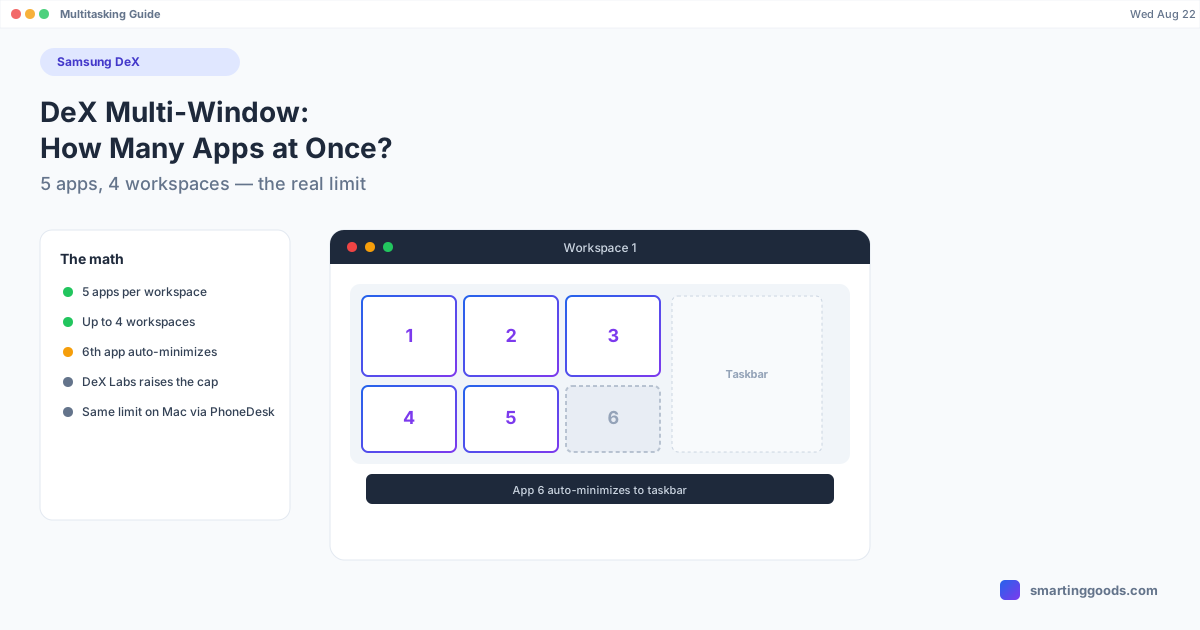
Standard Samsung DeX caps you at 5 apps open simultaneously. Open a sixth, and DeX doesn't block it or throw an error — it automatically minimizes whichever app has been open the longest to make room. Functionally, you never lose an app; it just gets pushed out of view until you bring it back from the taskbar.
This limit is consistent across DeX-capable Galaxy phones and tablets — S24, S25 series, Galaxy Tab, Fold devices — it's a DeX platform limit, not something that varies meaningfully by hardware tier.
Workspaces Give You More Room, Not a Higher Per-Screen Limit
DeX also supports multiple workspaces — up to 4 — each of which can independently hold up to 5 open apps. So the real ceiling isn't "5 apps total," it's "5 apps per workspace, across up to 4 workspaces." If you're running out of room in one workspace, switching to a second workspace for a separate task (rather than trying to cram more apps into the same one) is the intended way to scale up.
This is a meaningfully different mental model from a traditional desktop OS, where you'd just keep stacking windows. DeX wants you to group related apps into a workspace and switch workspaces for unrelated tasks, rather than running everything in one flat window list.
Why the Limit Exists
Five apps isn't an arbitrary number — it's tied to keeping DeX responsive on mobile hardware. Even flagship Galaxy chipsets are still phone/tablet processors sharing thermal and memory budgets with the rest of the device, and DeX runs alongside whatever's happening on the phone screen itself if you're using Multi Window Sync or continuing a task from the phone. Capping concurrent app windows is a practical trade-off to keep the desktop session smooth rather than letting memory pressure degrade performance the more windows you stack.
Raising the Limit: DeX Labs
If 5 apps genuinely isn't enough for your workflow, Samsung's own Good Lock app has a module called DeX Labs that includes an option to raise the multi-app limit beyond the default. It's distributed through the Galaxy Store (not Play Store) as part of Good Lock, and it's explicitly experimental — labeled "Labs" because it's less polished and more likely to behave inconsistently across devices than stock DeX settings. Read the full DeX Labs breakdown for setup steps and what else the module unlocks (forced higher resolution, auto-launching your last app, and more).
Practical Tips for Working Within 5 Apps
- Group by task, not by app. Keep your active project's 3-4 apps in one workspace; switch to a second workspace for email/communication rather than mixing everything into one crowded set of windows.
- Close, don't minimize, apps you're actually done with. A minimized app still counts against your 5-app limit — actually closing it frees a slot, minimizing doesn't.
- Use split-view within a single app window where the app supports it (some productivity apps have their own internal split panes), rather than opening two separate windows for related content.
- Watch for the auto-minimize. If an app you were using disappears from view, it's very likely the oldest-opened app that got pushed out automatically when you crossed 5 — check the taskbar before assuming it crashed.
How PhoneDesk Fits In (If You're on a Mac)
The 5-app (or DeX Labs-extended) limit is a property of the DeX session itself, not of how you're viewing it — so it applies whether DeX is running on a physical external monitor or inside a window on your Mac. PhoneDesk drives a real Samsung DeX session as a resizable window on macOS, confirmed on the Galaxy Z Fold 6, and since it's your phone's actual DeX session rather than a separate reimplementation, the same 5-app default (or your DeX Labs-adjusted limit) carries over exactly as it would on a monitor.
Where PhoneDesk does help: running DeX in a proper macOS window means you can use normal Mac window management — Mission Control, Spaces, resizing — around your DeX session, which is a more natural way to juggle "DeX plus everything else on the Mac" than a phone plugged into a dedicated monitor.
Frequently Asked Questions
Q: Does closing the Mac window count as closing the apps inside DeX? A: No — closing PhoneDesk's window ends that display of the DeX session, but the DeX session itself and its open apps persist on the phone until you reopen the connection or explicitly close apps within DeX.
Q: Is the 5-app limit different on Galaxy Tab vs. Galaxy S phones? A: No — it's a DeX platform limit that applies consistently across DeX-capable phones and tablets, not something that scales with screen size or hardware tier.
Q: Can I have more than 4 workspaces? A: Standard DeX supports up to 4 workspaces, each holding up to 5 apps. That's the documented ceiling without DeX Labs modifications.
Q: Does PhoneDesk let me run more apps than stock DeX allows? A: PhoneDesk itself doesn't change the DeX app limit — that's controlled by the DeX session on your phone (and optionally DeX Labs). PhoneDesk just displays that same session as a window on your Mac, limit included.
The Bottom Line
Five apps per workspace, up to four workspaces — that's the real shape of DeX's multi-window system, and understanding the workspace model (rather than fighting the 5-app cap directly) is the fastest way to stop hitting it. If you want more headroom, DeX Labs can raise the limit. And if you want that DeX session — default or DeX Labs-extended — running as a real window on your Mac instead of tied to a physical monitor, see how PhoneDesk handles Samsung DeX: $25 one-time, no subscription, 14-day refund.