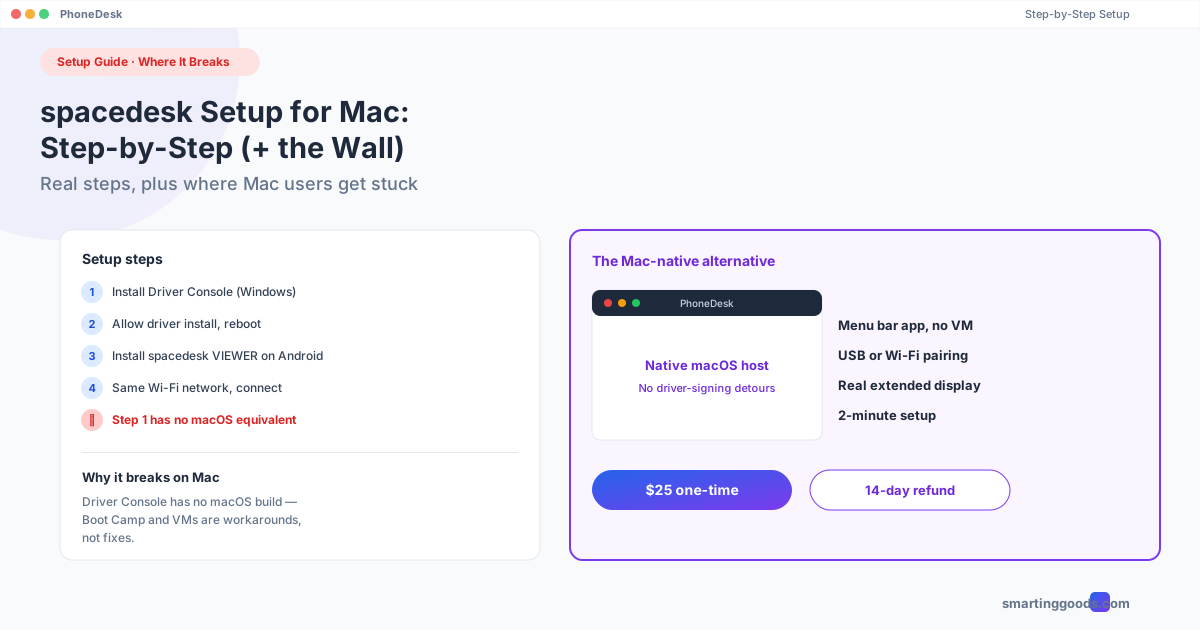
spacedesk Setup Guide for Mac: Step-by-Step (Where It Breaks)
The actual step-by-step spacedesk setup process, plus the exact point where Mac users hit a wall — and the Mac-native alternative that doesn't have one.
spacedesk Setup Guide for Mac: Step-by-Step (Plus Where It Breaks)
You want to use spacedesk on a Mac, so you're here for the actual setup steps — not another "spacedesk is Windows-only" summary. Fair. This is the step-by-step version, including the point in the process where Mac users specifically hit a wall, and what to do once you're there.
If you just want the short version of why spacedesk doesn't work as a Mac host, we've covered that comparison in more depth in spacedesk vs PhoneDesk. This post is the hands-on walkthrough for people who want to actually try it first.
What spacedesk Requires Before You Start
spacedesk has two components:
- Driver Console — the piece that creates the virtual display and broadcasts it. This only installs and runs on Windows.
- Viewer app — installed on the secondary device (Android, iOS, another Windows PC, or a Chromebook) to receive and render the stream.
This split matters immediately: the "host" (Driver Console) is Windows-only software. There is no macOS build of the Driver Console, and there never has been — it's not a missing feature, it's a different codebase built around the Windows Display Driver Model.
Step-by-Step: Setting Up spacedesk (Windows Host → Android Viewer)
If you have access to a Windows PC — even a spare one, or Boot Camp/Parallels on your Mac — here's the actual setup:
- On the Windows machine: go to spacedesk.net and download the Driver Console installer for Windows.
- Run the installer and allow the driver installation prompt (it installs a virtual display driver, so Windows will show a driver-signing warning — this is normal for spacedesk).
- Reboot if prompted. The virtual display driver sometimes requires a restart to register.
- Open the spacedesk Driver Console — you'll see a server status indicator and your PC's local IP address.
- On your Android phone: install the free "spacedesk VIEWER" app from the Play Store.
- Connect both devices to the same Wi-Fi network — this is critical; a guest network or a router with client isolation enabled will block the connection even if both devices show as "connected."
- Open the viewer app and either enter the IP address shown in the Driver Console manually, or use auto-discovery if both devices are on a compatible network.
- On Windows, open Display Settings — a new display should now appear. Set it to "Extend" (not "Duplicate") to get a real second workspace instead of a mirror.
If everything's on the same network and the driver installed cleanly, this typically takes 10–15 minutes end to end, most of it driver install and reboot time.
Where It Breaks for Mac Users
Here's the part that matters if your daily driver is a Mac, not a spare Windows PC: there is no equivalent to step 1–4 above on macOS. You cannot install the spacedesk Driver Console on a Mac. It's not a version mismatch or a bug — the software simply doesn't exist for macOS.
Two workarounds people try, and why they don't really work:
Boot Camp: You can install Windows on your Mac via Boot Camp and run spacedesk there — but you'd have to fully reboot out of macOS every time you wanted the second-monitor setup, losing access to every Mac app and your normal workspace while you're in Windows. Not a practical daily workflow.
Windows VM (Parallels/VMware): Running spacedesk inside a virtual machine on your Mac technically installs the driver, but the VM's graphics are themselves virtualized — spacedesk's virtual display driver, running inside an already-virtualized environment, produces a laggy, low-resolution stream that's not usable for real work. This is a common enough attempt that it's worth saying plainly: it doesn't produce good results.
Other Common spacedesk Setup Problems (Even on Windows)
If you do have Windows and you're still stuck, these are the most common failure points:
- "Device not found" in the viewer app — almost always a network issue. Check that both devices are on the same SSID, not a 2.4GHz/5GHz split network with isolation enabled, and not a guest network.
- Driver install blocked — Windows may block the unsigned/test-signed driver depending on Secure Boot settings. spacedesk's site has instructions for enabling test-signing mode if this happens.
- Laggy or choppy display — USB connection is more stable than Wi-Fi for this; if you're on Wi-Fi, move to 5GHz and get closer to the router.
- Display shows as "Duplicate" instead of "Extend" — this is a Windows Display Settings setting, not a spacedesk setting. Go to Settings → System → Display → Multiple displays and change it manually.
The Mac-Native Alternative
If you went through this guide because your actual machine is a Mac, the honest answer is that spacedesk isn't going to work as your host, full stop — no setting, workaround, or update changes that. What does work is software built specifically for macOS as the host.
PhoneDesk takes the same basic idea — an app creates a virtual display and streams it to your phone — but the "create virtual display" half runs natively on macOS instead of Windows. Setup looks similar to the spacedesk steps above (menu bar app on the Mac, companion app on the phone, same-Wi-Fi requirement, USB option available) but without the driver-signing detours or the platform wall.
Full second-monitor setup guide for Mac →
Frequently Asked Questions
Can spacedesk's Driver Console run on macOS at all? No — there is no macOS version of the Driver Console. It only installs on Windows. The Android, iOS, and other viewer apps can run anywhere, but they need a Windows host to connect to.
Can I use spacedesk if I have a Windows PC and a Mac in the same house? Yes — install the Driver Console on the Windows PC (as the host) and use your Android phone as the viewer. Your Mac isn't part of this setup at all in that case; it's the Windows PC extending its display to your phone.
Why does spacedesk show "Duplicate" instead of "Extend" on Windows? That's a Windows Display Settings option, not a spacedesk setting — go to Settings → System → Display → Multiple displays and choose "Extend these displays."
Is there a paid version of spacedesk that adds Mac support? No — spacedesk's paid tier (a commercial license) is about licensing terms for business use, not adding new host platforms. macOS host support isn't part of any spacedesk tier.
What's the actual Mac equivalent of spacedesk? PhoneDesk is built specifically as a macOS host — it creates the virtual display natively on the Mac and streams it to an Android phone over USB or Wi-Fi, the same basic workflow as spacedesk but without needing Windows anywhere in the chain.
Bottom Line
The spacedesk setup itself is straightforward if you have a Windows PC to install the Driver Console on — 10–15 minutes, mostly driver install time. If your machine is a Mac, no amount of troubleshooting gets around the fact that the host software doesn't exist for macOS; Boot Camp and VMs are workarounds with real downsides, not fixes.
PhoneDesk is a $25 one-time license that does the same job natively on Mac — no subscription, 14-day no-questions refund.