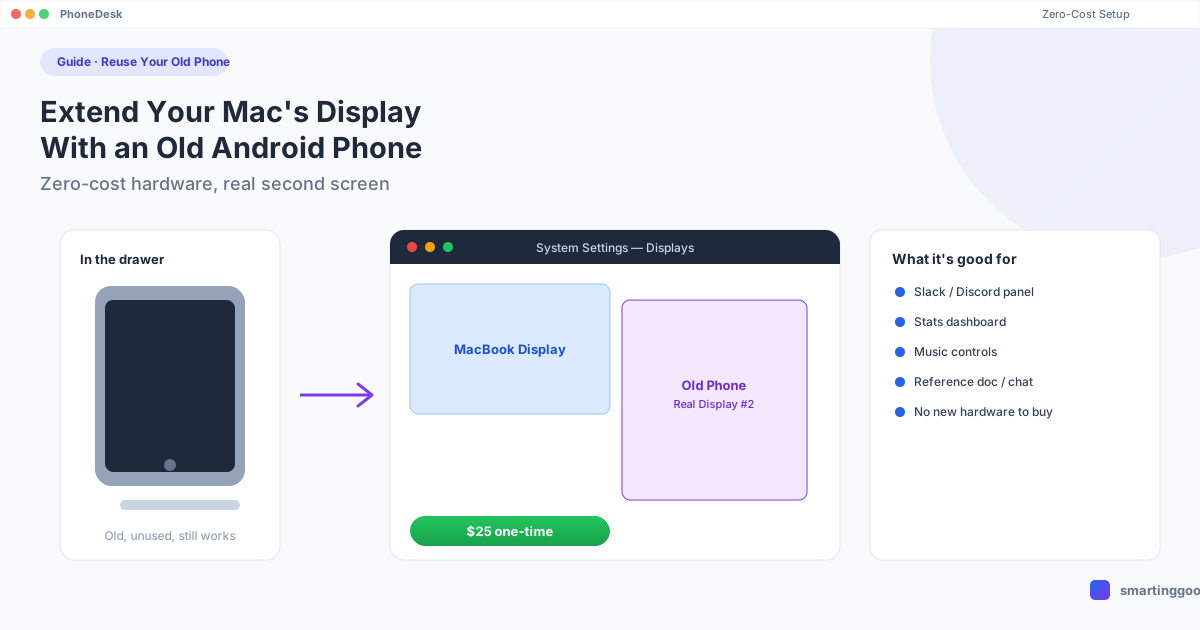
Extend Your Mac's Display With an Old Android Phone (Zero-Cost Setup)
That old Android phone in your drawer can become a real second monitor for your Mac. Here's the zero-cost-hardware setup, what's actually free, and where the free route breaks down.
Extend Your Mac's Display With an Old Android Phone (Zero-Cost Setup)
That old Android phone in your drawer — the one you upgraded from two years ago, still charges fine, screen still works — doesn't have to sit there depreciating toward zero. If you have a Mac, it can become a second monitor. Not a toy, not a mirror of your main screen — an actual extended display you can drag windows onto.
Here's the honest version of "zero-cost": the software to do this well isn't always free, but the hardware cost is zero, because you already own the phone. This guide covers what you can do with $0 in new spending, where that falls short, and the one paid option that's genuinely worth $25 if the free route frustrates you.
Why an Old Phone Makes Sense as a Second Screen
A phone that's a couple of generations old is still a perfectly good panel — 6+ inches, decent brightness, often OLED. The only reason it's "obsolete" is that it's not your daily driver anymore. As a second monitor it doesn't need a fast chip or a great camera. It needs a screen, Wi-Fi (or a USB port), and a way to stay powered while it's propped up next to your keyboard.
Common uses that fit a phone-sized second screen well:
- A persistent Slack, Discord, or Teams window so you're not alt-tabbing out of your main work
- A stats dashboard, system monitor, or crypto/stock ticker
- Music controls or a now-playing widget
- A reference doc, chat log, or ticket queue you glance at, not type into
It's not meant to replace a 24-inch monitor for spreadsheet work — treat it as a sidebar, not a second desktop.
Option 1: spacedesk (Free, but Not for Mac)
spacedesk is the most recommended free tool for turning an Android device into a second display, and it genuinely works — if your primary computer runs Windows. The driver that creates the virtual display only runs on the Windows side; there's no macOS host.
If you're on a Mac, spacedesk can't be your host. You'd need a Windows PC in the mix somewhere, which isn't "zero-cost" if you don't already have one. This is the single most common dead end people hit searching for a free Mac + Android second-monitor setup — it's covered in more depth in our spacedesk on Mac guide if you want the full breakdown of why it doesn't translate.
Option 2: Deskreen (Free, Browser-Based)
Deskreen is a free, open-source app that turns your phone's browser into a display target using WebRTC — no companion app to install on the phone. You run Deskreen on your Mac, scan a QR code, and your phone's browser shows the stream.
The trade-offs are real:
- It's a mirror/extend hybrid, not a true OS-level virtual display — window management is clunkier
- Latency depends entirely on your Wi-Fi and browser performance; typing and cursor movement can lag
- No native desktop-mode support, no file transfer, no persistent connection — you re-scan the QR code each session
It's genuinely free and it does technically work, so if your bar is "$0 and I don't mind some friction," it's worth trying before you spend anything.
Option 3: PhoneDesk ($25 One-Time, Not Actually "Zero-Cost" — But Close)
If the free options above leave you fighting lag, clunky reconnects, or the Windows-only wall, PhoneDesk is the paid step up — and it's worth being upfront that $25 isn't literally free. But compared to buying an actual second monitor (even a cheap one runs $100+), reusing a phone you already own for a one-time $25 license is about as close to zero-cost hardware spend as this gets.
PhoneDesk runs natively on macOS and creates a real virtual display that your Mac treats like any other monitor — it shows up in System Settings → Displays, holds its resolution, and lets you drag windows onto it exactly like a physical screen plugged in over HDMI. Setup is a menu bar app on the Mac and a companion app on the phone, connected over USB or Wi-Fi, with a QR-code wireless pairing option so you're not stuck reconnecting a cable every time.
Since the same license also drives Samsung DEX or Pixel desktop mode as a Mac window, and sends files/text from phone to Mac without MTP, an old phone that becomes a second monitor today can also become a file-transfer shortcut or DEX display later, without buying anything else.
See the full second-monitor setup guide →
Zero-Cost Setup Checklist
Whichever route you pick, an old phone works better as a second monitor with a few basics in place:
- A stand or mount — a $5 phone stand, a book, or a charging dock. It needs to sit upright next to your Mac.
- Keep it plugged in — streaming a display continuously drains the battery fast; leave it on the charger.
- Same Wi-Fi network — for any wireless option, the phone and Mac need to be on the same network, not a guest network that isolates devices.
- Wipe old data first — if the phone still has your old accounts logged in, factory reset it or at least remove anything you don't want lying around on a screen you're now using semi-publicly at your desk.
Frequently Asked Questions
Can any old Android phone be used as a second monitor? Most phones from the last 5–6 years with a working screen and Wi-Fi can work. Very old phones (Android 8 or earlier) may struggle with the companion apps some of these tools require — check the app's minimum OS version before assuming it'll work.
Do I need a data plan or SIM card in the old phone? No. Wi-Fi is enough for every option in this guide, including PhoneDesk. A SIM card and cellular plan aren't required at all.
Is spacedesk really free forever? Yes, for personal use — the catch for Mac users isn't price, it's platform. spacedesk's host driver only runs on Windows, so a Mac can't be the primary machine broadcasting a display.
What if I want desktop mode, not just a second screen? That's a different feature — a true extended display (windows dragged onto it) versus Samsung DEX/Pixel desktop mode (a full Android desktop UI in a window). PhoneDesk covers both under one $25 license if you want to use the same old phone for either.
Is $25 really worth it over the free options? If a free tool works fine for your setup, no — keep using it. PhoneDesk is worth it specifically when the free route hits a wall: Mac-only households with no Windows PC for spacedesk, or the lag/reconnect friction of browser-based tools like Deskreen becomes annoying enough that you'd rather pay once and be done with it.
Put That Old Phone to Work
An old Android phone sitting in a drawer is a free monitor waiting for the right software. If you're on Windows, spacedesk costs nothing and works well. If you're on a Mac, your free options are more limited and come with real trade-offs in reliability and setup friction.
PhoneDesk is a $25 one-time license — no subscription — built specifically for Mac users who want their Android phone to behave like a real second display, plus desktop mode and file transfer in the same app. 14-day no-questions refund if it's not for you.
See how the second-monitor feature works → · Full feature list →