Best Games for Samsung DEX in 2026
Skip the recycled listicles. Here's what's actually verified about game compatibility on Samsung DEX, organized by category instead of a guessed top-10.
Best Games for Samsung DEX in 2026
Most "best games for Samsung DEX" lists are recycled clickbait — the same ten game names copy-pasted across a dozen sites, half of which don't actually support a mouse or keyboard once you try them. We checked what's actually verifiable before writing this, and the honest answer is less exciting than the lists promise: a small number of games genuinely work well in a DEX window with external input, and a much larger set only technically launches there while staying touch-only underneath.
Here's what's real, organized by category instead of a fake top-10, because that's what the evidence actually supports.
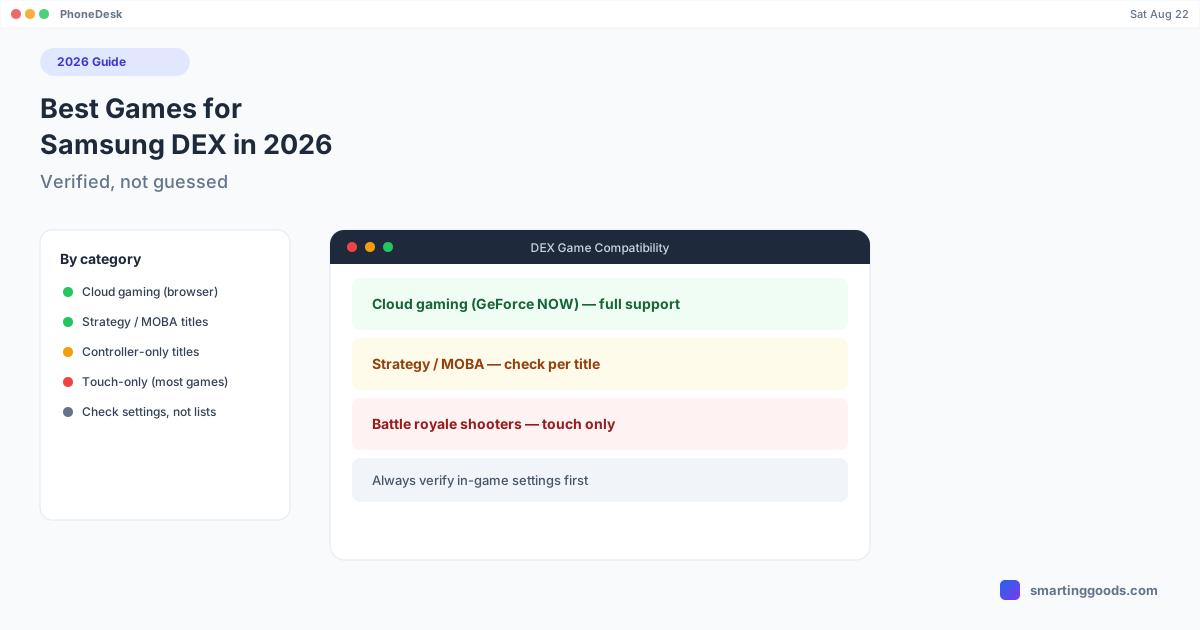
The Category That Works Best: Cloud Gaming Through a Browser
If you want the single most reliable "gaming on DEX" experience, it's not a native mobile game at all — it's cloud gaming through a browser tab. Services like GeForce NOW have a documented, official setup path for Android Desktop Mode with keyboard and mouse, because the input just needs to reach a browser session, not a mobile game engine that may or may not have built controller/K&M support. Xbox Cloud Gaming works the same way. If gaming on DEX is your goal, start here — it's the category with the fewest caveats. We break down the full setup in our GeForce NOW on Samsung DEX guide.
Strategy, MOBA, and Turn-Based Titles
This is the category where native mobile games most often ship real keyboard/mouse or controller support, because their genre already assumes precise cursor-driven input on PC. If a strategy or MOBA-style game has a PC or desktop counterpart with a shared account, it's a reasonable bet that DEX support exists — but check the game's own settings menu for an explicit "controller" or "keyboard and mouse" toggle before assuming. Don't take a game's DEX-window compatibility as proof of real input support; plenty of titles render fine in the window and are still touch-only.
Games With Official Controller Support (Not the Same as Keyboard/Mouse)
Several major titles — Fortnite and Call of Duty: Mobile among them — officially support Bluetooth controllers on mobile. That controller support carries over cleanly into a DEX session, since a Bluetooth controller pairs at the OS level regardless of what mode the phone is in. But controller support and keyboard/mouse support are not the same thing: as of this writing, neither Fortnite nor Call of Duty: Mobile officially supports mouse and keyboard on the mobile app, in DEX or otherwise. If you see a list claiming keyboard/mouse works natively in these titles, be skeptical — we go deep on this specific question in Can You Play Fortnite or COD Mobile on Samsung DEX?
The Games People Expect to Work but Don't (Cleanly)
Minecraft Bedrock Edition is the most commonly recommended "DEX gaming" title online, and it's also the clearest example of why you shouldn't trust a list without checking. Bedrock's keyboard support in DEX has been reported as broken or partial for years — you can often type in chat or name a world, but WASD movement and mouse-look don't reliably work, and Samsung's own support threads confirm this is a known, unresolved limitation rather than user error. Third-party toolbox apps claim to hack in support, but that's a workaround, not something the game ships natively.
Treat any list — including this one — with the same skepticism: verify a specific title's input support in its own settings before building an evening around it.
What About Emulators?
Running a PC or console emulator inside DEX is a legitimate way to get keyboard/mouse-native games onto the platform, since the emulator itself (not the mobile game) is what's handling input translation, and many emulators are built with desktop-style control schemes from the start. This is a different category than "mobile games that support DEX" — it's PC-style software running on Android hardware — but it's worth knowing about if your goal is broader keyboard/mouse gaming rather than specific mobile titles.
How to Verify a Game Yourself (Do This Before Trusting Any List)
- Open the game's in-app settings and look for a "Controller" or "Keyboard & Mouse" toggle — its presence is the only reliable signal.
- Check the game's Play Store listing or official support site for "controller support" or "external input" language.
- If neither exists, assume touch-only. A game rendering inside a DEX window proves nothing about input support.
- For anything ambiguous, search "[game name] keyboard mouse DeX" directly rather than trusting a generic listicle — support changes with updates, and old blog posts go stale fast.
How PhoneDesk Fits In
PhoneDesk doesn't change which games support external input — that's entirely up to the game, not the display mode. What it does is take your phone's desktop mode (Samsung DEX or Pixel's native desktop mode) and run it as a real, resizable window on your Mac instead of requiring a separate monitor or dock. For the categories above that genuinely work — cloud gaming in a browser, strategy titles with real support — that's a clean way to have your phone's desktop session available without extra hardware. See the full setup on the PhoneDesk homepage.
Frequently Asked Questions
Q: Is there an official list of games that support DEX keyboard and mouse? A: No single authoritative list exists — support is set by each game's developer and can change with updates. The most reliable method is checking the game's own settings for a controller or keyboard/mouse toggle rather than trusting a blog list.
Q: Does Minecraft work well with keyboard and mouse on DEX? A: Not reliably. Minecraft Bedrock's DEX keyboard support has long-standing reported issues — chat typing and world naming work, but WASD movement and mouse-look often don't, per Samsung's own support threads.
Q: What's the safest bet for keyboard/mouse gaming on DEX? A: Cloud gaming through a browser (GeForce NOW, Xbox Cloud Gaming). Input goes to a browser session rather than a mobile game engine, so there's no game-by-game guesswork.
Q: Does PhoneDesk improve game compatibility with DEX? A: No — PhoneDesk puts your phone's existing desktop mode in a window on your Mac. It doesn't change what any individual game supports; that's determined entirely by the game itself.
Bottom Line
Skip the recycled "best games for DEX" lists that don't cite sources. The real picture: cloud gaming through a browser is the most dependable gaming experience on DEX, strategy/MOBA titles are a reasonable second bet, official controller support (not keyboard/mouse) exists in a few big names, and touch-only is the default for almost everything else — including some games commonly claimed otherwise.
If you want your phone's real desktop mode as a window on your Mac — for gaming or anything else — see how PhoneDesk works. $25 one-time, no subscription, 14-day refund if it's not for you.