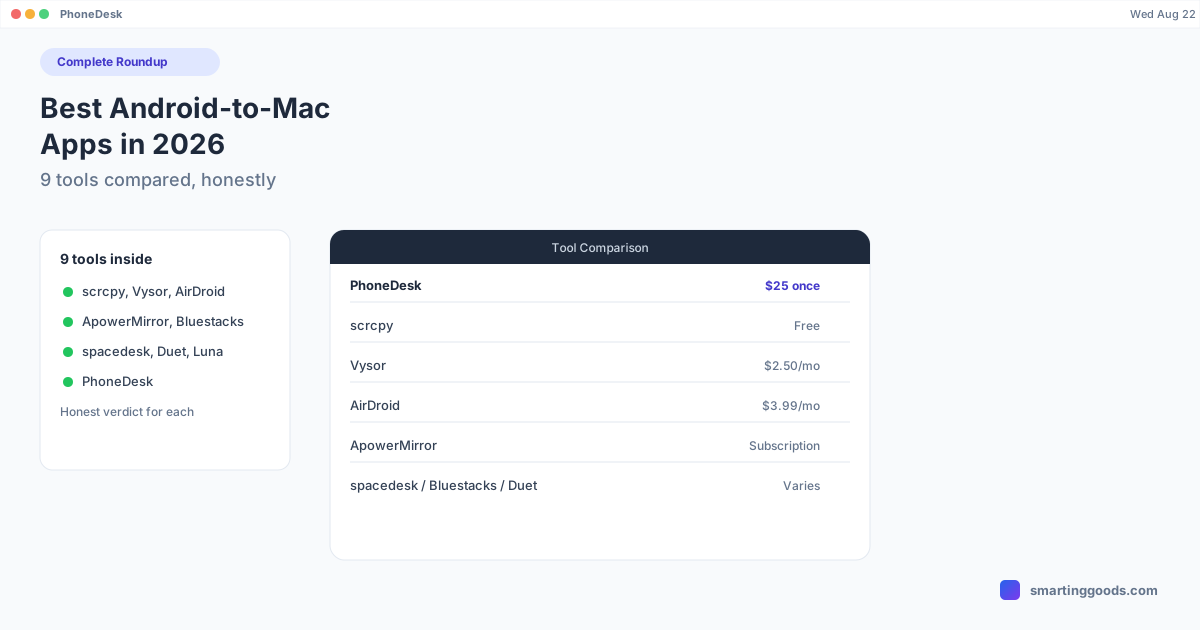
Best Android-to-Mac Apps in 2026: The Complete Roundup
Nine Android-to-Mac tools compared honestly — scrcpy, Vysor, AirDroid, ApowerMirror, spacedesk, Duet Display, Luna Display, Bluestacks, and PhoneDesk — with a real answer for when each one is actually the right pick.
Best Android-to-Mac Apps in 2026: The Complete Roundup
If you've been down the rabbit hole of trying to connect an Android phone to a Mac properly, you've probably hit half a dozen different tools, each solving a slightly different piece of the problem — one mirrors your screen, another turns your phone into a monitor, another moves files, another emulates Android entirely. There's no single "best" app because they're not all trying to do the same job.
This is the honest roundup: every major Android-to-Mac tool we've compared PhoneDesk against, what each one is actually for, and — genuinely — when a tool other than PhoneDesk is the right call.
The Comparison Table
| Tool | Category | Price | Best for |
|---|---|---|---|
| PhoneDesk | Desktop mode + 2nd monitor + file transfer | $25 one-time | Real DEX/Pixel desktop mode, phone as a monitor, native Mac app |
| scrcpy | Free open-source mirroring | Free | Developers comfortable with command-line tools who want zero-cost mirroring |
| spacedesk | Second monitor (Windows-first) | Free | Windows users; weaker, unofficial support on Mac |
| Duet Display | Second monitor (subscription) | Subscription | iPad users primarily; Android support is secondary |
| Luna Display | Second monitor (Apple-only) | Hardware + subscription | Mac-to-iPad or Mac-to-Mac extended display — doesn't support Android at all |
| Bluestacks | Android emulator | Free (ads) / paid tiers | Running Android apps on a Mac without a physical phone, especially gaming |
| Vysor | Screen mirroring | Free / $2.50/mo / $40 lifetime | Cross-platform (Windows/Mac/Linux) basic mirroring and file drag-and-drop |
| AirDroid | Remote access + device management | Free (capped) / $3.99/mo | Reaching your phone over the internet, not just on your local network |
| ApowerMirror | Multi-device mirroring | Free (10-min cap) / subscription | Mirroring several phones to one screen for presentations or demos |
When Each Tool Is Actually Right
scrcpy is free, open-source, and — for a Mac user comfortable with Homebrew and a terminal — genuinely excellent at raw screen mirroring with very low latency. If you don't mind a command-line setup and don't need desktop mode or second-monitor support, scrcpy costs nothing and does mirroring as well as almost anything on this list. Full comparison: scrcpy vs PhoneDesk.
spacedesk is a strong pick for turning a phone or tablet into a second monitor if you're primarily a Windows user — it's mature there. On Mac, its support has been weaker and less officially maintained, which is the main reason people go looking for alternatives. Full comparison: spacedesk vs PhoneDesk.
Duet Display built its name on iPad-as-second-monitor and still leans that direction; Android support exists but isn't the app's primary focus, and it's a subscription. If you're mixing an iPad and an Android phone in your setup, it's worth a look. Full comparison: Duet Display alternatives for Mac.
Luna Display deserves a mention because people searching for "phone as second monitor for Mac" run into it constantly — but it's Apple-only (Mac-to-iPad, or Mac-to-Mac) and doesn't support Android at all, hardware dongle included. If you have an Android phone, Luna Display isn't an option regardless of price. Full comparison: Luna Display alternative for Android.
Bluestacks solves a completely different problem: running Android apps on your Mac without a physical phone at all, which matters for mobile gaming or app testing on a big screen. If you don't have (or don't want to tether) a real phone, Bluestacks is the right category of tool — PhoneDesk assumes you have a physical Android device to connect. Full comparison: Bluestacks alternatives for Mac.
Vysor is the closest thing to a direct PhoneDesk competitor on pure mirroring — cheap, cross-platform, and its free tier is usable for occasional USB mirroring. If you need Windows or Linux support too, Vysor covers that; PhoneDesk is Mac-only. Full comparison: Vysor vs PhoneDesk.
AirDroid is the right choice if you need to reach your phone from anywhere over the internet, not just when it's near your Mac — that's real remote access PhoneDesk doesn't attempt. It also does more device-management (find phone, remote erase) than a mirroring/desktop-mode app needs to. Full comparison: AirDroid vs PhoneDesk.
ApowerMirror wins when you need to mirror multiple phones to one screen simultaneously — up to 4 devices — for a classroom, a demo, or a QA bench. That's a genuinely different use case than a single-device desktop-mode workflow. Full comparison: ApowerMirror vs PhoneDesk.
Where PhoneDesk Fits
None of the tools above combine what PhoneDesk does in one native Mac app: launching your phone's actual built-in desktop mode (Samsung DEX or Pixel desktop mode) as a resizable window, flipping the direction so your phone becomes a real second monitor for your Mac, and sending files and text to your Mac without MTP or a metered data cap — all for a $25 one-time price with no subscription.
If your goal is specifically "I want Samsung DEX or Pixel desktop mode running as a proper window on my Mac" or "I want my old Android phone to work as an actual second monitor," none of the alternatives above do both of those in one app. That's the gap PhoneDesk was built to close.
Frequently Asked Questions
Q: What's the best free option for mirroring Android to Mac? A: scrcpy is the strongest free, open-source option if you're comfortable with a terminal setup. Vysor's free tier is a simpler (but capped and ad-supported) alternative if you'd rather avoid the command line.
Q: What's the best app for using an Android phone as a second monitor for a Mac? A: PhoneDesk and spacedesk are the two real contenders — PhoneDesk is Mac-native with a one-time price, spacedesk is stronger on Windows and less officially supported on Mac. Duet Display and Luna Display lean toward iPad/Apple devices rather than Android.
Q: Is there a free way to get Samsung DEX or Pixel desktop mode on a Mac? A: Not that reliably drives desktop mode as a real window — most free mirroring tools show your phone's normal screen, not desktop mode. PhoneDesk is built specifically to launch desktop mode itself.
Q: Do I need different apps for mirroring, second monitor, and file transfer, or can one app do all three? A: PhoneDesk is the only tool in this roundup that combines all three (desktop mode, second monitor, file transfer) in one native Mac app. Most alternatives specialize in one category.
Q: Which of these tools is cheapest long-term? A: scrcpy is free indefinitely. Among paid tools, PhoneDesk's $25 one-time price beats every subscription option on this list (Vysor, AirDroid, ApowerMirror, Duet Display) within roughly a year, with no recurring charge after that.
Bottom Line
There's no single winner here because these tools aren't all competing for the same job. If you want free, low-level mirroring, scrcpy is hard to beat. If you need multi-device mirroring or internet-based remote access, ApowerMirror or AirDroid fit better. But if what you actually want is your phone's real desktop mode running as a Mac window, your phone doubling as a second monitor, and simple file transfer — in one native app, for a one-time price — PhoneDesk is built for exactly that combination.
PhoneDesk is a $25 one-time license — no subscription, 14-day no-questions refund. See the full feature list →